
Mixing lots of choir tracks
When working with multiple recordings, edits and plug-ins, the processing power you need depends on your particular session. Ableton points to the number of tracks and the types of plug-ins and instruments you use.


First, choose a laptop that runs your DAW, plug-ins and audio interface. Then match its memory, storage and connections to your choir session and workspace. A compact MacBook Air has fewer direct connection options than some Windows configurations, but no specification can guarantee that your mix will run without interruptions. Test it with your own project and interface.
When working with multiple recordings, edits and plug-ins, the processing power you need depends on your particular session. Ableton points to the number of tracks and the types of plug-ins and instruments you use.
A smaller laptop can leave more room for other equipment, but the screen still needs to be practical for viewing the timeline and mixer. The MacBook Air reviewed has a 13.6-inch screen, while the ThinkPad configuration mentioned has a 14-inch screen.
If you record and mix on the same laptop, check that your interface is compatible and that its driver works with it. Ableton explains how drivers and buffer settings affect audio work.
A good fit if: your DAW and plug-ins work on macOS and a 13.6-inch screen suits the way you mix.
Bear in mind: Apple lists two Thunderbolt 4 ports for the base configuration. Check how you’ll connect USB-A devices, your interface and external storage.
A good fit if: you use existing Windows software or want to connect USB-A devices without an adapter.
Bear in mind: the Lenovo ThinkPad T14 Gen 6 (AMD), configuration 21QJ005EMH, lists two USB-A and two USB-C ports. Check your interface driver and the exact configuration.
A good fit if: you want to compare a 14-inch Windows model with 16 GB of memory and a 512 GB SSD against the needs of your own project.
Bear in mind: HP lists this configuration for the OmniBook X Flip 14-kc0600ndx. Assess the ports and performance of the exact configuration separately.
Ableton emphasises that the capacity you need depends on your workflow, the number of tracks and the plug-ins you use. So compare the full configuration with your own DAW, audio interface and working methods.
| What to consider | What should you check? | Who is this important for? |
|---|---|---|
| Performance with lots of tracks | Make a note of your DAW, the number of tracks and the plug-ins you use; compare the system requirements with the exact configuration. | If I want to mix a large choir session with lots of plug-ins, I need to know what my own project requires. Around 26% of consumers who prioritise performance for demanding choir mixes share this priority. |
| Size and workspace | Measure the desk space available and decide whether you’ll use an external screen; check the screen size for the full model number. | If my desk is small, I’m looking for a laptop that fits without making the timeline awkward to use. Around 21% of consumers who prioritise a compact workspace focus on this above all. |
| Connections and monitoring | Check the connector and driver for your interface, the ports available and the buffer settings with your own session. | If I record or monitor using an audio interface, I need to be able to connect my equipment and test the settings with my own session. Around 21% of consumers who prioritise connections and monitoring share this concern. |
| Storage for projects | Work out how much space your recordings and project versions take up; check that the internal storage and any external storage suit your workflow. | If I want to keep choir recordings and project versions locally, I need to plan for enough space without overlooking the connections I’ll need for external storage. Around 16% of consumers who see storage as their main deciding factor share this priority. |
| Total purchase cost and after-sales support | Factor in any software, adapters and storage you’ll need; ask the retailer whether additional services offer anything beyond your existing rights. | When putting together my complete setup, I also want to know who to contact if the laptop develops a fault. Around 16% of consumers who prioritise total costs and after-sales support focus on this above all. |
Memory, storage and processor can vary between configurations in the same laptop family.
Check the full model number and the specifications of the configuration on offer.
The MacBook Air reviewed lists two Thunderbolt 4 ports; the ThinkPad configuration mentioned also lists two USB-A ports.
Before buying, make a list of the devices you need to connect at the same time, including your interface, external storage and screen.
You may need a suitable adapter or dock for some connections.
The buffer, audio interface and demands of your project all affect drop-outs and latency. One setting isn’t a like-for-like laptop test.
Test with your own interface and choir session. If you hear crackling or get drop-outs, increase the buffer step by step and keep an eye on the extra latency.
According to the Dutch government, your statutory guarantee applies alongside any manufacturer’s warranty or additional cover.
Check what an additional warranty product actually offers, and contact the retailer if a product is faulty.
An additional warranty service may cost extra; compare its cover with your statutory rights.
A compact macOS option for anyone using compatible audio software.
A 14-inch Windows configuration to compare if having direct connections matters to you.
A 14-inch Windows configuration sold in the Netherlands, to compare with other memory and storage combinations.
The Zenbook 14 OLED UX3405 family includes compact Windows configurations that you’ll need to compare by model number.
This selection includes laptops with different screen sizes, memory configurations and storage capacities. Compare these features with your DAW, your own interface and the space you have available.
 No image available
A compact option to compare if your DAW and plug-ins work on macOS and the screen size suits your workspace.
The product name lists an M5 chip, 16 GB of memory and a 512 GB SSD.
 No image available
Compare this configuration if you want to weigh the listed memory and storage against your choir session and the space on your desk.
The product name lists a 15-inch screen, a Snapdragon X Elite, 32 GB of memory and 1 TB of storage.
 No image available
Compare this configuration if you want to weigh the listed memory and storage capacity against the needs of your own mixing workflow and workspace.
The product name lists a 16-inch QHD+ OLED screen with a 240 Hz refresh rate, Intel Core Ultra 9 386H, GeForce RTX 5060, 32 GB DDR5, 1 TB SSD, Wi-Fi 7 and Windows 11 Home.
 No image available
An option to compare if, alongside choosing a Windows laptop, you also want to check how many connections your audio equipment needs.
The product name lists an Intel Core Ultra X7 358H, 32 GB LPDDR5x, a 1 TB SSD, a 16-inch 2.8K OLED screen with a 120 Hz refresh rate, Wi-Fi 7 and Windows 11 Home.
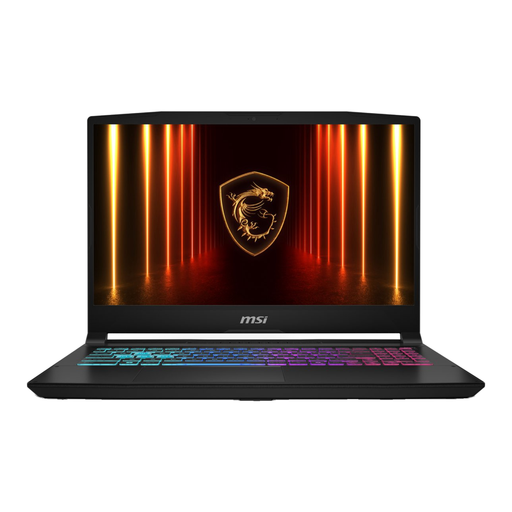 No image available
Compare this configuration with your own project, and check in advance which power supply is included with the laptop.
The product name lists 16 GB of memory and a 1 TB SSD. According to the product information, the mains adapter must be purchased separately.
Not for every existing recording. Cockos explains that you can use REAPER on a computer without additional hardware. If you want to record with a microphone or monitor through an interface, check the hardware, connection and driver you’ll need.
Increase the buffer step by step and test your own session. Ableton explains that a buffer that’s too small can cause drop-outs, while a larger buffer adds latency. This setting doesn’t guarantee that you won’t need a different laptop.
According to the Dutch government, the retailer must provide a solution if a product is faulty. The Netherlands has no fixed statutory guarantee period, and additional cover doesn’t replace your statutory rights. For online consumer purchases, you’ll also have a 14-day cooling-off period in many cases.
First, check the copyright and privacy rules that apply. According to the Dutch government, you can’t distribute or make copyright-protected music available to the public without permission; BumaStemra sets out licensing terms for covers. The Dutch Data Protection Authority points out that consent is required in most cases to publish personal data online. Whether a specific recording can be shared depends on the repertoire, the rights involved and whether individuals can be recognised.