
Worksheet creator working with formulas
You create or edit worksheets containing equations and want to check that your usual document software can handle them. Microsoft Support distinguishes between Word for the web and the desktop version.


Start by choosing a laptop that works with the software you use to create formulas and worksheets. Microsoft says you can’t add or edit equations in Word for the web; you’ll need the desktop version for that. Then check that the laptop is compatible with the shared screen, keyboard and available power supply. A larger built-in screen can be useful if a monitor isn’t always available, while a more compact model takes up less space. Check the keyboard layout and what’s included in the box for the exact model, too.
You create or edit worksheets containing equations and want to check that your usual document software can handle them. Microsoft Support distinguishes between Word for the web and the desktop version.
You regularly connect a screen or keyboard, then pack your laptop away again. The available connections and power supply at your workspace matter. HP Store Netherlands recommends checking factors such as a dock’s maximum screen resolution and power output.
You combine text, images and maths content, and want to review the document clearly. GeoGebra lists these as elements you can include in a worksheet.
First, check that your software includes the formula features you need. Then compare the screen and connections with what’s already available at the shared desk.
| What to consider | What should you check? | Who is this important for? |
|---|---|---|
| Formulas and software | Try creating a new equation and editing an existing worksheet in your own software. Microsoft says Word for the web can’t add or edit equations. | If I use set templates or Word documents, I want to make sure the formula features I need work in them. Around 26% of consumers put software compatibility first. |
| Connecting to the desk | Check the connection for the screen provided, the port’s video capabilities and the power requirements of the laptop, monitor or dock. HP Store Netherlands highlights the importance of checking a dock’s maximum resolution and power output. | If I often switch between my laptop and a shared workspace, I want to know that the screen and power supply will work without incompatible connections. Around 21% of consumers prioritise connecting to their workspace. |
| Extended screen use | Find out what separate equipment is available. Arboportaal states that for employees who use a screen for more than 2 hours a day, the screen and keyboard must not be attached to each other. Laptop users must be able to use a separate screen or keyboard. | If I work at a desk for long periods, I want to know whether the workspace allows for a separate screen or keyboard. Around 21% of consumers prioritise their setup for these work sessions. |
| On-screen visibility | Compare the screen size and resolution of the exact model with the available desk space and any external screen. If possible, test one of your own worksheets in your chosen setup. | If I want to review text, images and exercises at the same time, I consider how much space the document takes up on screen. Around 16% of consumers prioritise having a clear overview of their documents. |
| What you need and storage | Check the dimensions, the included charger and what’s already available at the desk. Box contents may vary between models. | If I want to put my laptop away after use, I want to know which accessories I already have and how much space the device takes up. Around 16% of consumers prioritise having the right equipment and convenient storage. |
Microsoft says you can view existing equations in Word for the web, but you can’t add or edit them.
Try a worksheet with new and existing equations in the software you plan to use.
You may need a compatible dock, power supply or adapter.
Acer states that the Aspire Go 15 model NX.JRREH.015 doesn’t include a charger. This doesn’t necessarily apply to other models.
Check the model number, box contents and power requirements of the model you’re considering.
For this Acer model, you’ll need to allow for buying a compatible charger separately.
The Aspire Go 15 NX.JRREH.015 is a specific model to consider if you want to work on its built-in 15.6-inch screen.
The ThinkPad E14 Gen 7 21T9001TMH is a compact model to compare if you want a smaller built-in screen alongside a shared workspace.
The ProBook 4 G1i 16-inch D4TM6EA#ABH is a business model to compare if a larger screen or the listed on-site support is important to you.
The Vivobook 16 M1607GA-MB084W has a 16-inch WUXGA screen and is worth comparing if you work without a shared monitor.
Dell offers personal laptops and professional systems as product ranges you can compare.
This selection includes laptops with built-in screens; some product listings also mention connections for an external screen. Check the ports, keyboard layout and included power supply for the exact model you’re considering for your desk.
 No image available
The listed 18-inch WQXGA screen may be useful if you want to view worksheets on the built-in display. Bear in mind how much space a screen of this size takes up on a shared desk.
The product listing specifies a Ryzen 9 8940HX, RTX 5060, 16 GB of memory and a 1 TB SSD.
According to the product description, the charger must be purchased separately. USB4, USB-C DisplayPort and HDMI 2.1 are listed.
 No image available
The 15.6-inch Full HD screen is worth considering if you want to create worksheets on the laptop itself.
The product information lists Windows 11 Home, 8 GB DDR5 and a 512 GB SSD.
According to the description, a power adapter isn’t included. Check the box contents for the model you choose.
 No image available
According to the product listing, this model has a 16-inch QHD+ OLED screen. Check that the size and connections suit your shared workspace.
The listing specifies an Intel Core Ultra 9 386H, GeForce RTX 5060, 32 GB of memory and a 1 TB SSD.
Thunderbolt 4 and HDMI 2.1 are listed. The stated weight is 1.99 kg.
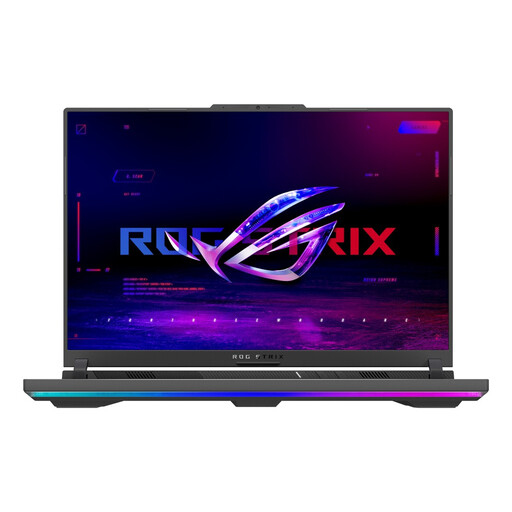 No image available
The product title specifies a 16-inch Full HD+ screen for working on the built-in display. Compare the size with the space available on your desk.
The listing specifies a Ryzen 9 8940HX, RTX 5080, 16 GB RAM and a 1 TB SSD.
Check the connections and included power supply for the shared setup you want to use.
 No image available
The listed 15.6-inch Full HD screen may be useful if you want to create worksheets on the laptop itself.
The product information specifies 16 GB of memory and a 512 GB SSD. HDMI and USB-C video outputs are also listed.
According to the description, the charger must be purchased separately; the recommended power adapter is 120 W.
According to Microsoft, you can’t do this in Word for the web: existing equations are visible, but you can’t add or edit them. Microsoft recommends using the desktop version of Word for these features, so check that you can use it for your documents.
Check that the laptop connects to the screen and keyboard provided, as well as the dock if there is one, and that the power output is suitable. For employees who use a screen for more than 2 hours a day, Arboportaal states that the screen and keyboard must not be attached to each other, and laptop users must be able to use a separate screen or keyboard.
It depends on the model. Acer says the Aspire Go 15 NX.JRREH.015 doesn’t include a charger, so check the box contents and power requirements of the model you’re considering.
ACM ConsuWijzer states that your statutory guarantee applies alongside any guarantee offered by the retailer or manufacturer. For online purchases, ACM ConsuWijzer says you have a cooling-off period of up to 14 days after the product is delivered. Check the terms and any exceptions that apply to your purchase.