
Vandaag of morgen in huis

Kwaliteit gegarandeerd

Welkomstaanbiedingen ontgrendelen: GRATIS bezorging | Tot 80% korting | Gratis 30 dagen JoyPlus-proefperiode
Download de app
Securing your laptop against theft is a necessary step, especially when working in public spaces, the office, or co-working environments. A laptop lock is an effective tool for this purpose. However, the purchase can be surprisingly complex. The wrong choice not only means wasted money but also leaves your device unprotected. The most common mistake is buying a lock that doesn't fit your laptop's security slot. This guide will help you understand the right specifications and make a suitable choice.
Before purchasing a laptop cable lock, there are three key parameters to check. Following these steps will help you avoid the wrong purchase and ensure effective theft protection for your laptop.
The most important factor is compatibility. Laptops are not universal, and manufacturers use different types of slots. Check your laptop's specifications or inspect the side of the device to determine which type you have.
The choice between a laptop combination lock and a keyed laptop lock depends on your personal preference and use case.
The cable provides the physical barrier against theft. Pay attention to the following specifications:
Based on the criteria above, we have selected products with clear specifications for different use cases.
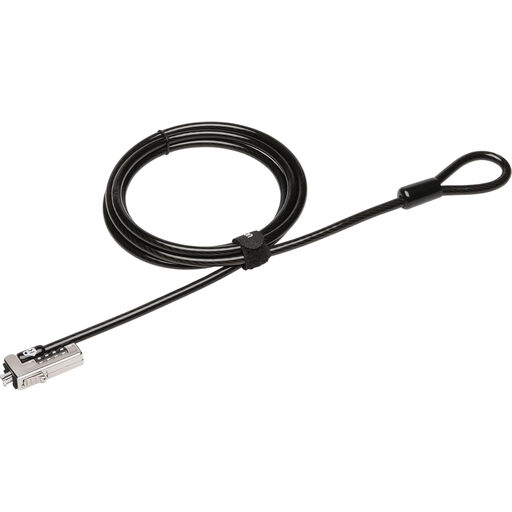
Why This Product This Kensington laptop lock is specifically designed for modern, thin laptops equipped with a Nano Security Slot. The combination of an ultra-strong cable and a combination lock makes it a practical solution for those who don't want to manage keys.
Pros
Who It's For Users of recent, thin laptops (such as certain models from HP, Lenovo, and Acer) who need strong, keyless security for the office, school, or on the go. Verify that your device has a Nano slot.
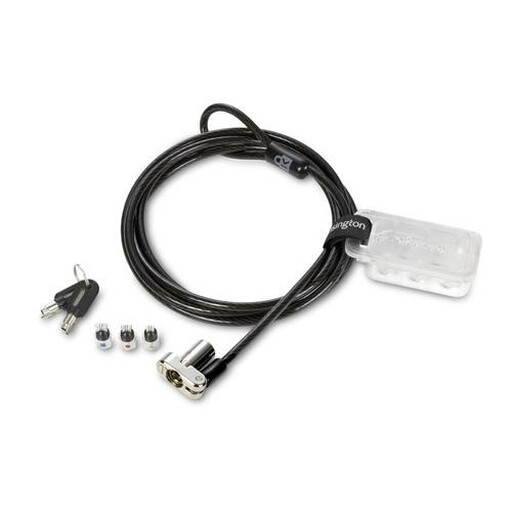
Why This Product The strength of this lock lies in its versatility. The 3-in-1 locking head is compatible with the three main slot types: standard (K-Slot), Nano, and Wedge-shaped. This makes it an excellent choice for IT departments or for anyone unsure of their laptop's slot type.
Pros
Who It's For IT managers managing a mixed-device environment, professionals with multiple devices, or anyone looking for a future-proof solution that fits virtually any laptop.
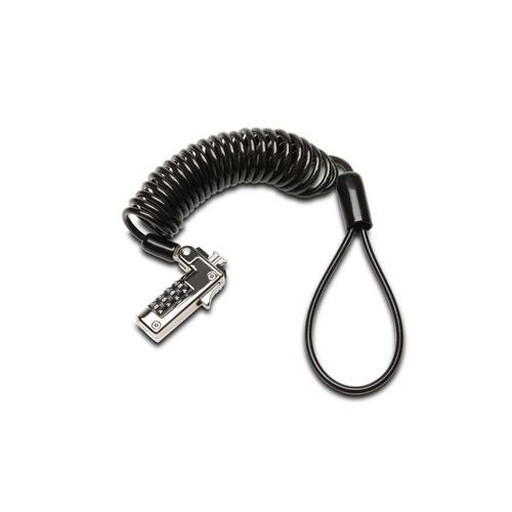
Why This Product This notebook lock combines a slim, portable design with the reliability of a combination lock. It is specifically made for the widespread Kensington Security Slot (K-Slot), making it a suitable choice for a large number of business and personal laptops.
Pros
Who It's For Students, travellers, and professionals with a laptop featuring the traditional K-Slot who prefer a lightweight and portable combination lock.
The products listed above cover the most common scenarios. Does your laptop have a different type of slot, such as a Wedge slot, or are you looking for a model with specific features like a master key system? More options are available.
For a broader overview of available models, you can browse our full category.
1. How do I know which laptop lock fits my laptop? The most reliable method is to look up your laptop model's specifications on the manufacturer's website. Search for terms like "security slot," "K-Slot," "Nano slot," or "Wedge slot." You can also visually inspect the ports on the sides of your laptop and compare them with images of the different slot types.
2. Is a combination or keyed laptop lock better? There is no single "better" mechanism; it depends on your use case. A laptop combination lock is convenient because you don't need to carry keys, but you must remember the code. A keyed laptop lock is simple to use, but you run the risk of losing the key. For managing multiple locks in an organization, a keyed system with a master key can be more efficient.
3. Can a laptop cable lock be cut? While no lock is 100% impenetrable, the cables of high-quality locks, made from materials like braided carbon steel, are very difficult to cut with common tools like pliers or scissors. They provide a strong deterrent and delay, significantly reducing the chance of a successful theft.
Written by: Joybuy Product Recommendation Officer
