First, test your manuscript and sources at the magnification you need. A larger built-in screen gives you more room to work, but is less convenient to carry around. Then choose an operating system that supports your writing software, and check the keyboard, ports, storage and backup options. For text-only work, a powerful graphics card is not an obvious advantage.
Who is this guide for?
Writer who uses high magnification
Wants to read both the text and the controls clearly while writing, so checks screen space and magnification in their own software. Microsoft Support and Royal Visio describe options for enlarging text or parts of the screen.
Author who visits archives
Takes their laptop to consult sources, attend interviews or go to meetings, and wants a practical balance between reading space and portability.
Author with lots of images
Works with scans and historical photos, and wants to choose storage, ports and separate backups to suit those files. The Consumers' Association outlines what to consider when choosing a laptop and making backups.
What should you look for when choosing?
Start by setting the magnification you want in your own writing software. Then compare the available screen space with how often you take your laptop out, and check that the software, storage and backup options suit the way you work.
| What to consider |
What to look for |
Who this matters most to |
| Readability at higher magnification |
Test your manuscript, source pages and menus at the magnification you want; compare screen size and magnification features. |
When I enlarge my manuscript and the controls significantly, I want to see enough text and sources at the same time. Around 36% of consumers put readability at higher magnification first. |
| Writing and software |
Try the keyboard and pointing device; check that your writing software and the features you need work on the operating system you choose. |
I want to be able to write for long periods and use the features my writing software needs. Around 29% of consumers prioritise software and input. |
| Storage and backup |
Estimate how much space you need for scans and photos; plan a separate backup that you can restore. |
When I add scans and historical photos, I want enough storage and a recoverable copy of my manuscript. Around 21% of consumers prioritise files and backups. |
| Taking it with you to consult sources |
Consider the screen and portability together; check the ports and power adapter for the exact model. |
When I write at archives or during interviews, I want to take my laptop with me without disrupting the way I work. Around 14% of consumers prioritise using their laptop in different locations. |
Common pitfalls
-
Focusing only on the screen diagonal
Screen size does not tell you how much of your manuscript and source material will remain visible at the same time when you enlarge the text.
Try your own documents at the magnification you want before choosing a screen size.
-
Assuming every laptop runs the same version of Word
Microsoft states that the Windows and Mac desktop versions of Microsoft 365 cannot be installed on a Chromebook.
Check that the formatting and file features you need work on the operating system you choose. If you’re considering a Chromebook, test the web version with the way you work.
Your workflow may require a different software version or approach.
-
Using a synchronised folder as your only backup
The Consumers' Association warns that deletions and overwritten files can be synchronised across other devices.
Alongside any syncing, keep a separate backup of your manuscript, photos and scans, and check that you can restore it.
A separate backup may require extra storage or an external drive.
-
Choosing extra graphics power for text-only work
A dedicated graphics card is not, in itself, a proven necessity for writing.
Choose that level of performance only if you also use software or do tasks that need it.
Brands to consider
HP
HP documents models with a 17.3-inch screen, which may suit you if you plan to write mainly on the built-in display.
- For the HP 17-cp3616nd, HP lists 16 GB RAM, a 512 GB SSD and a 17.3-inch FHD screen.
- These specifications apply to that specific model. A larger laptop is less practical to carry around, so check the screen for yourself.
Acer
The Acer Aspire 16 A16-71GM, manufacturer code NX.J7BEH.001, is a documented 16-inch Windows model to consider when weighing screen space against portability.
- For this model, Acer lists a matte IPS screen with a resolution of 1920 × 1200 pixels, 16 GB RAM and a 512 GB SSD.
- This model also has a dedicated RTX 3050 graphics card, which is not a proven necessity for manuscript work alone.
Apple
A 15-inch MacBook Air with M5 is a macOS option if your writing software works on macOS.
- Apple documents a 15-inch model, and Apple Support describes options for enlarging the whole screen or part of it.
- Check the memory, storage, ports and included power supply for each configuration. Screen zoom does not automatically give you the font size you want in the final book layout.
Lenovo
The IdeaPad Slim 5 range includes 16-inch Windows models, offering a mid-sized option to consider.
- For a specific Slim 5 bundle, Lenovo lists an anti-glare 16-inch WUXGA screen, 16 GB RAM and a 512 GB SSD.
- The offer mentioned includes accessories; the bundle and keyboard layout do not necessarily apply to every Slim 5.
Joybuy products
This selection focuses on Windows laptops with a large built-in screen, for authors who want enlarged text and plenty of working space on the laptop display while writing.
 No image available
HP OmniBook 7 NG AI PC 17-dc0051nd D75LTEA#ABH
An option to consider if you want to write on Windows with plenty of working space on the built-in screen.
Model code: 17-dc0051nd.
View on Joybuy
 No image available
MSI Crosshair 17 HX AI D2XWFKG-071NL
The listed screen and storage specifications may be useful if you want a large built-in workspace and room for files. For manuscript work alone, the graphics card is not an obvious advantage.
According to the product name: 17-inch QHD+ screen, 32 GB DDR5, 1 TB SSD, Intel Core Ultra 7 255HX and Windows 11 Home.
View on Joybuy
 No image available
Thunderobot Storm 17 5060
A large screen and ample storage could suit a workflow involving enlarged text and digital sources. The graphics card is not an obvious advantage for writing alone.
According to the product name: 17.3-inch QHD screen, 16 GB DDR5 and 1 TB SSD.
View on Joybuy
 No image available
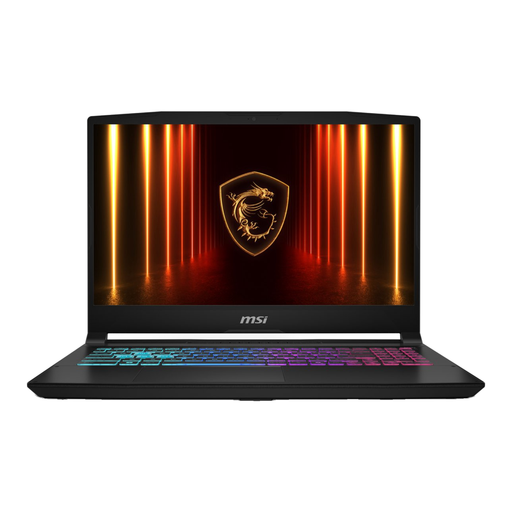
MSI 17 HX B14WGK-264NL 16G 1TB SSD, QWERTY
An option to consider if you want a large screen and a QWERTY keyboard for writing.
According to the product name: 1 TB SSD and QWERTY keyboard. The product information says the power adapter must be purchased separately.
View on Joybuy
 No image available
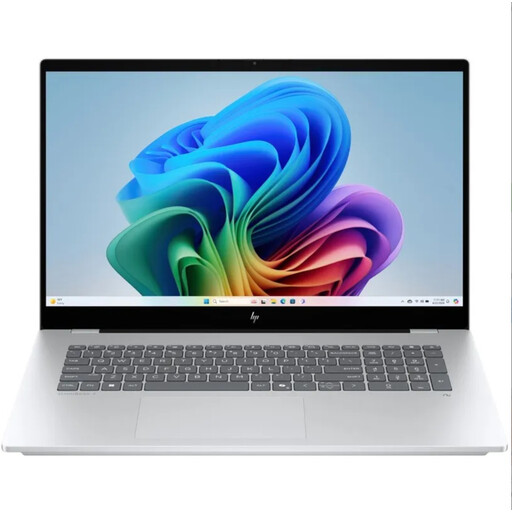
HP OmniBook 7 NG AI PC 17-dc0070nd, QWERTY
This model could suit you if you’re looking for an HP OmniBook for writing, with plenty of working space on the built-in screen.
Model code: 17-dc0070nd. The product name lists a QWERTY keyboard.
View on Joybuy
Frequently asked questions
Does the text in my book need to be larger if I zoom in while writing?
No. Screen magnification and your book’s layout are separate settings. Microsoft Support explains how to enlarge text or the screen in Windows; in Word, you can change the font size of document text using the formatting tools. Check the final pages in print preview.
Can you use Word on a Chromebook?
Microsoft explains how to access Word through Microsoft 365 in a browser, but the Windows and Mac desktop versions cannot be installed on a Chromebook. Before buying, test whether the web version has the features you need for your manuscript.
Is syncing to OneDrive enough as a backup?
Don’t rely on syncing as your only protection. The Consumers' Association points out that deletions or overwritten files can be synchronised; keep a separate copy too, and check that you can restore it.
What are my rights when I buy a laptop online?
According to ACM ConsuWijzer, when you buy online you generally have up to 14 days after delivery to change your mind. Check which exceptions and return conditions apply to your purchase. You also have a legal guarantee: if a laptop does not meet what you could reasonably expect under normal use, the seller must offer a solution. This legal guarantee is not simply limited to two years for every laptop.
Can I publish other people’s historical photos in my book?
Not automatically. The Government of the Netherlands states that copyright-protected photos and texts belonging to others may only be used with the creator’s permission. Check the rights for every work you plan to publish. If you process personal data about people who are still alive, you may also need a lawful basis under the GDPR; consent is one possible basis, but not the only one.


