
Developer running several local services
You run a database alongside containers, a development environment and a browser. First, work out how much memory those programmes need in total.


Choose a laptop based on the databases, containers and programmes you use at the same time, then check the memory and storage of the exact configuration. A compact Windows laptop is a good fit if you need Windows software or WSL; a MacBook Air may suit a macOS workflow, provided your development tools and connections are compatible. If your workload may grow, more memory or a larger configuration could matter more than the smallest chassis.
You run a database alongside containers, a development environment and a browser. First, work out how much memory those programmes need in total.
You want to keep using your existing database tools, images or Windows, Linux or macOS software. So first check that they’re compatible with the operating system and processor architecture.
You’re looking for a laptop for local database work and want to check that its screen and connections suit your workspace and peripherals.
Start by comparing your simultaneous workload and software, then check that the dimensions, connections and storage suit your desk and files.
| What to consider | What should you check? | Who is this important for? |
|---|---|---|
| Memory | List the databases, containers and programmes you run at the same time. Then compare the memory in the exact configuration and check whether it is soldered. | If I use several local processes at once, I want my configuration to suit that workload. Around 33% of consumers prioritise memory for running multiple tasks. |
| Software compatibility | Make a note of the required programmes and container images. Check support for the operating system, processor architecture and any WSL dependency. | If my existing tools and images need to keep working, I want to know first whether they’re compatible with the platform. Around 27% of consumers make software and tool compatibility their top priority. |
| Size and connections | Measure the available space, including cables, and compare it with the dimensions of the exact configuration. Also check that it has the connections you need. | At a small desk, I want to keep enough workspace free and connect my regular peripherals. Around 20% of consumers let their workspace and required ports determine their choice. |
| Storage capacity | Allow for datasets, local copies and other files, then compare the total with the SSD capacity of the full model variant. | If my datasets and local copies grow, I want to check how much storage I’ll need in advance. Around 20% of consumers prioritise available space for datasets and backups. |
For the ASUS Zenbook 14 OLED UX3405 configurations reviewed, ASUS Netherlands lists the memory as soldered. A product range may also include several different configurations.
Before buying, check the full model code, the amount of memory and whether it is soldered.
If you need more memory later, you may need to choose a configuration with a higher capacity from the outset.
A compact screen alone doesn’t tell you whether the laptop will work with your peripherals. The MacBook Air reviewed has two Thunderbolt 4 ports; Lenovo lists different port types for the ThinkPad T14 Gen 6 (Intel).
Make a list of your monitor, network, storage and other devices, then compare it with the connections on the exact configuration.
You may need extra adapters or accessories, depending on your peripherals.
The Dutch retail configuration of the MacBook Air reviewed doesn’t list a charger as included. Some business uses of Docker Desktop are also subject to subscription terms.
Check what’s in the box, what charging power you need and which software terms apply to your use.
You may need to buy a suitable charger separately. A paid subscription may apply to certain business uses of Docker Desktop.
The Zenbook 14 OLED UX3405 is a range of compact Windows laptops. In the Netherlands, the UX3405CA-QL535W configuration is listed with 32 GB of memory and a 1 TB SSD.
The MacBook Air with M5 is worth considering if you work with macOS and are looking at a 13.6-inch configuration.
The ThinkPad T14 Gen 6 (Intel) is a business 14-inch range worth comparing if the choice of configuration and connections matters to you.
The Dell Pro 14 Plus PB14250 is a Dutch business 14-inch range worth comparing if you’re looking for a business laptop.
This selection features Windows laptops with a range of screen sizes and memory and storage configurations. Compare the specifications of the exact configuration with your workload, desk space and software requirements.
 No image available
Consider this configuration if you’re looking for a Windows laptop with a 1 TB SSD and it fits your desk; assess whether 16 GB of memory is enough for the programmes you use at the same time.
14-inch screen; dimensions 311 × 220 mm; weight 1.50 kg.
USB-A, USB-C, USB4, HDMI and microSD card reader.
The memory is soldered and cannot be upgraded by the user. The 200 W power adapter is not included as standard, according to the product description.
 No image available
This Windows 11 Home configuration has a 14-inch screen; check that your required software and peripherals are compatible with the Snapdragon processor.
16 GB of memory and a 512 GB SSD; the memory is soldered and cannot be upgraded beyond 16 GB.
Two USB4 ports, USB-A and HDMI. According to the product description, a suitable 65 W USB-C Power Delivery charger is required but not included.
The description warns that compatibility with some Windows software, drivers and peripherals may vary on Snapdragon.
 No image available
This Windows 11 Home laptop has 16 GB of memory and a 1 TB SSD. Its 16-inch screen and chassis are larger than those of a compact 14-inch model.
Dimensions 354 × 246 mm. The memory is soldered and cannot be upgraded by the user.
Thunderbolt 4, HDMI, USB-A and an SD card reader. According to the product description, the charger must be purchased separately.
 No image available
With 32 GB of memory and a 1 TB SSD, this configuration is worth comparing against your combined database and development workload; bear in mind that the 16-inch screen takes up space on a small desk.
16-inch 2.8K OLED screen with 120 Hz; according to the product description, the memory cannot be upgraded.
Two Thunderbolt 4 ports, two USB-A ports and HDMI.
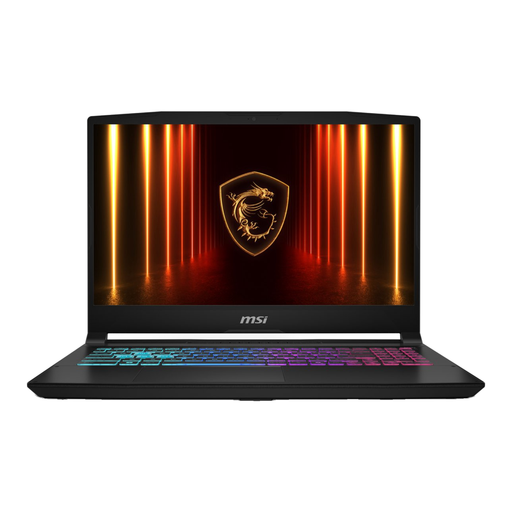 No image available
This Windows 11 Home configuration has 16 GB of memory and a 1 TB SSD. With its 17.3-inch screen and weight of 2.7 kg, this model needs more space than a compact laptop.
Dimensions 398 × 275.6 mm.
HDMI, USB-A, USB-C and Ethernet. According to the product description, the charger must be purchased separately.
It depends on what you’re running at the same time. Consider your databases, containers and other programmes together; PostgreSQL explains memory settings for a dedicated database server, so it doesn’t provide a universal RAM requirement for a development laptop.
Docker recommends storing files that you bind-mount into Linux containers in the Linux file system. According to Docker, this delivers better file system performance than accessing them through the Windows file system. Also check the latest Windows and WSL requirements.
Yes. A paid subscription may be required for certain organisations and types of commercial use. For larger businesses, Docker sets the thresholds at more than 250 employees or more than 10 million USD in annual revenue. This is a software requirement, not an extra laptop charge for every buyer.
If a product doesn’t perform as you could reasonably expect under normal use, the seller is responsible for providing a remedy under the statutory guarantee; ACM ConsuWijzer distinguishes this from a manufacturer’s or seller’s warranty. For distance sales, a 14-day cooling-off period applies in many cases, according to the Dutch government (Rijksoverheid). Check which terms apply to your purchase.