
Guide editor
You write and rearrange lots of sections, and want to check heading levels, document navigation and the finished table of contents.


For a library service desk guide with nested headings, first choose a laptop that works well with the approved word processor and file workflow. Heading styles, navigation and the table of contents all need to be usable. Then weigh up the keyboard layout and screen space against portability. A Chromebook could be suitable if its web features meet your needs; if you need local word-processing features, a laptop designed for that workflow may be a better fit.
You write and rearrange lots of sections, and want to check heading levels, document navigation and the finished table of contents.
You move between workspaces and weigh up room for writing and reference material against how easy the laptop is to carry.
You mainly want to work in browser-based documents and check that formatting, offline access and collaboration suit your workflow.
A good fit if: you need to format the guide locally in Word or LibreOffice Writer, or need desktop features.
Keep in mind: check the keyboard layout, the software you need and the features of the exact configuration. Windows does not automatically include a Word licence.
A good fit if: the library allows web apps and the required heading, sharing and export features work in them.
Keep in mind: Microsoft Support describes differences between Word in a browser and Word for desktop. To work offline in Google Docs, you need to set up offline access in advance.
A good fit if: macOS and your chosen word processor are approved by the library, and you want a compact screen.
Keep in mind: Apple lists a 13.6-inch display and two Thunderbolt 4 ports for the 13-inch MacBook Air M5. Check that your peripherals are compatible; the stated battery life is not a guarantee that it will last a full working day with this guide.
| What to consider | What should you check? | Who is this important for? |
|---|---|---|
| Heading structure and word processor | Test heading levels, navigation, the table of contents and the agreed file format in the app you have to use. | If I need to revise nested headings, I want navigation and the table of contents to work in the required word processor. Around 33% of consumers put these document features first. |
| Typing comfort and reference material | Try the keyboard layout and check whether the document and reference material fit side by side; also look at the display scaling settings. | If I type for long periods and need to consult sources at the same time, I look for typing comfort and a clear view of both windows. Around 27% of consumers give this combination top priority. |
| Moving between workspaces | Check the weight and ports of the exact configuration, and whether it connects to an existing monitor or dock. | If I take the laptop between the service desk and other workspaces, I want a size that suits my workspace and bag. Around 20% of consumers prioritise portability. |
| Web apps and additional essentials | Check which apps are allowed, offline access, any software licence and what comes with the exact configuration. | If I mainly want to work in browser-based documents, I want to know in advance whether the features and offline workflow will meet my needs. Around 20% of consumers prioritise this web-based workflow and avoiding unnecessary costs. |
Word and LibreOffice use applied heading styles to power navigation and build a table of contents. Simply changing how a heading looks does not automatically give the document the same structure.
Test the heading levels in the word processor you will actually use, not just how the text looks.
If you have to fix the heading styles later, it will take extra time to get the navigation and table of contents right.
Microsoft describes differences between the browser and desktop versions. A feature in the library template may therefore work differently from what you expect.
Check that the web version has the features you need before choosing a browser-based workflow.
If an essential feature is missing, you may need a different workflow or device.
According to Acer, the NX.JRREH.018 version of the Acer Aspire Go 15 does not include a charger. Software access and included accessories can also vary between exact configurations.
Check what is in the box, the charging equipment and access to your chosen word processor before selecting a configuration.
You may need to buy a charger or software licence separately; what you need depends on the configuration and workflow you choose.
The ThinkPad E14 Gen 7 is a 14-inch Windows configuration worth comparing if you want a compact model with a local word processor.
The Aspire Go 15 is a Windows configuration worth comparing if built-in screen space matters more to you than compactness.
The 13-inch MacBook Air M5 is a macOS option worth comparing if the library allows your chosen software and you want a compact setup.
The Chromebook Plus CX34 product line is worth considering if the library allows a browser-based document workflow.
These Joybuy laptops offer screen space as a useful point of comparison for writing a guide while referring to other material.
 No image available
The 16-inch display is worth considering if you want to refer to other material while writing.
16-inch WUXGA OLED display, 16 GB LPDDR5X memory, 512 GB SSD, Snapdragon X processor and Windows 11 Home.
 No image available
The 16-inch display could suit you if you want to view the guide alongside reference material.
16-inch 3K OLED touchscreen, 128 GB RAM, 2 TB SSD and Windows 11 Pro.
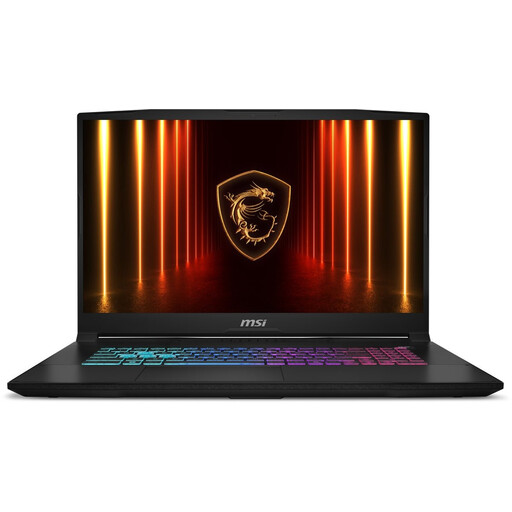 No image available
The listed Dutch QWERTY keyboard layout is useful to know if you type a lot of Dutch text.
17.3-inch QHD IPS display, 16 GB of memory, 1,000 GB SSD and Windows 11 Home. According to the product description, Microsoft Office, including Word, is not included.
 No image available
The 16-inch display is worth considering if you want to view other material alongside the guide while writing.
16-inch QHD+ display, 16 GB DDR5 memory and 1 TB SSD.
 No image available
The listed 16-inch display could suit you if you want to refer to extra material while writing.
16-inch QHD+ display, 16 GB DDR5 memory and 1 TB SSD.
No, nested headings do not require a special laptop. Use proper heading styles in your chosen word processor and test the navigation and table of contents with a sample document. Microsoft Support notes that heading styles in the main body of a document appear in the Navigation pane; headings in text boxes, among other places, do not.
You can with Google Docs, provided you set up offline access in advance and make the required files available offline, as explained in Google Docs Help. Microsoft offers Word on Chromebook via the web; check separately whether your required Word workflow works without a connection.
Create a sample chapter using Heading 1, Heading 2 and Heading 3, update the table of contents and test the agreed output format. LibreOffice Help recommends using predefined heading styles to create a table of contents.
If you buy as a consumer, you are covered by the legal guarantee: if the product does not meet what you could reasonably expect under normal use, the seller must offer an appropriate solution, according to ACM ConsuWijzer. For an online consumer purchase, you generally have a 14-day cooling-off period after delivery. These consumer rules do not automatically apply when the library itself buys the laptop for business use.
Do not assume this is allowed just because the laptop supports the cloud service. If the document contains personal data, appropriate security matters; the Dutch Data Protection Authority stresses its importance. Use the storage and sharing method approved by the library.