
Spoken language lesson creator
You record speech and combine it with a small number of audio tracks. Focus on suitable recording software and connections for your microphone. Audacity describes ways to record and edit spoken content.


A compact laptop is a sensible choice for mixing a spoken language lesson, as long as your chosen audio software works with its operating system and your recording equipment connects properly. Audacity is designed for recording and editing spoken audio, among other uses. Ableton notes that Live’s requirements depend on your workflow, the number of tracks and the plug-ins you use. So start by checking the software, workspace and connections, then compare extra memory and storage if you work on larger projects.
You record speech and combine it with a small number of audio tracks. Focus on suitable recording software and connections for your microphone. Audacity describes ways to record and edit spoken content.
You want to edit audio without the laptop and any peripherals taking over your workspace. The screen size and built-in ports can help you decide which setup is right for you.
If you use more tracks or plug-ins, assess memory, storage and software compatibility separately. Ableton notes that Live’s requirements also depend on your workflow and the type of project.
A good fit if: you want to connect a microphone or audio interface and possibly an external monitor on a small desk.
Keep in mind: ports and configurations vary by model; check the full model number.
A good fit if: macOS works with your software and a small built-in screen is enough for you.
Keep in mind: Apple lists two Thunderbolt 4 ports and a mini-jack, but no built-in USB-A or HDMI port. Check whether your equipment connects without an adapter.
A good fit if: you store larger projects as well as spoken lessons, or use several programmes at once.
Keep in mind: extra memory and storage aren’t automatically necessary for a simple lesson mix. Check what’s included, too.
| What to consider | What should you check? | Who is this important for? |
|---|---|---|
| Suitability for editing speech | Check that the operating system and configuration meet the requirements of your chosen programme. Audacity is available for Windows and macOS; Ableton’s Live requirements won’t necessarily apply to every lesson mix. | If I mainly want to make a short spoken lesson with a few tracks, I want to know first whether the software and laptop are suitable. Around 36% of consumers make suitability for editing speech their top priority. |
| Working comfortably at a small desk | Compare the dimensions and screen size, and consider whether you want to use an external monitor in this space. | If you need room for notes, a microphone or controls alongside your laptop, pay particular attention to the overall setup. Around 29% of consumers prioritise a compact workspace. |
| Connecting and monitoring | Make a note of the connectors on your microphone, interface and headphones, then compare them with the laptop’s ports. If you’re recording over an existing track, check whether your recording device supports direct monitoring. | If I want to keep using my existing recording setup, I want to know that everything will connect and that I can hear my voice clearly while overdubbing. This makes recording equipment the main consideration for around 21% of consumers. |
| Total purchase and running costs | Check the exact configuration and what’s included, and factor in any adapters and software. Audacity is free, according to its developer; assess other software separately. | If you want to consider the laptop, software and essential accessories together from the outset, look at the complete setup. Around 14% of consumers make total costs their top priority. |
Different versions of the Lenovo IdeaPad Slim 5 14AKP10 and ASUS Zenbook UX3405 may vary. So, a model range’s specifications don’t automatically tell you what’s included in the version you’re looking at.
Compare the full model number and configuration of the laptop you’re actually planning to buy.
HP states that a charger for the OmniBook 5 14-hm0640ndx is sold separately. The MacBook Air has no built-in USB-A or HDMI port, so you may need an adapter for some existing equipment.
Check what’s included and the connections on your recording setup before comparing configurations.
A separate charger or suitable adapter may mean an extra purchase and a compatibility check.
According to the Audacity manual, direct monitoring isn’t always available when overdubbing; you may sometimes hear yourself through the headphones with a delay.
Test your microphone or audio interface to see whether you can monitor yourself live while recording over an existing track.
If your current equipment doesn’t support this type of monitoring, you may need to consider a different recording setup.
The IdeaPad Slim 5 14AKP10 is a compact Windows laptop range with several built-in connections.
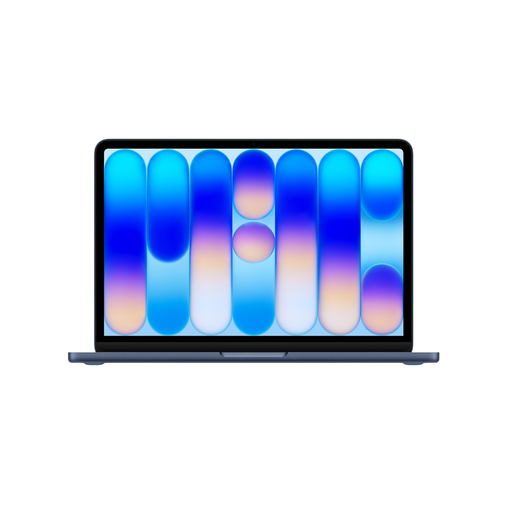
The Dutch specifications for the 13-inch MacBook Air with M5 describe a compact macOS configuration.
The HP OmniBook 5 14-hm0640ndx is a specific 14-inch Windows configuration to compare if you’re looking for more memory or storage.
The Zenbook 14 OLED UX3405 is a 14-inch Windows laptop range with several configurations.
These laptops offer compact Mac and Windows options to compare for spoken audio in a small workspace. Before buying, check that your audio software and recording equipment will work with the configuration you choose.
 No image available
The 13-inch size may suit a small desk. Check that your software and existing recording equipment work with this configuration.
The product name lists 16 GB of memory and a 512 GB SSD. For the Dutch 13-inch MacBook Air with M5, Apple specifies two Thunderbolt 4 ports and a mini-jack, with no built-in USB-A or HDMI port.
 No image available
This 13-inch configuration is worth comparing if you’re looking for a compact size. Check its compatibility with your software and peripherals before buying.
The product name lists 8 GB of memory and 256 GB of storage. According to the product information, the USB-C power adapter isn’t included.
 No image available
The 13-inch size may suit a compact workspace. Check that your software and recording equipment work with this configuration.
The product name lists 8 GB of memory and a 512 GB SSD. According to the product information, the USB-C power adapter isn’t included.
 No image available
This configuration is a compact Windows option to compare. Check that it’s compatible with your software and peripherals before choosing.
The product name lists WUXGA OLED and a Dutch QWERTY keyboard. The power adapter isn’t included; the product information recommends a compatible 65W USB-C Power Delivery charger. Compatibility with Windows on Snapdragon may vary by software and peripheral.
 No image available
At 15.6 inches, this model needs more desk space than the 13- and 14-inch options in this guide. Bear that in mind if your workspace is compact.
The product name lists 8 GB RAM and a 256 GB SSD. Check that the screen size and configuration suit your setup and software.
Not as a general rule. Audacity is free, according to its developer, and is designed for recording and editing spoken content, among other uses. If you work on larger projects or use lots of plug-ins, check the requirements for your specific software. Ableton’s recommendations apply to Live and won’t necessarily apply to every lesson track.
Check whether your USB microphone or audio interface can play the live signal through headphones alongside the existing track. The Audacity manual warns that direct monitoring may not always be available, or could cause a delay, without suitable equipment.
According to ACM ConsuWijzer, consumers generally have 14 days from delivery to change their mind about an online purchase. You’re also covered by the statutory guarantee if a product used normally doesn’t meet your reasonable expectations; in the Netherlands, there is no fixed general two-year period for this.
Not without permission: the Dutch government states that, in principle, you may only use copyright-protected music with the creator’s permission. You can’t share or publish a private copy, so check the rights to any source material before sharing a track.