
Pattern reader who needs a larger view
You want to enlarge a pattern while knitting, but still keep enough rows or a stitch chart in view. Try different screen sizes and magnification settings with one of your own files.


Don’t choose based on screen size alone. Try your own pattern with different text sizes and magnification settings, and check whether you can still see enough rows at once. File type matters too when you’re searching for patterns: Windows indexing can make text in files searchable, while scanned documents may need OCR first. Adobe recommends checking whether the text in a scan is selectable.
You want to enlarge a pattern while knitting, but still keep enough rows or a stitch chart in view. Try different screen sizes and magnification settings with one of your own files.
You save lots of patterns and want to find them by name or content. If you use scanned pages, check whether you’ll need text recognition.
You read or organise patterns in different places, and need to weigh portability against the screen space taken up by enlarged text.
Start by testing one of your own patterns on the screen, using the magnification level you plan to use. Then check that your files and search or OCR software are compatible with the operating system.
A good fit if: you want to manage local files and folders, use Windows search indexing or need Windows software for your patterns.
Bear in mind: text in files is only searchable if the indexing and file requirements are met; a scan won’t automatically become searchable text.
A good fit if: you want to use macOS and find its built-in text size and screen zoom settings easy to use.
Bear in mind: check in advance that the specific indexing or OCR software you need works on macOS. A larger screen alone doesn’t guarantee comfortable magnification.
A good fit if: your workflow suits browser-based or supported Chromebook apps. ChromeOS has page and screen magnification settings and can open PDFs.
Bear in mind: check that your own indexing and OCR workflow works. Make any files you’ll need offline available in advance.
| What to consider | What to look for when buying | Who is this important for? |
|---|---|---|
| Readability and page overview | Compare screen size, display quality and the magnification options in the operating system and PDF reader. | If I enlarge a pattern, I want to be able to see enough rows at once. Around 36% of consumers prioritise readability. |
| Finding patterns again | Try searching by file name and content; check whether you need OCR software for scans. | If you want to find patterns by name or content, you’ll need more search options than simply organising them into folders. Around 29% of consumers prioritise searchability. |
| Portability | Check the weight of the exact model and see whether the screen still gives you enough room for the pattern when enlarged. | If I use my laptop in different places, I want to be able to take it with me without having to view the pattern at an awkwardly small size. Around 21% of consumers prioritise portability. |
| Right configuration | Choose memory and storage to suit your files and how you use the laptop; also check whether you need separate OCR software. | If you mainly read and organise patterns, you won’t want to pay for features that don’t suit how you use your laptop. Around 14% of consumers focus primarily on keeping costs down. |
Screen size, magnification and how much of the pattern remains visible all work together. A larger laptop is also less convenient to carry around.
Open one of your own patterns on screens of different sizes and try the magnification before you decide.
A scanned pattern may just be an image, so you won’t be able to search for words without text recognition.
First check whether the text in the file is selectable, then try the search and OCR workflow you plan to use.
A laptop may open PDFs, but that doesn’t mean the specific indexing programme you use will work on it.
Check your software’s system requirements in advance, especially if you’re choosing a Chromebook or switching to macOS.
The Acer Store lists a 17.3-inch Full HD IPS screen for the Aspire 17 A17-51M, reference NX.J02EH.003. This could be an option if you usually work in one place.
Lenovo lists a 16-inch WUXGA IPS screen with an anti-glare finish and Windows 11 Home for the IdeaPad Slim 5 configuration 82XG0041MH.
The ASUS Vivobook 16 range includes configurations with a 16-inch WUXGA screen in a 16:10 aspect ratio.
Apple lists MacBook Air configurations with 13-inch and 15-inch screens. macOS has built-in settings for enlarging text and other on-screen content.
HP’s OmniBook 7 range includes, among other options, a laptop with a 16-inch screen.
These Joybuy laptops are worth considering for viewing enlarged patterns. Check the magnification options, operating system and compatibility with your own search or OCR software for each configuration.
 No image available
A 14-inch configuration to consider if you’re looking for a laptop to use in different places.
WUXGA resolution, 16:10 aspect ratio, anti-glare IPS screen and Windows 11 Home. The product description says that a charger isn’t included.
 No image available
The 17.3-inch screen is an option to compare if you’re mainly looking for more screen space for patterns.
The product name lists a 3250C processor, 8 GB DDR4 memory and a 512 GB SSD.
 No image available
A 14-inch configuration to consider if you want to enlarge patterns and take your laptop with you.
The product name lists a Ryzen 7 8840HS processor, 16 GB memory, a 1 TB SSD and a QWERTY keyboard. The product information specifies a WUXGA IPS screen with a 16:10 aspect ratio.
 No image available
This 15.3-inch configuration may be worth considering if you want more screen space for enlarged patterns.
WUXGA IPS screen with a 16:10 aspect ratio and anti-glare finish. The product name lists a Ryzen 5 8640HS processor, 16 GB DDR5 memory, a 512 GB SSD and Windows 11 Home.
 No image available
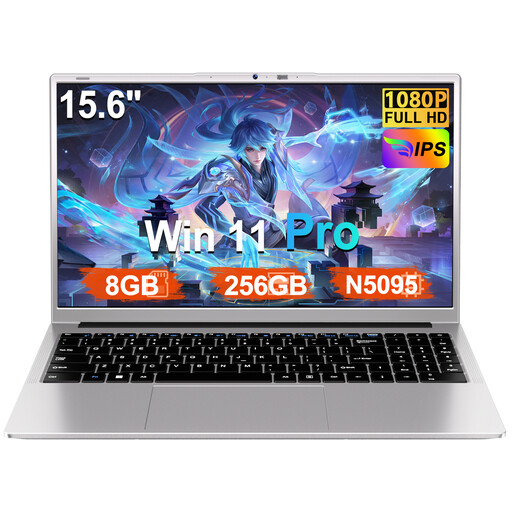
A 15.6-inch model to consider if you want a larger view of your pattern; try it yourself to see whether magnification still gives you a clear overview.
The product name lists an FHD screen, 8 GB RAM, a 256 GB SSD and expansion up to 1 TB. The product description specifies Windows 11 Pro.
Not from the image alone. Check whether the text is selectable; if it isn’t, OCR may be able to turn the scan into searchable text. Check any recognised terms that are important to your index. Adobe explains text recognition for scanned PDFs.
You can try the magnification settings on your current operating system. Microsoft Support explains text size, scaling and Magnifier for Windows; Apple Support covers built-in magnification settings for macOS, and Chromebook Help explains page and screen magnification. Try different combinations with the same pattern to see which remain readable while giving you a good overview.
A Chromebook can open PDFs and manage files, but check whether the specific app you use works offline. Make any files you’ll need without an internet connection available in advance.
Not necessarily. The Consumentenbond distinguishes between light internet and office tasks and demanding computing, and notes that extra memory is mainly useful when you use several programmes at once. Choose a configuration to suit your own files and programmes.
According to the Dutch government, you’re entitled to a product that works properly, and the seller must provide a solution if it doesn’t. The Netherlands has no fixed legal warranty period of exactly two years; a manufacturer’s warranty doesn’t replace your statutory rights. When you buy remotely from a business, you’ll usually have a 14-day cooling-off period.