If fan noise disrupts your concentration and your school software runs on macOS, a fanless MacBook Air with M5 could be a good choice. If you need specific Windows software or want to present directly via HDMI, compare Windows laptops by their exact configuration and ports. A Chromebook is only suitable if you can prepare your lessons using web apps; Microsoft says that the Windows and Mac desktop versions of Microsoft 365 can’t be installed on one.
Who is this guide for?
Teacher who writes in a quiet space
You work on lesson plans in a quiet room and want to avoid fan noise. Also check that your school software runs on the system you choose. Apple describes the MacBook Air with M5 as fanless; Microsoft explains which versions of Microsoft 365 are available on a Chromebook.
Researcher working with lots of windows
You compare historical sources, documents and presentations side by side, so screen space and the exact memory configuration matter. Your desk setup also makes a difference during long work sessions. Apple and Lenovo publish different screen and configuration details for the models mentioned; Arboportaal also outlines a workstation rule for certain employees.
Teacher who also gives presentations
You prepare lessons at home and take the same laptop to school. The software you need and the connections available in the classroom may determine your choice. HP lists HDMI and USB-C on the OmniBook 5 14-mh0051ndx; check that these connections work with your school’s equipment.
What should you look for when choosing?
Fanless MacBook Air
A good fit if: you work in a quiet space and have checked that your school apps run on macOS.
Bear in mind: Apple lists two Thunderbolt 4 ports for the 13-inch model; check whether your projector needs an adapter.
Windows laptop
A good fit if: your school requires Windows software or you need a connection such as HDMI.
Bear in mind: check the configuration and ports of each model. Features of one version don’t necessarily apply to other variants.
Chromebook
A good fit if: your school uses the web services you need and you can do your lesson work in them.
Bear in mind: Microsoft says that the Windows and Mac desktop versions of Microsoft 365 can’t be installed on a Chromebook.
| What to consider |
What to look for when buying |
Who should pay particular attention? |
| Quiet while writing and reading |
Check whether the exact model is fanless. Keyboard noise and fan noise are separate features. |
When I’m writing in a quiet study, I don’t want to hear a fan. Around 29% of consumers say quiet operation is their main reason for buying. |
| Room for sources and notes |
Compare screen size and anti-glare properties, as well as the memory and storage configuration of the model on offer. |
When comparing sources and notes, I want enough screen space without having to carry around an awkwardly large laptop. Around 29% of consumers prioritise space for research. |
| School software and equipment |
Ask which programmes and connections you need, then compare them with the operating system and ports on the exact model. |
If my choice depends on school software or a projector, I want to be sure the laptop will work with the classroom equipment. Around 24% of consumers prioritise compatibility with their school. |
| Comfort at a fixed workstation |
Consider whether you can position your screen and keyboard separately, and whether your workstation is adjustable. |
For long sessions at a desk, I want to be able to position the screen and keyboard comfortably. Around 18% of consumers prioritise workstation comfort. For employees who work at a screen for more than two hours a day, Arboportaal specifies a rule requiring the screen and keyboard to be capable of being placed separately. |
Avoid common buying mistakes
-
Assuming ‘quiet keyboard’ means ‘completely silent laptop’
A description of a quiet keyboard doesn’t mean the laptop has no fan. ASUS describes the ErgoSense keyboard on the Vivobook 14 M1407 as quiet; Apple describes the MacBook Air with M5 as fanless.
Distinguish between keyboard and fan noise, and check both features for the exact model.
-
Assuming all ThinkPad E14 models have the same specifications
The Lenovo configuration listed, 21T0CTO1WWNL4, has a 14-inch WUXGA screen, 8 GB RAM and a 256 GB SSD. Other versions may have a different configuration.
Compare the full configuration number with the specifications of the model you plan to buy.
-
Choosing a Chromebook without checking whether you need desktop software
Microsoft says that the Windows and Mac desktop versions of Microsoft 365 can’t be installed on a Chromebook. The web apps are available, though.
Ask your school which application and version you need, and check that the features you rely on are available.
Brands to consider
Apple
The MacBook Air with M5 is an option if you’re looking for a fanless design and macOS suits your schoolwork.
- Apple lists 16 GB of memory and a 512 GB SSD for the base model.
- Apple lists two Thunderbolt 4 ports for the 13-inch model. Check what connection your peripherals need.
Lenovo
The ThinkPad E14 Gen 7 AMD is a Windows option if an anti-glare screen and a choice of configurations matter to you.
- Lenovo lists a 14-inch WUXGA IPS screen, 8 GB RAM and a 256 GB SSD for configuration 21T0CTO1WWNL4.
- These specifications apply to that configuration. Check the number and details of the version you’re looking at.
HP
The OmniBook 5 14-mh0051ndx is a Windows option with HDMI and USB-C connections listed by HP.
- HP lists a 2K OLED screen and built-in HDMI and USB-C for this model.
- Check that the connections work with your projector, and assess fan noise for the exact version.
ASUS
The Vivobook 14 M1407 is worth considering if you do a lot of typing and want a 14-inch Windows laptop.
- ASUS describes the ErgoSense keyboard as quiet and lists a WUXGA IPS screen.
- The keyboard description isn’t an independent noise measurement and says nothing about fan noise. Check the specific version.
Joybuy products for lesson preparation
This selection focuses on Windows laptops with listed screen and connection features for lesson preparation and, potentially, presentations. Check that the software and connections on each version are right for your school.
 No image available
HP OmniBook 3 AI PC 14-ht0013nd
A Windows laptop for lesson preparation, with an HDMI connection that may suit a projector with HDMI.
14-inch IPS screen with 1920 × 1200 resolution and a 16:10 aspect ratio; 8 GB memory; 512 GB SSD; Windows 11 Home; HDMI.
View at Joybuy
 No image available
HP OmniBook 3 14-hy0058ndx
The listed anti-glare screen and HDMI connection may be useful for working with documents and giving lesson presentations.
14-inch IPS screen with 1920 × 1200 resolution and a 16:10 aspect ratio; AMD Ryzen 5 7520U; 8 GB RAM; 512 GB SSD; Windows 11 Home; HDMI 2.1. The charger must be purchased separately.
View at Joybuy
 No image available
Blackview AceBook 10, 18.5-inch
The listed 18.5-inch screen gives you more space to view sources and lesson materials; bear in mind its size if you’ll be carrying the laptop around.
Full HD IPS screen; Intel Pentium Silver N6000; 16 GB DDR4 RAM; 512 GB SSD; Windows 11 Pro; HDMI.
View at Joybuy
 No image available
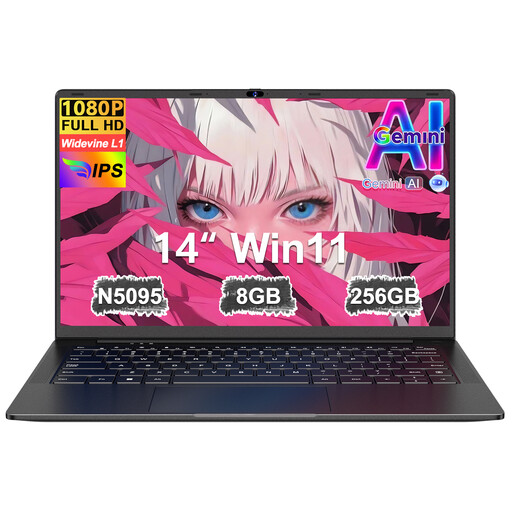
Ruzava 14-inch laptop, 8 GB RAM and 256 GB SSD
A 14-inch model with Mini-HDMI to consider if you’re looking for a Windows laptop for lesson materials with an external video connection.
FHD IPS screen; 8 GB RAM; 256 GB SSD; Windows 11 Home; Mini-HDMI.
View at Joybuy
 No image available
MSI Modern 14 F1MG-867NL
The 14-inch anti-glare screen and HDMI connection make this model suitable for research and presentations when paired with a compatible display.
Full HD IPS-level screen; Intel Core 7 150U; 16 GB DDR4; 512 GB SSD; Windows 11 Home; HDMI; backlit keyboard.
View at Joybuy
Frequently asked questions
Can I use the desktop version of Microsoft 365 on a Chromebook?
No. Microsoft says you can’t install the Windows and Mac desktop versions on a Chromebook, although the Microsoft 365 web apps are available. Check which features and school access you need.
How can I set up a laptop for long lesson-preparation sessions?
If you’re an employee who works at a screen for more than two hours a day, Arboportaal says the screen and keyboard must not be attached to each other. Choose a workstation where you can use a separate screen or keyboard, and consider whether your desk is adjustable too.
Does ‘up to 15 hours of wireless web browsing’ mean the battery will last that long while I’m working on lessons?
No. This is Apple’s specification for the 13-inch MacBook Air M5 under Apple’s test conditions, not a measurement based on your combination of sources, programmes and screen settings.
What are my rights if a laptop I’ve bought privately breaks?
When you buy as a consumer in the Netherlands, you’re entitled to a product that works as it should, and the seller is your point of contact if something goes wrong. The Dutch government says there is no fixed statutory warranty period. Online purchases from a business also usually come with a 14-day cooling-off period; check the terms if you’re buying on behalf of a school as a business.
Can I store pupils’ personal data on my teaching laptop?
Follow your school’s privacy policy. Appropriate technical and organisational measures are required when processing pupils’ personal data. The Dutch Data Protection Authority covers privacy rules for schools and the use of digital systems; don’t assume that buying a device means you have permission.


