If people joining remotely need to hear you, a computer headset is a good fit for giving an update from your laptop. To amplify your voice in the room, you’ll need a compatible microphone system connected to the sound system. First, decide where your voice needs to go, then check the connections and mute controls. For some wireless systems, you’ll also need to check the frequency variant and where you’ll be using it.
Who is this buying guide for?
Presenter speaking to remote attendees
You’re giving an update from your laptop and want your voice to come through the meeting app. Check your computer’s port and make sure you can find the mute control. Logitech specifies a USB-A connection and in-line controls for the H390.
Presenter who moves around the room
You want to move between the screen and the audience without being tethered to a headset cable. Check whether the wireless receiver needs to connect to your computer or the room’s sound system; the connections you need vary by system.
Presenter speaking to an in-room audience
You want people in the room to hear you through a sound system. Check that the receiver connects to the system; with a wireless UHF system, you’ll also need to consider the frequency variant and where you’ll be using it.
What should you look for when choosing?
Wired USB computer headset
Choose this option if: remote attendees will hear your update through your computer and you’ll be staying by your laptop.
Trade-off: a cable limits how far you can move, and a USB connection won’t automatically amplify your voice through the room’s sound system.
Wireless headset microphone with USB receiver
Choose this option if: you want to move around while your voice comes through a computer. Check that the receiver works with your computer and meeting app.
Trade-off: you’ll need a transmitter and a power source. A USB receiver won’t necessarily work with every room sound system.
Wireless system for room amplification
Choose this option if: people in the room need to hear you through a compatible sound system and you want to move around.
Trade-off: check the receiver output and the sound system input. Some frequency bands require a licence.
| What to consider |
What should you check? |
Who is this most relevant to? |
| The right audio setup |
Decide who needs to hear you and check which microphone input your computer or room sound system has. |
I want to know in advance whether my voice will come through the meeting app or the room’s sound system; around 40% of consumers prioritise having the right audio setup. |
| Freedom to move around |
Walk through the route you plan to take and check the cable, or the receiver and power source for a wireless model. |
If I want to move between my laptop and the screen during the update, I don’t want to be tethered to a cable; around 30% of consumers give freedom of movement top priority. |
| Mute control in low light |
Find the physical mute control for the exact model and practise using it in the room. |
In low light, I want to be able to mute without relying on a screen; around 20% of consumers prioritise this control. |
| Comfort during the update |
Check the headband, ear cushions or how the headset microphone is worn. |
I want the headset to stay comfortably in place throughout the update; around 10% of consumers choose fit as their main consideration. |
Common buying mistakes
-
Buying a computer headset when you need to address the room
USB audio to a computer and a microphone signal for a room sound system use different connection paths. A computer headset won’t automatically send your voice to the room’s speakers.
Before you buy, decide who needs to hear you and map out the route from the microphone to the computer or sound system.
-
Focusing only on ‘wireless’
The receiver needs to work with your computer or room sound system. With UHF systems, the exact frequency variant and where you’ll use it also matter.
Compare the complete transmitter and receiver set, connections and frequency variant before choosing a model.
-
Relying on a light as your only indication that the microphone is muted
In a dimly lit room, an indicator light isn’t necessarily the easiest way to check whether your microphone is muted while you’re speaking.
Practise using the physical control and, before your presentation, check in the app you’ll be using that your microphone signal is coming through.
Brands to consider for this type of setup
Logitech
Logitech describes the H390 as a wired computer headset for speaking through a connected computer.
- For this model, Logitech specifies USB-A, in-line controls, an adjustable headband, a repositionable microphone and a 1.9 m cable.
- Check which port variant you need. A computer headset won’t automatically provide amplification through a room sound system.
Jabra
The Jabra Evolve2 40 is available in several mono and stereo versions, with USB-A and USB-C variants.
- Jabra recommends positioning the microphone close to your mouth.
- Check the full variant number, connection and whether you need the Teams or UC version; don’t assume variants are interchangeable without checking.
Samson
Samson describes the XPD2 Headset as a system with a wireless headset microphone and USB receiver, suitable for computer audio among other uses.
- Samson lists a USB-A to USB-C adapter and an AA-battery-powered transmitter as included. The receiver also works with compatible Samson equipment that has a USB wireless input.
- Check separately that the receiver works with your chosen room sound system; the product specifications quoted aren’t an independent test of wireless range.
Shure
Shure describes the BLX14/PGA31 as a wireless system with a PGA31 headset microphone, bodypack and BLX4 receiver for use with compatible audio equipment.
- The product family includes variants for different frequency bands.
- The Dutch Authority for Digital Infrastructure (RDI) says that some frequency bands require a licence and availability may vary by location. Check the exact variant and where you’ll be using it.
Yealink
Yealink describes the UH35 as a wired USB headset for computer calls, available in mono and dual versions.
- Yealink specifies two microphones and an adjustable microphone boom.
- The USB headset is designed for computer use and doesn’t replace a receiver for room amplification.
Headsets for a computer-based update
The products below are suited to a computer-based project update. For each model, check that the connection and controls work with your laptop and meeting app.
 No image available
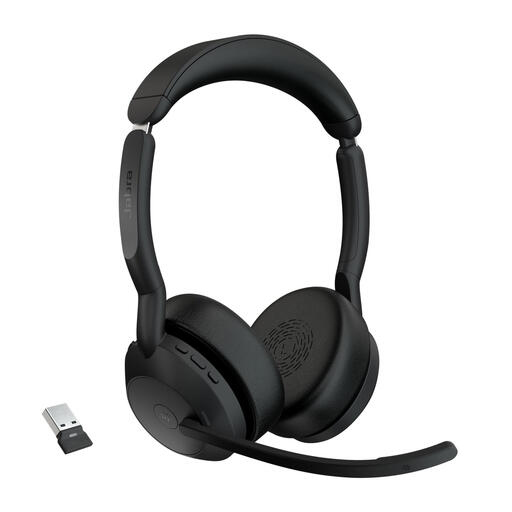
Jabra Evolve2 55 Link380a MS Stereo
An option for laptop-based updates if you want to speak wirelessly and mute the microphone from the headset. Check that the Link380a adapter works with your computer and meeting app.
Joybuy
 No image available
Logitech PC 960 wired USB headset
A good fit for a computer-based update if you’re looking for a wired USB connection and an in-line mute control. Check that the USB connection is compatible with your laptop.
Joybuy
 No image available
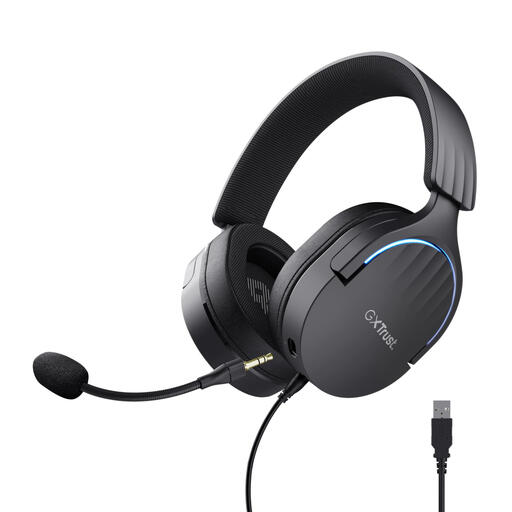
Trust GXT 490 FAYZO Over-Ear 7.1 USB Gaming Headset
A wired USB headset to consider if you want to mute the microphone from the headset during a computer-based update. Check that an over-ear gaming model suits the way you present.
The product name specifies USB, over-ear and 7.1.
Joybuy
 No image available
Trust Ayda wired headset, USB Type-A, black
Worth considering if you’re looking for a wired USB Type-A headset for a computer-based update, with a microphone you can raise to mute it. Check that USB Type-A is compatible with your laptop.
The product name specifies a headband and the colour black.
Joybuy
 No image available
Logitech H150 headset, white, 981-000350
An option for a computer-based update if the 3.5 mm connection and physical mute control suit your setup. Check whether your computer has a combined headset and microphone socket; if it has separate ports, you may need a splitter, which isn’t included.
Joybuy
Frequently asked questions
Can a USB computer headset play my voice directly through the room’s sound system?
Not through the USB connection alone. Check which input the room’s sound system has and test the complete setup. Manufacturers describe systems with a separate receiver for room amplification.
What should I set up before the project update?
Connect the headset or receiver and check in your meeting app that the intended microphone and speaker are working. For the H390, Logitech recommends checking the USB connection and mute status. Adjust a movable microphone boom before your presentation and practise using the controls before the room gets dark.
What running costs and consumer rights should I consider?
Check what power source the wireless set needs; Samson and Shure list AA batteries for the relevant transmitters. The Dutch Government says there is no fixed statutory warranty period in the Netherlands. When you buy online from a business as a consumer, you’ll generally have a 14-day cancellation period, with some exceptions.
Do I need a licence to use a wireless headset microphone in the Netherlands?
It depends on the frequency band and, where relevant, where you’ll be using it. The Dutch Authority for Digital Infrastructure publishes details of licence-exempt frequency bands and notes that some bands require a licence. Check the exact variant and location before using a specific UHF system.


