What should you look for?
First, check that your writing app works with the laptop’s operating system. Then test your own script using your preferred magnification and the panels you use while writing.
| What to consider |
What should you check? |
Who is this most important to? |
| Readable magnification |
Try your own script in the app you plan to use, with your preferred text size or zoom level. Check the menus and scene outline too. |
If I need larger text, I want to be able to read my script without losing sight of the controls or important details. Around 36% of consumers put readable magnification first. |
| Script and outline together |
Check the screen size and resolution of the exact configuration with your test document and usual panels open. |
I want to read enlarged dialogue while keeping scenes or references close at hand. Around 29% of consumers prioritise space for both their script and outline. |
| Software and file workflow |
Check the supported operating system, the app or licence you need, and your preferred script format and export options. |
If I already know which writing app and file-sharing options I need, I want to be able to continue that workflow on my laptop. Around 21% of consumers prioritise software compatibility. |
| Portability |
Compare the dimensions, stated weight, keyboard and ports of the exact configuration. |
I take my laptop with me regularly, so I want to weigh up its size against the space my enlarged text takes up. Portability is the top priority for around 14% of consumers. |
Joybuy laptops with spacious screens
These laptop options are suited to writing with enlarged text on a Windows laptop with a 17.3-inch screen.
 Image unavailable
HP OmniBook 7 NG AI PC 17-dc0051nd D75LTEA#ABH
An option to consider if you want a spacious built-in screen for your script and enlarged text.
The product description lists a 17.3-inch IPS touchscreen, Full HD and Windows 11.
View at Joybuy
 Image unavailable
HP OmniBook 3 AI PC 17-dg0005ndx
An option to compare if you want to write on a large built-in screen with Windows 11 Home.
The product name lists an Intel Core 3 310, 12 GB RAM, a 512 GB SSD and a 17.3-inch Full HD IPS screen. The description says that no power adapter is included.
View at Joybuy
 Image unavailable
HP OmniBook 3 17-dp0050ndx
An option to consider if you’re looking for a large built-in screen and a Windows working environment.
The product name lists an AMD Ryzen 5, 8 GB RAM, a 512 GB SSD and a 17.3-inch Full HD IPS screen. According to the product description, the laptop is supplied without a power adapter.
View at Joybuy
 Image unavailable
MSI Cyborg 17 B2RWEKG-023NL
An option to include in your comparison if you’re looking for a 17.3-inch Windows laptop for writing.
The product name lists an Intel Core 7 240H, 16 GB DDR5-SDRAM, a 512 GB SSD, a Full HD IPS screen and Windows. The description says the charger isn’t included and must be bought separately.
View at Joybuy
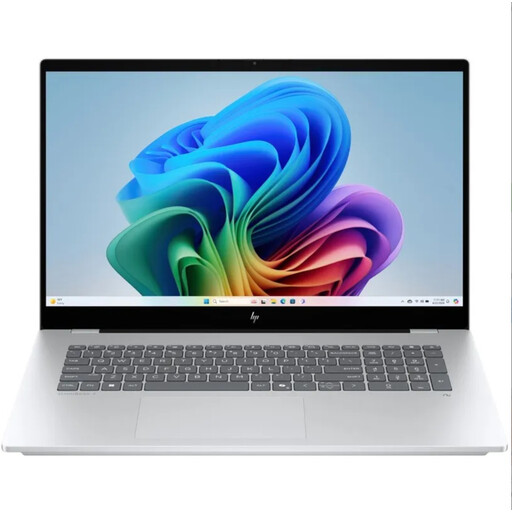 Image unavailable
HP OmniBook 7 NG AI PC 17-dc0070nd
An option to consider if a 17.3-inch screen and Windows 11 Home suit your writing setup.
The product description lists a Full HD IPS touchscreen. According to the description, the power adapter must be bought separately.
View at Joybuy
Frequently asked questions
How can you enlarge text without changing your script’s final font straight away?
First, try the zoom function in your document or editor. Windows also has settings for text size, scaling and Magnifier; on a Mac, you’ll find larger text and zoom options under Accessibility. Check an exported version too, so you don’t confuse your working view with the final layout.
Can you install Scrivener 3 on a Chromebook?
Scrivener’s supplier lists macOS 11+ and 64-bit Windows 10+ for Scrivener 3, and doesn’t list a ChromeOS version. For the desktop app, choose one of the listed operating systems. If you’re using a browser-based workflow, first check that the script format and export meet your needs.
How can you check that your magnification works well with your script layout?
Open a test project in the app you plan to use and set the magnification you need while writing. Check that you can see your scenes and notes, then look separately at how the exported script is displayed.
Can you return a laptop bought online in the Netherlands?
For a standard online consumer purchase, ACM ConsuWijzer says you generally have a cooling-off period that ends 14 days after delivery. Check which exceptions apply to your purchase and what the returns terms are.
Are you always entitled to just two years’ warranty on a laptop in the Netherlands?
No. According to ACM ConsuWijzer, your statutory guarantee is separate from any guarantee offered by the retailer. If a product breaks sooner than you could reasonably expect under normal use, the retailer must provide an appropriate solution free of charge; there isn’t a fixed two-year period for every laptop.


