
Grant writer without a fixed workspace
You’re writing during a field trip and may need to carry on with little power or no internet connection. Look for offline access to files, good battery life and a comfortable keyboard.


Start with the operating system that supports the writing software, files and submission portal you need. Make documents available offline in advance and compare battery tests using the same workload. Then weigh portability and screen space against connectivity, security and the accessories you’ll need.
You’re writing during a field trip and may need to carry on with little power or no internet connection. Look for offline access to files, good battery life and a comfortable keyboard.
You bring together contributions from others and check documents and attachments in different locations. Make sure the laptop supports the programmes you need and your syncing routine. Microsoft Support explains how synced files can be made available offline.
Taking personal data with you? Make sure your security measures are appropriate for the data, the risks and your organisation’s policies. The Dutch Data Protection Authority stresses that suitable measures depend on the specific processing involved.
First, check that your software and documents work on the operating system you’re considering. Then compare offline use and battery tests, and weigh portability against a comfortable writing experience.
| What to consider | What to look for when buying | Who should pay particular attention? |
|---|---|---|
| Working without a power socket | Look for a test of the exact configuration using an office workload, and check the charging requirements for both the laptop and power source. | If I can’t find a power socket on a field trip, I want to be able to keep writing my application. Around 28% of consumers prioritise uninterrupted working time. |
| Offline files and software | Test the applications and document formats you need, and check that the required files are available locally. | If the connection drops, I want to be able to open and edit my documents using the programmes my work requires. Around 22% of consumers prioritise compatible software and files. |
| Portability and workspace | Compare the weight of the exact configuration, screen size, keyboard layout and ports. | If I’m carrying my laptop between field locations, I want it to be easy to carry and comfortable for reading longer texts. Around 22% of consumers consider this balance most important. |
| Protection and recovery | Set access security, updates, encryption and backups according to the data and your organisation’s policies. | If I’m taking sensitive data with me, I want to know in advance how access and recovery are managed. Around 17% of consumers prioritise data protection. |
| Costs and support | Check what’s included with the exact configuration, which software you already have and what service terms apply. | If I also need a charger, connection accessories or support, I want to include these in my decision. Around 11% of consumers prioritise total costs and service. |
Manufacturers and test labs use different workloads. A maximum figure for wireless internet browsing can’t be directly compared with a battery test for office work or a full day of fieldwork.
Where possible, compare independent tests of the exact configuration using the same workload. Also plan how you’ll charge the laptop; test results don’t guarantee how long it will last for you.
Microsoft says that the Windows and Mac desktop versions of Microsoft 365 can’t be installed on a Chromebook.
Test the applications you need, document formatting and offline files on the operating system you’re considering.
According to HP, the charger is sold separately for the HP EliteBook configuration reviewed. The MacBook Air reviewed has two Thunderbolt 4 ports.
Check the box contents, charging requirements and connections for your existing equipment against the exact offer.
A charger sold separately or essential connection accessories could mean extra purchases.
The 13-inch MacBook Air with M5 is a compact macOS option for writing on the go, provided the software and submission portal you need work on macOS.
The ThinkPad X1 Carbon Gen 13 configuration reviewed is a lightweight business Windows option with a 14-inch screen.
The EliteBook 8 G2i DS5Q8EA#ABH is a business Windows option to consider if mobile internet and on-site support are important.
The Pro 5 14 Intel and Pro 7 14 Intel are business Windows models to compare if battery life is a priority.
These laptop options are chosen for writing documents and carrying between locations. Before buying, check that the software, files and submission portal you need work on the configuration you’ve selected.
 No image available
A Windows laptop to consider if you’re looking for a compact model for writing and working on the go.
Windows 11; 13.3-inch screen; 16 GB of memory; 512 GB SSD; weight 1.46 kg.
 No image available
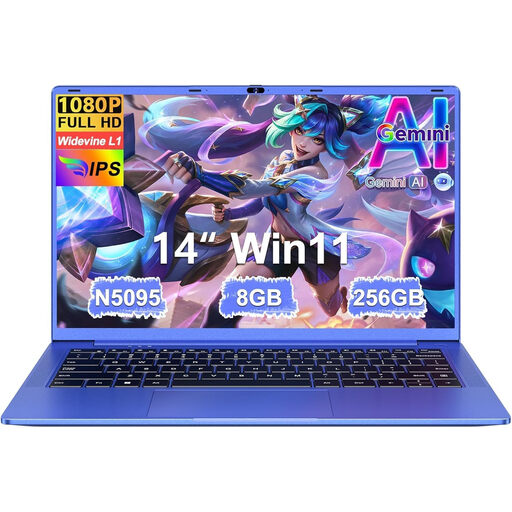
A Windows laptop for documents and everyday productivity, provided the stated configuration works with your software.
14-inch screen; weight 1.39 kg; 8 GB RAM; 256 GB SSD, expandable to 1 TB; N5095 processor up to 2.9 GHz.
 No image available
A Windows 11 Home model to compare if an anti-glare screen and keyboard backlighting matter to you.
14-inch Full HD anti-glare screen; Intel Core 7 150U; 16 GB DDR4; 512 GB SSD; weight 1.40 kg; backlit keyboard.
 No image available
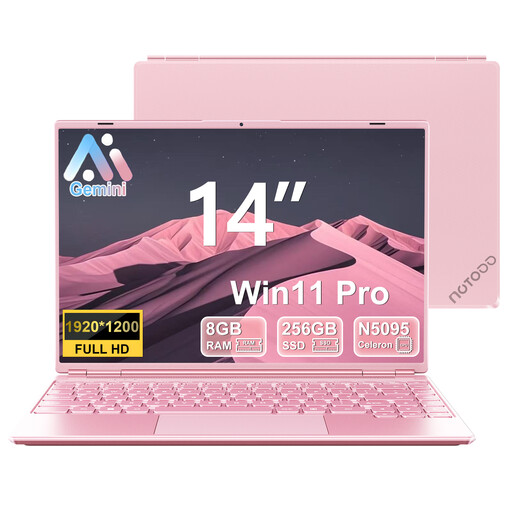
A Windows 11 laptop for writing and working with files. Check in advance that the available software and storage meet your application’s needs.
14-inch IPS screen; 8 GB RAM; 256 GB SSD, expandable to 1 TB; N5095 processor up to 2.9 GHz; 5G Wi-Fi.
 No image available
A compact macOS option if the programmes and submission portal you need work on macOS.
16 GB of memory; 512 GB SSD; 13.6-inch screen; weight 1.23 kg; two Thunderbolt 4 ports.
Sync the documents you need before you leave, then check that you can open and edit them without an internet connection. Microsoft Support explains how synced SharePoint files can be made available offline and changes synced again later. The process depends on your software and your organisation’s settings.
Microsoft 365 apps such as Word can be used on a Chromebook through the web, but the Windows and Mac desktop versions can’t be installed on it. Check your document requirements and test your workflow if you lose your connection before choosing a Chromebook.
No. An extended warranty isn’t a requirement for your statutory right to a product that works properly. According to the Dutch government, the Netherlands has no fixed statutory warranty period; assess a paid warranty based on the additional rights it actually offers.
For an applicable distance purchase from a business, the Dutch government generally provides a 14-day cooling-off period. Check the terms of the specific purchase; the distance-selling rules mentioned don’t apply to an online purchase from a private seller.
No. Encryption isn’t set as a universal requirement for every application. If an organisation processes personal data, it must choose appropriate security measures based on the risks. The Dutch Data Protection Authority lists encryption as one possible measure, not as a requirement for every device.