
Writer with a fixed workspace
You’re writing long chapters and want to keep text, photos and sources clearly visible on screen.


Start with the document software you need for your guide, then choose a laptop to suit your workspace. A larger screen gives you more room to view text and photos side by side, while a more compact model is easier to take with you. Check the screen, keyboard layout, storage and ports on the exact configuration you’re considering; don’t assume that software or accessories are included.
You’re writing long chapters and want to keep text, photos and sources clearly visible on screen.
You regularly select and add images, so you need enough storage, a suitable port or card reader, and a way to back up your files.
You take your laptop with you and weigh up a smaller screen against portability, access to your software and the ability to work offline.
Start with the document software you need. Then choose between more screen space at your desk and a more compact size for working on the go.
| What to consider | What to look for | Who is this important for? |
|---|---|---|
| Writing and layout comfort | Check the screen size and finish, the keyboard layout, and whether you can connect an external monitor. | When I’m writing long chapters, I want to type comfortably and see my text clearly. Around 36% of consumers put writing and layout comfort first. |
| Adding and storing photos | Check the SSD capacity, the port for your camera or card reader, and how you’ll back up documents and original photos. | When I use lots of reference photos, I want to import them quickly and find them again later. Around 29% of consumers put photo management at the top of their list when buying. |
| Portability and working away from a fixed workspace | Compare the size with what you want to carry, check the conditions behind battery-life claims, and make sure your software works offline. | When I write in different places, I weigh up a laptop that’s easy to carry against having enough screen space and access to my files. Around 21% of consumers put mobile working first. |
| Document software and cost | Check that your preferred app and document formats are supported, what licence is included, and whether you can work offline. | I want to know in advance whether my document software and file workflow will suit my budget. Around 14% of consumers put software and additional costs first when making their choice. |
The screen, memory, storage and keyboard layout can vary between configurations.
Before buying, compare the full model number with the specifications of the configuration you’ve chosen.
Google’s recommended way to work with Microsoft 365 files on a Chromebook requires OneDrive.
Test your Word file, including its images and formatting, and check how you’ll work with it offline.
A suitable laptop doesn’t automatically come with the version of Word you want or all the ports you need for your camera and peripherals.
Check which licence and ports come with the exact configuration, and whether you’ll need to buy a separate adapter.
You may need to buy a separate software licence or adapter.
The IdeaPad Slim 3 14 configuration reviewed is a compact Windows option for writing in different locations.
The Aspire Go 15 NX.JRREH.00M is an example of a Windows laptop with a larger built-in screen and plenty of storage.
The 13-inch MacBook Air with M5 is worth comparing if you prefer macOS and a compact design.
HP presents the OmniBook 7 16 range as a productivity option with a larger screen.
This selection includes Windows models with either a larger screen or a more compact design, plus a MacBook Air for those who prefer macOS.
 Image unavailable
This 15.3-inch model may suit you if you want to view text and reference images on a larger built-in screen.
15.3-inch WUXGA IPS screen with anti-glare coating; SD card reader; English QWERTY keyboard. The charger must be purchased separately.
 Image unavailable
This 14-inch model is worth comparing if you’re looking for a more compact design with room for local photo files.
WUXGA IPS screen; SD card reader; English QWERTY keyboard; stated starting weight of 1.39 kg.
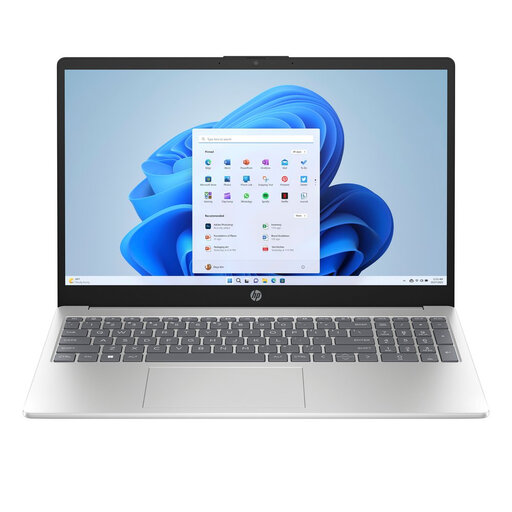 Image unavailable
The larger anti-glare screen may suit writing and viewing images at a fixed workspace.
15.6-inch Full HD screen; USB-C and two USB-A ports; Windows 11 Home.
 Image unavailable
This 15.6-inch model may suit you if you want to view text and photos on a larger screen at your desk.
Full HD anti-glare screen; USB-C with DisplayPort; Windows 11 Pro. This configuration has an English keyboard.
 Image unavailable
This MacBook Air is an option if you want to use macOS and need a laptop for writing in different locations.
13.6-inch screen; two Thunderbolt 4 ports; QWERTY keyboard. Check that your required document software works on macOS.
Microsoft Support’s instructions for inserting reference images don’t list a dedicated graphics card as a requirement. If you also use specialist photo-editing software, check its system requirements separately.
In Word, go to Insert and Pictures to choose a file from your device. You can then adjust its size and text wrapping. Microsoft Support describes File History in Windows as a way to regularly back up folders to an external drive or network location.
Don’t assume it does: Microsoft Support distinguishes between free web apps, Office 2024 and Microsoft 365 subscriptions. Check with the retailer to find out which licence, if any, comes with the exact laptop.
According to the Dutch government, the retailer—not the manufacturer—is responsible for resolving a problem. A manufacturer’s warranty and an extended warranty are separate from your statutory right to a product that works properly.
According to the Dutch government, purchases made remotely from a business usually come with a 14-day cooling-off period. Check the applicable terms and exceptions; this rule for distance selling doesn’t apply to purchases from a private individual.