Start with your software and film project: check the operating system, video import, plug-ins and audio interface before comparing laptops by processing power. Then choose memory, storage and ports to suit your session and the equipment at the presentation venue. A compact laptop is easier to carry, while a larger screen and more ports can make it easier to work without extra accessories.
Who is this buying guide for?
Film mixer working with visuals
You’re matching sound to film footage. So first check that your DAW and video import work with your operating system and file format. Ableton documents video import for syncing with audio, while Apple Support provides documentation for Logic Pro for Mac.
Student with a demanding mix session
You may be working with lots of tracks, effects or samples, and want enough processing power, memory and storage for your project. Ableton stresses that the computer specifications you need depend on your workflow, the number of tracks and the plug-ins you use.
Mixer presenting to a client
You’ll be taking your laptop with you and connecting it to audio and video equipment at the venue. So weigh portability against the ports you need. Apple Netherlands, ASUS Netherlands and Lenovo describe different connections for specific laptop models and ranges.
What should you look for?
| What to consider |
What should you check? |
Who is this important for? |
| Software and video synchronisation |
Make a note of the exact DAW version, plug-ins and film format. Test whether a representative session and the video open on the laptop you’re considering. |
If I need to match sound directly to film footage, I want to know first that my software and files work together. Around 33% of consumers put software compatibility and visuals at the top of their buying priorities. |
| Room for your mix |
Compare your most demanding session with your DAW’s requirements, and check the RAM and SSD for each configuration. Ableton lists 8 GB RAM as the minimum for Live 12 and recommends 16 GB or more for greater flexibility. |
When I’m working with lots of tracks, effects or samples at once, I want enough headroom for my project, not just a light session. Around 27% of consumers prioritise mixing capability. |
| Ports |
List the connections you need for your interface, storage and presentation screen, and decide which must be available at the same time. Also check that your interface and driver are compatible with the operating system. |
If I’m connecting my interface, storage and a screen at a venue, I want to know in advance whether the cables will fit or whether I’ll need an adapter. Around 20% of consumers give direct connectivity top priority. |
| Portability and presenting |
Balance screen size, weight and power supply against the space you’ll have to work in and the availability of power. Beforehand, test your final export using the equipment you plan to use for the presentation. |
When I’m travelling with my laptop and playing the mix to a client, I want to be able to carry it easily and check the playback setup in advance. Around 20% of consumers prioritise portability and checking the presentation setup. |
Common buying mistakes
-
Assuming the minimum DAW requirements are enough
Minimum requirements don’t tell you how much headroom a large session with lots of tracks and plug-ins needs. Ableton lists 8 GB RAM as the minimum for Live 12, but recommends 16 GB or more for greater flexibility. Your needs also depend on your workflow.
Compare the most demanding session you expect to use with your DAW’s requirements and the laptop’s exact configuration. Remember to allow space for video and audio files, too.
-
Assuming every configuration has the same ports and included accessories
A product range may include different configurations, so the ports, memory and included power supply can depend on the exact model.
Before ordering, check the full model number, ports and what’s included in the box.
You may need to carry extra equipment if you need a specific power supply or connection adapter. Check whether the adapter you need is included with the configuration you’ve chosen.
-
Assuming a short warranty statement sets out all your rights
In the Netherlands, your statutory rights sit alongside any seller or manufacturer’s warranty. According to ACM ConsuWijzer, there isn’t one fixed statutory two-year lifespan that applies to every laptop.
Keep your proof of purchase and contact the seller if the product is faulty.
Brands to compare
Apple
Compare the MacBook Air and MacBook Pro if Logic Pro for Mac or a suitable macOS working environment is part of your workflow.
- Apple Netherlands lists 16 GB memory and a 512 GB SSD for the 13-inch MacBook Air M5 reviewed. According to Apple Support, the 14-inch MacBook Pro M5 Pro reviewed includes HDMI, SDXC and three Thunderbolt 5 ports, among other connections.
- The Air reviewed has two Thunderbolt 4 ports and no built-in HDMI. Check that the ports and included power supply on the exact configuration suit your setup.
ASUS
The Zenbook 14 OLED UX3405 range is a Windows option to compare if a compact screen and built-in connections matter to you.
- ASUS Netherlands lists two Thunderbolt 4 ports, USB-A and HDMI for the range.
- The processor, memory and screen vary by configuration. For the configuration reviewed, ASUS eShop Netherlands stated that the power adapter wasn’t included. Check this for the model you choose.
Lenovo
The Yoga Slim 7 14ILL10 is a Windows range worth considering if you need connections for an interface, storage and a presentation screen.
- Lenovo lists HDMI, USB-A, two Thunderbolt 4 ports and microSD for the range.
- There are different memory and storage configurations. Lenovo states that the memory in the configurations described is soldered in and can’t be upgraded.
HP
Compare a specific OmniBook configuration rather than just the series name, especially if you want to know which power supply and connections you’ll need.
- For the OmniBook 5 Flip 14-fp0605ndx reviewed, HP Netherlands lists Windows 11 Home, 16 GB RAM and a 512 GB SSD.
- HP recommends a USB-C adapter for this configuration, sold separately. Check the box contents and connections for the exact model.
Dell
The Dell 14 Plus DB14250 is a Windows option to compare if you’re looking for a 14-inch workstation and want to check the configuration carefully.
- Dell Netherlands lists 16 GB built-in memory and a 1 TB SSD for one selected configuration.
- Dell notes that different specifications may apply to customised configurations. Check the full configuration before comparing it with other models.
Joybuy laptops for mixing and presenting
This Joybuy selection features Windows laptops. Compare them by the memory and storage configuration that suits your session, the connections you need for your presentation and how practical the size is to carry.
 No image available
Microsoft Surface Laptop 7, 13.8-inch, Snapdragon X Plus, 16 GB, 512 GB
This could suit a mobile Windows setup if 16 GB memory and a 512 GB SSD meet your needs. Check your DAW, plug-ins, video files and audio interface in advance.
The product description lists Windows 11 Pro, a 13.8-inch screen, a weight of 1.34 kg and USB4 connectivity.
View at Joybuy
 No image available
Lenovo Yoga 9 16N1X11 83N70020MH, 16-inch 2-in-1, 32 GB, 1 TB SSD
The listed 32 GB memory and 1 TB SSD could suit a session with multiple tracks or effects. Check that your software is compatible and that a 16-inch laptop is practical for you to carry.
The product description lists Windows 11 Home and a 360-degree hinge with laptop, tablet and presentation modes.
View at Joybuy
 No image available
MSI Modern 14 F1MG-867NL, 14-inch Full HD, Intel Core 7 150U, 16 GB, 512 GB SSD
This 14-inch laptop could suit a mobile presentation setup that needs HDMI and USB-A. Also check whether the memory and storage configuration meet your session’s requirements.
The product information lists Windows 11 Home, 16 GB DDR4, a 512 GB SSD, USB-C with DisplayPort, USB-A and HDMI. The listed weight is 1.4 kg.
View at Joybuy
 No image available
MSI Titan 18 HX AI A2XWJG-492NL, 18-inch UHD+ Mini LED, 64 GB, 6 TB SSD, RTX 5090
The listed 64 GB memory and 6 TB SSD are worth comparing with the needs of a large session and locally stored project files. Bear in mind that its listed weight of 3.6 kg makes it less practical to carry.
The product description lists Windows 11 Pro, HDMI 2.1 and two Thunderbolt 5 ports.
View at Joybuy
 No image available
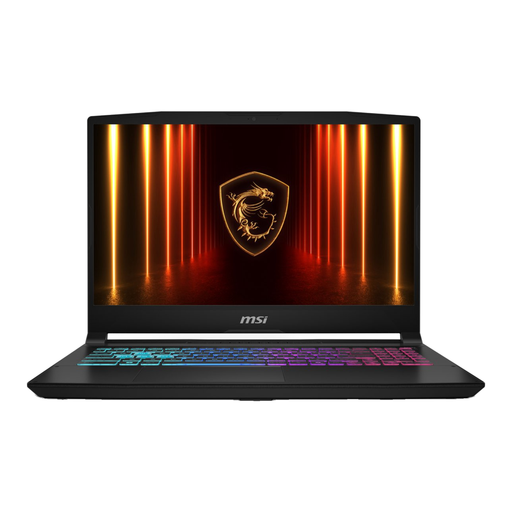
MSI 17 HX B14WGK-264NL, 17.3-inch, 16 GB, 1 TB SSD
The 1 TB SSD and HDMI 2.1 could suit locally stored project files and presentations on an external screen. Its listed weight of 2.7 kg makes this model less practical to carry around often.
The product information lists 16 GB DDR5 and states that the power adapter must be purchased separately.
View at Joybuy
Frequently asked questions
Do you need to choose a Mac for Logic Pro?
You need a Mac for Logic Pro for Mac, as Apple describes it as software for Mac. Also check the requirements for your version and whether your audio interface has a suitable macOS driver. If you use a different DAW, you don’t need to choose a Mac for that reason alone.
Can you sync sound to film footage in Ableton Live?
Ableton documents video import for syncing video with audio. Check your version of Live and the file you’ve been given: Live 10 Intro and Live Lite don’t support video. Supported file types listed include MOV and MP4 with H.264.
How can you avoid glitches during your final check?
Test the full session and export before your appointment. If Live crackles or drops out during playback, Ableton recommends increasing the audio buffer in small steps and testing again after each change. A larger buffer increases latency. Also check that your interface and driver are suitable for your setup.
What extra costs and rights should you consider when buying?
Check whether the power supply and adapters you need are included. For online consumer purchases in the Netherlands, ACM ConsuWijzer generally states that you have up to 14 days after delivery to change your mind, subject to exceptions. Statutory rights are separate from any manufacturer’s warranty and depend on what you could reasonably expect from the product.
Can you use someone else’s music in a film for a client?
Don’t assume you’re allowed to use it just because it’s a student film. The Dutch government states that you need the creator’s permission to use copyright-protected music. Make sure you understand the rights that apply to the music and to your planned presentation or distribution.


