
Archive scan reader
You read records or scans alongside search results and notes. Archieven.nl provides sources indexed by person, so screen space can make a difference when you’re comparing information.


Choose a laptop based on how you read your sources and which family history software you want to use. Aldfaer requires a compatible Windows configuration. If you spend long periods comparing scans and notes, a larger built-in screen or a laptop with an external display connection may be worth considering. Check the operating system, memory and ports for the specific model.
You read records or scans alongside search results and notes. Archieven.nl provides sources indexed by person, so screen space can make a difference when you’re comparing information.
You want to manage a family tree in Aldfaer as well as consult online sources. Stichting Aldfaer develops the programme for Windows, so check that the laptop’s operating system is compatible with your software choice.
Several people use the same laptop or desk. Microsoft explains how to set up separate Windows accounts, each with its own files, browser favourites and desktop.
A good fit if: you often read scans and notes side by side, or want to use Aldfaer.
Bear in mind: a larger built-in screen takes up more space on a shared desk. Check the exact Windows configuration too.
A good fit if: you want to clear the desk after use but need more screen space while researching.
Bear in mind: you’ll need a compatible external screen and video connection; an adapter may also be required.
A good fit if: you mainly consult online sources and want to use macOS.
Bear in mind: according to Stichting Aldfaer, Aldfaer was developed for Windows and isn’t supported on modern versions of macOS.
First, decide whether you need family history software installed on your laptop. Then compare the built-in screen space with the option of connecting an external screen. Finally, consider shared use and how you’ll store your files.
| What to consider | What should you check? | Who should bear this in mind? |
|---|---|---|
| Scans and notes side by side | Compare the screen size, resolution and panel type of the exact model. For an external screen, check for HDMI or video output via USB-C. | I want to read records, scans and notes at the same time without constantly switching between windows. Around 36% of consumers rank screen space as their top priority. |
| Installing family history software | Decide in advance which genealogy software you’ll use. Check the operating system and, for Windows, whether S mode is enabled. | If I want to use Aldfaer, the laptop needs to run the Windows platform supported by its developer. Around 29% of consumers prioritise software compatibility. |
| Shared workspace | Consider how you’ll manage separate user accounts and shared research files. Also check the laptop’s size and how much desk space is available. | I share a laptop or workspace with family and want to keep personal files separate from research files we’ve chosen to share. Around 21% of consumers rank shared use as their top priority. |
| Storing scans and photos | Estimate how much storage you’ll need and compare capacity. Set up a backup too, and check which folders it includes. | I want to know where scans and photos are stored and make sure the laptop isn’t my only copy. Around 14% of consumers prioritise storage and file retention. |
Stichting Aldfaer develops the programme for Windows and doesn’t support it on modern versions of macOS. Windows in S mode restricts the installation of apps from outside the Microsoft Store.
Before you buy, decide which genealogy software you want to use and check the operating system of the exact model. Microsoft describes switching out of S mode as a permanent change.
A product range may include models with different screens, memory capacities and ports. The range name alone doesn’t confirm that a particular model is right for your workspace or software.
Compare the full model or product code with the specifications of the version you want to buy.
Files on your laptop are still at risk if it’s the only place you keep your research. Extra storage doesn’t replace a separate copy.
Check which folders are included in your backup and keep important research files somewhere other than your laptop too.
Archieven.nl says some downloads are free and others are paid. Microsoft notes that additional OneDrive storage is available to buy, so check which storage option suits the way you work.
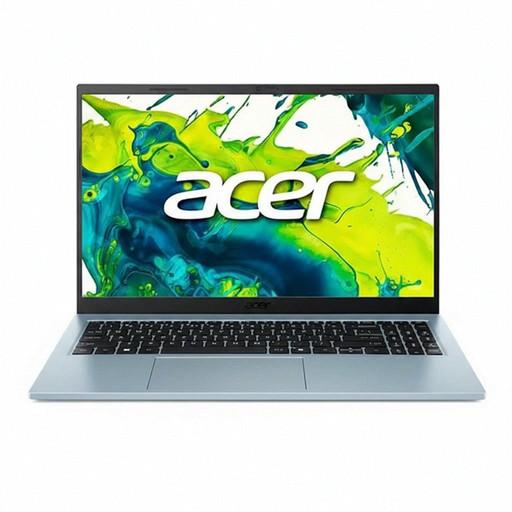
The Acer Aspire Go 15 AG15-72P, product code NX.JRREH.00M, is one example of a Windows laptop with a generous built-in screen.
The IdeaPad Slim 3 15IRH10 range may be worth considering if you want to use an external screen at a shared workspace.
The 13-inch MacBook Air M5 is worth a look if you mainly work in a browser and want to use macOS.
The Vivobook 16 X1605 range is one option to compare for a shared workspace.
These laptop options are aimed at family history research, with a built-in screen and Windows, including use with Aldfaer. Check the screen specifications, ports, memory and keyboard layout for each version.
 No image available
This 15.6-inch model may suit you if you want to view sources on the built-in screen and use Windows software.
The product name lists a Full HD screen, Intel Core 5 120U, 16 GB of memory, a 512 GB SSD and Windows 11 Home. The product details specify a matt IPS screen and HDMI. This model has an AZERTY keyboard.
 No image available
This Windows laptop may suit you if you’re comparing built-in screens and connections for an external display.
The product name lists a Full HD screen, Intel Core i5-13420H, 16 GB DDR5, a 512 GB SSD and Windows 11 Pro. The product details specify an anti-glare screen and USB-C with DisplayPort.
 No image available
The 15.3-inch screen may suit research where you want to view browser pages, scans and notes on the built-in display.
The product name lists a WUXGA screen, Ryzen 5 7535HS, 16 GB of memory and a 512 GB SSD. The product details specify an IPS screen with a 16:10 aspect ratio and an anti-glare finish. According to the product description, the USB-C power adapter is sold separately.
 No image available
This Windows laptop may suit you if you want to view archive sources on a built-in 15.6-inch screen.
The product name lists a Full HD screen, Core 5 120U, 16 GB of memory and a 512 GB SSD. The product details specify a matt IPS screen and HDMI.
 No image available
This 15.6-inch model may suit you if you want to read sources on a built-in screen and need Windows software.
The product name lists a Full HD screen, Core 5 120U, 8 GB of memory and a 512 GB SSD. The product details specify a matt IPS screen and HDMI. The Consumentenbond recommends 16 GB for smooth use when running several programmes at once; bear this advice in mind when weighing up your options.
Not if you only consult online archives. If you want to install Aldfaer, Windows is the supported platform according to Stichting Aldfaer. If you choose a Windows laptop, also check whether S mode is enabled.
Create separate user accounts and agree which research files you’ll share and back up. Microsoft explains that accounts can have their own files, browser favourites and desktop.
It depends on how many large files you keep. The Consumentenbond says 256 GB is enough for everyday office work and recommends 512 GB or more if you have lots of large files, such as photos. Archieven.nl says some downloads are free and others are paid. Microsoft lists the OneDrive storage included with a free account and the option to buy extra storage.
According to the Rijksoverheid, the seller must provide a solution if there’s a problem with a product. For eligible distance purchases, you’ll often have a 14-day cooling-off period. Check the terms and exceptions that apply to your purchase.
First, consider which privacy rules apply to the way you’re publishing it. The Autoriteit Persoonsgegevens distinguishes between sharing information with a limited private group and publishing it for a wider audience. Information about someone who has died can also reveal details about living relatives.