What should you look for?
Start with your writing software and the way you navigate between chapters. Then choose a screen size, memory and storage that suit your source material and where you write.
| What to consider |
What should you check? |
Who is this important for? |
| Writing and organising chapters |
Try the keyboard and check that your chosen software offers heading styles and chapter navigation in the way you want to use them. Microsoft Support explains Word’s Navigation pane, while Google Docs Help describes the document outline. |
If you often switch between scenes and chapters, you’ll want to find your place again quickly. Around 33% of consumers prioritise comfortable typing and chapter navigation. |
| Enough performance for word processing |
Compare the memory and storage of the exact configuration with your programmes and files. Consumentenbond suggests 8 GB of memory and 256 GB of storage as useful benchmarks for basic everyday use; don’t treat these as a guarantee that every programme will run well. |
If you mainly write and don’t want to pay unnecessarily for more powerful components, choose a laptop with enough functionality for your needs. Around 27% of consumers prioritise suitable performance without automatically opting for a more powerful model. |
| Photos, scans and source files |
Work out how many large files you want to keep and compare this with the available storage. Also decide whether you want to view your text and sources at the same time; a larger screen may be useful for this. |
If you consult lots of family history sources while writing, you’ll want to store those files and use them alongside your manuscript with ease. Around 20% of consumers prioritise storage and workspace for sources. |
| Portability and working offline |
Compare the size and weight of the exact configuration. To use Google Docs without an internet connection, you’ll need to set up offline access in advance and make the file available offline; test this before you leave. |
If you write while visiting family or travelling, you’ll want to take your laptop with you and carry on working without an internet connection. Around 20% of consumers prioritise portability and a tried-and-tested offline setup. |
Joybuy laptops for writing
This selection includes Windows laptops to compare for writing in Word, with configurations offering different screen sizes and storage options.
 No image available
HP OmniBook 5 Flip 14-fp0075nd C5VM5EA#ABH
The listed Windows 11 Home operating system suits a Word for Windows workflow; chapter navigation comes from Word and the use of heading styles. This configuration doesn’t include the required USB-C charger of at least 45 W.
View at Joybuy
 No image available
ASUS Vivobook 15 X1504MA-BQ534W
This 15.6-inch configuration is worth comparing if you want more screen space for text and sources. The product name lists a Core 5 320, 8 GB RAM, a 256 GB SSD and a QWERTY keyboard.
View at Joybuy
 No image available
Microsoft Surface Laptop 7, 13.8-inch
This Windows configuration is a compact option to compare if you write in different places. The product name lists a Snapdragon X Elite, 16 GB of memory and a 512 GB SSD.
View at Joybuy
 No image available
Lenovo IdeaPad Slim 3 14AHP10
This 14-inch Windows configuration could suit you if you want a laptop for working with text and source files. The product name lists a Ryzen 7 8840HS, 16 GB of memory, a 1 TB SSD and a QWERTY keyboard.
View at Joybuy
 No image available
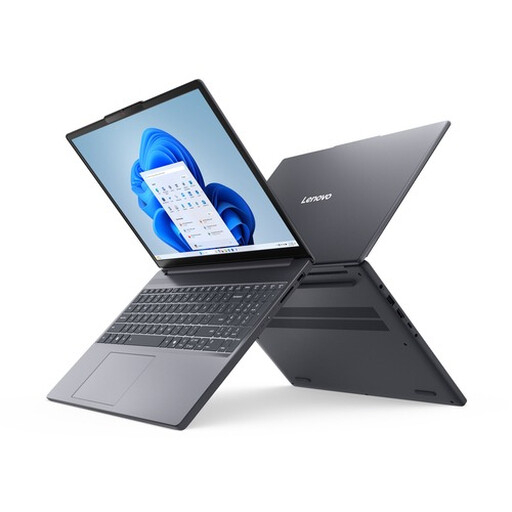
Lenovo IdeaPad Slim 3 15AHP10, 15.3-inch
The larger screen is worth comparing if you want more room to view text and sources. The product name lists a Ryzen 7 8840HS, 16 GB DDR5, a 512 GB SSD and a QWERTY keyboard. The USB-C power adapter must be purchased separately.
View at Joybuy
Frequently asked questions
Do I need special software or a powerful laptop to organise chapters?
You don’t need a powerful graphics system just to organise chapters. In Word for Windows, headings with heading styles applied appear in the Navigation pane; Google Docs can display headings in a document outline. Choose the software that suits the way you work.
Can I work on my manuscript without an internet connection?
You can in Google Docs if you set up offline access in advance and make the file you need available offline. Google explains the browser, extension and file settings required. Test everything before you try writing without a connection.
Will my work in Word be saved automatically?
Not in every situation. Microsoft explains that AutoSave in Microsoft 365 applies to files saved in OneDrive or SharePoint and requires an active subscription. Check the save location and setting, and keep a suitable copy of your manuscript.
What warranty rights do I have when buying as a consumer in the Netherlands?
As well as any commercial warranty, you have legal rights against the seller. ACM ConsuWijzer explains that the seller is responsible if a product doesn’t do what you could reasonably expect with normal use; the length of a commercial warranty doesn’t automatically determine the full duration of your legal rights. For online purchases, there is generally a statutory 14-day cooling-off period after delivery, subject to legal exceptions.
Can I share identifiable family details or photos publicly without permission?
Don’t assume that sharing something privately and publishing it publicly are subject to the same rules. According to the Dutch Data Protection Authority, sharing photos within a very small family circle may fall under the exception for personal or household use. That exception doesn’t apply when sharing with a wider audience, and a legal basis under the GDPR is then required. The assessment depends on the content and how widely it is shared.


