Choose a laptop that lets you open both your downloaded field notes and the application you need without an internet connection; files you can see in the cloud are not automatically available locally. For sheltered use, you can weigh up a portable Windows laptop or Chromebook based on storage and screen size. If you’ll be working around dust or splashes, look for protection specified for the exact model.
Who is this choice for?
Reader of offline notes
You view downloaded notes in places without a reliable connection and want to check in advance that both the files and the apps you use to open them work offline. Microsoft Support and Google Chromebook Help explain the limitations around files stored online and offline apps, respectively.
Mobile field researcher
You take your laptop between locations and view notes, photos or maps on the go. Weight, screen size and how you power the laptop may all matter; check the specifications of the exact configuration.
Researcher working in wet conditions
You use your laptop near dust or splashes and want to weigh its protection against its carrying weight. A protection rating applies only to the model it is specified for.
What should you look for when buying?
Portable Windows laptop
Choose this option: if you work with notes in Windows applications and take your laptop to a sheltered workspace. Make the OneDrive folders you need available locally in advance, then test them without a connection.
The trade-off: a compact screen gives you less room to view notes alongside maps or photos; standard business models are not automatically splash-resistant.
Chromebook or Chromebook convertible
Choose this option: if the files and apps you need are confirmed to work offline in ChromeOS. Make the relevant Drive files available offline in advance and test the app.
The trade-off: Google warns that some apps do not work offline; also check that the local storage is suitable for your files.
Rugged field laptop
Choose this option: if you use your laptop in places where dust or splashes are likely and need protection specified for the particular model.
The trade-off: Panasonic says the TOUGHBOOK 55 Series weighs 2.08 kg; IP53 does not mean the laptop can be submerged.
When it comes to downloaded wetland field notes, the first thing to do is check that your own files and apps work offline. The table shows which other buying considerations may be decisive for consumers.
| Consideration |
What to look for |
For which consumers |
| Offline access |
Check the offline setting, available storage and whether representative files open in the app you plan to use while in aeroplane mode. Microsoft Support and Google Chromebook Help explain the differences between files available locally and apps that work offline. |
I want to open notes at a location without a connection, rather than discovering there that a file or app needs online access. Around 36% of consumers give reliable offline access top priority. |
| Portability and power |
Compare the weight of the exact configuration and check the battery configuration and charger you’ll need to bring; stated battery life is no guarantee of how long it will last during your working day. |
I travel between field locations and want to take my laptop with me without power needs dictating my schedule. Around 29% of consumers prioritise portability and working without a power socket. |
| Screen readability |
View your own notes, maps and photos on the exact screen; assess outdoor use in lighting conditions similar to those where you work. |
I want to read text and maps clearly without constantly switching windows, so I need enough screen space. Around 21% of consumers say readability of notes, maps and photos is their main reason for buying. |
| Protection in the field |
Establish whether you’ll actually use the laptop around dust or splashes, then check the protection rating and conditions of use for the exact model. Panasonic lists IP53 for the TOUGHBOOK 55 Series; this does not mean it can be submerged. |
I use my laptop in places where dust or splashes are present and want its protection to match that exposure. Around 14% of consumers prioritise protection during field use. |
Common mistakes
-
Assuming a cloud icon means a file has been downloaded locally
A file that is only available online will not open automatically without an internet connection. An app on a Chromebook may also fail to work offline.
Make the right files available offline in advance, then open them in the app you plan to use without a connection.
-
Assuming a rugged product name means it is fully waterproof
Panasonic lists IP53 for the TOUGHBOOK 55 Series, but this rating does not support use underwater and does not automatically apply to other models.
Match the protection rating of the exact model to the exposure you expect, and keep the laptop sheltered if the protection you need has not been confirmed.
-
Assuming every laptop comes with a charger
HP says the charger for the ProBook 4 G1ah configuration D4TN0EA#ABH is sold separately.
Check which accessories are included with the exact offer and whether the charger is suitable for the connection and charging capacity you need.
Brands to consider
Lenovo
The ThinkPad X13 and L13 models are worth considering if portability and working locally on a Windows laptop are important to you.
- Lenovo lists the X13 Gen 6 AMD as weighing under one kilogram and having a replaceable battery.
- According to Lenovo, the L13 Gen 6 configuration reviewed has a 1 TB SSD and an anti-glare 13.3-inch screen.
- The keyboard on that L13 configuration is English (EU). These details apply to different models and configurations and do not confirm splash protection.
HP
The ProBook 4 G1ah is a Windows option for notes and locally stored files on a 14-inch screen.
- For configuration D4TN0EA#ABH, HP lists 16 GB RAM and a 512 GB SSD.
- HP says the charger for this configuration is sold separately; check what is included in the offer.
- HP’s security and performance descriptions are manufacturer claims, not independent field test results.
Acer
The Chromebook Plus Spin 514 is a convertible worth considering if you have tested the files and apps you need offline in ChromeOS.
- For configuration NX.KYQEH.004, Acer lists a 14-inch touchscreen and 256 GB SSD.
- Google warns that some apps do not work offline. The specifications listed do not automatically apply to other Spin 514 configurations.
Panasonic
The TOUGHBOOK 55 Series is worth considering if you use your laptop in places where dust or splashes are likely.
- Panasonic lists IP53 and a weight of 2.08 kg for this series.
- According to Panasonic, the stated battery life of up to 20 hours applies to a configuration with two batteries. Check the configuration; this is not a measured battery life for your working day.
- IP53 does not mean the laptop can be submerged and should not be attributed to all TOUGHBOOK models.
Getac
The S510 is worth looking at if a large screen and readability in bright outdoor light are priorities.
- Getac specifies a 15.6-inch, 1,000-nit screen for the S510, along with its own technology for readability in sunlight.
- Readability in sunlight is a manufacturer claim. A second battery is optional, so check which components are included with your chosen configuration.
Laptop options on Joybuy
These are portable Windows laptops for consumers who want to store downloaded files locally and view field notes on screen. Before setting off, check that your own files and the apps you need work without an internet connection.
 No image available
HP OmniBook 3 14-hy0058ndx
A Windows laptop worth considering for locally stored notes and documents.
14-inch; AMD Ryzen 5 7520U; 8 GB RAM; 512 GB SSD; Windows 11 Home. The charger is not included and must be bought separately.
View on Joybuy
 No image available
Lenovo IdeaPad Slim 3 15AHP10 15.3-inch, QWERTY
A Windows laptop worth considering if you want to read notes and downloaded files on a larger screen.
Ryzen 7 8840HS; 16 GB RAM; 512 GB SSD; QWERTY keyboard. The charger is not included and must be bought separately.
View on Joybuy
 No image available
Auusda T173A 17.3-inch
A laptop with a 17.3-inch screen worth considering if you want to view field notes on a large display.
3250C processor; 8 GB DDR4 RAM; 512 GB SSD; fingerprint unlocking.
View on Joybuy
 No image available
Microsoft Surface Laptop 7 13.8-inch Snapdragon X Plus
A laptop worth considering if you want to store downloaded files locally and are looking for a touchscreen.
13.8-inch; Snapdragon X Plus; 16 GB RAM; 512 GB SSD.
View on Joybuy
 No image available
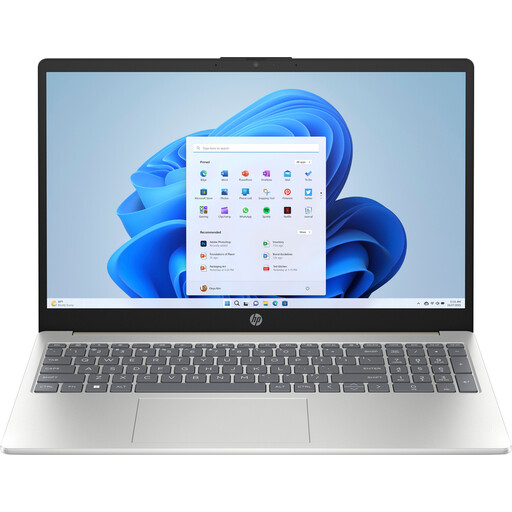
HP Laptop 15-fd1253ndx Intel Core 5 120U
A Windows laptop worth considering if you want to read documents and notes on a larger screen.
15.6-inch; Intel Core 5 120U; 8 GB DDR5 RAM; 512 GB SSD; Windows 11 Home.
View on Joybuy
Frequently asked questions
Is a downloaded file or one visible in the cloud automatically available offline?
No. OneDrive may show files that are stored online only; mark the files you need as ‘Always keep on this device’. On a Chromebook, you can make selected Drive files available offline, but Google warns that some apps do not work offline. Also test the application you use to open your notes.
How much local storage is useful for notes with photos?
It depends on the number and size of your files. The Consumers’ Association recommends 256 GB as a guide for everyday office work, and 512 GB or more if you have lots of large photo or video files. Compare these guidelines with the space needed for your downloads and programmes.
How can you keep a laptop battery in good condition between field visits?
Avoid extreme heat and check whether your laptop has a smart charging setting. The Consumers’ Association cites smart charging as one possible way to limit battery ageing; available charging features vary by laptop.


