
Writers of step-by-step guides
If you regularly move steps around, you’ll want to be able to update references when the content changes. Microsoft Support and LibreOffice Help explain how to use cross-references in Word and Writer.


Start by choosing your word processor and the type of reference you need: Microsoft Support and LibreOffice Help explain field-based cross-references in Word and Writer. A larger screen can help you view text and photos side by side, while a more compact size may be more practical if you write in different places. Links to bookmarks work differently from automatically updated page references.
If you regularly move steps around, you’ll want to be able to update references when the content changes. Microsoft Support and LibreOffice Help explain how to use cross-references in Word and Writer.
If you combine photos with captions, it’s useful to have a clear view of your text and images while editing. Microsoft Support explains how to add captions in Word.
If you take your laptop with you, you’ll need to weigh a compact size against having enough room to view your document. The configurations we looked at come in different screen sizes; Apple Netherlands and Dell Netherlands, for example, describe models with 13.6-inch and 14-inch screens.
Choose this option: if you want to use Word for Windows or Mac, or LibreOffice Writer, for field-based references.
Keep in mind: check that your chosen word processor supports references to the items you need, and whether the software licence is included.
Choose this option: if clickable links to bookmarks or headings are enough; Google Docs Editors Help explains how to link to bookmarks in a document.
Keep in mind: links to bookmarks are not the same as field-based cross-references that update page numbers.
Start by deciding what type of reference you need and which word processor you’ll use. Then choose a screen size and configuration to suit your formatting tasks, workspace and software requirements.
| What to consider | What to look for when buying | Who is this important for? |
|---|---|---|
| Cross-references | Check whether your chosen desktop word processor supports references to steps, captions or page numbers. | If I move steps or images around, I want to be able to update references rather than having to correct the numbers manually each time. Around 33% of consumers prioritise updateable cross-references. |
| Photos and workspace | Compare the screen size of the exact model and, if possible, try laying out a sample page with text and images. | If I’m arranging photos, captions and instructions together, I want to be able to see them clearly. Around 27% of consumers give photo layout top priority. |
| Portability | Balance the size against the screen space you need, and check the ports on the model you’ve chosen. | If I write in different places, I want a laptop that suits my workspace without having to carry around more screen space than I need. Around 20% of consumers prioritise portability. |
| Software and contents | Check whether the word processor you need and a suitable charger are included with the exact offer. | If I want to manage my overall spending, I need to know in advance which software and accessories I’ll still need. Around 20% of consumers prioritise total cost. |
A link to a bookmark and a field that inserts a page number are different features. If you choose the wrong approach, you may need to adjust references manually after rearranging steps.
Before you buy, create a test document and move a step and an image. Check that your chosen word processor produces the references you’ll need in the finished booklet.
Allow time to check or recreate references after making changes.
Specifications and what’s included in the box can vary between configurations. For example, the Lenovo listing we looked at is a bundle with a case and mouse, not every model in the same laptop range.
Check the product page for the full model name, selected configuration, keyboard and what’s included in the box.
An operating system doesn’t automatically mean a Word licence is included. The accessories supplied can also vary between offers.
Check the software licence and the contents of the box separately before making your choice.
HP describes an OmniBook X Flip model with a 14-inch touchscreen, Windows 11 Home, 16 GB RAM and a 512 GB SSD. These are specifications for that model, not a performance test of all HP laptops.
For the 14 DC14255, Dell describes a selected Windows 11 Home configuration with 16 GB of memory and a 512 GB SSD.
According to Lenovo, the IdeaPad Slim 5 15ARP10 model we looked at has a 15.3-inch screen, 16 GB of memory and 512 GB of storage. The offer we checked is a bundle.
Apple Netherlands lists a 13.6-inch MacBook Air with M5, 16 GB of unified memory and a 512 GB SSD. This could suit you if you want to use macOS and Word for Mac.
These laptops offer a range of screen sizes and configurations for writing and formatting a craft guide. First, choose the word processor you’ll use for your references.
 No image available
The stated screen size may be worth considering if you want to view text and photos on a large built-in display.
17.3-inch screen; 3250C processor; fingerprint unlock; 8 GB DDR4 RAM; 512 GB SSD.
 No image available
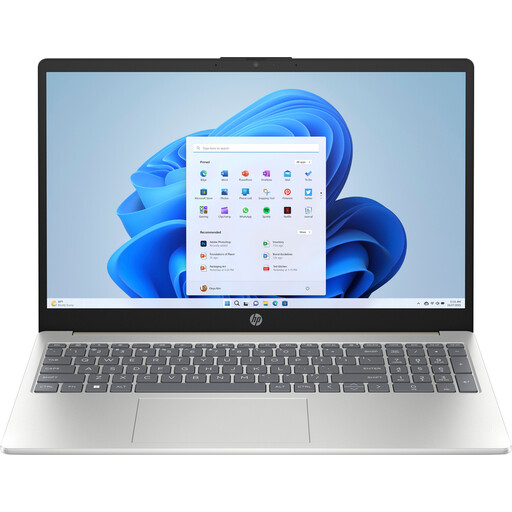
The 15-inch screen size is worth considering if you’d like more room to view text and photos on your laptop.
Intel Core 5 120U; 15-inch screen; 8 GB DDR5; 512 GB storage; Windows 11 Home; Warm Gold.
Check separately whether the word processor or licence you need is included.
 No image available
This model may suit you if you’re considering a MacBook and want to view text and images on a 15-inch screen.
M5; 15-inch screen; 16 GB memory; 512 GB storage; Starlight (2026); QWERTY keyboard.
Check that Word for Mac and the ports you need suit the way you work.
 No image available
The 15.3-inch screen size may suit you if you want to see text and images clearly on the built-in display.
Ryzen 5 7535HS; 15.3-inch screen; 16 GB memory; 512 GB SSD; Cloud Grey; QWERTY keyboard.
The stated weight is approximately 1.50 kg.
 No image available
The 15.6-inch screen size may be useful if you want more room on your laptop screen while formatting your guide.
Intel Core 5 210H; 15.6-inch Full HD screen; 16 GB DDR5; 512 GB SSD; NVIDIA GeForce RTX 5050; Wi-Fi 6E; Windows; QWERTY keyboard.
The product description states that the charger must be purchased separately.
The cross-references described are features in Word and LibreOffice Writer. So start by choosing your word processor, then assess the laptop and screen based on your photos and how you work.
In Word, add a caption to images, or set a reference target or caption in Writer. Insert the cross-reference as a field and update fields when the layout changes; Microsoft Support and LibreOffice Help explain these features.
No. Google Docs Editors Help explains how to link to bookmarks in a document; Microsoft Support separately explains how to insert a field in Word that shows a bookmark’s page number. Choose the option that gives you the type of reference you need in your finished booklet.
According to ACM ConsuWijzer, the statutory guarantee applies in addition to any manufacturer’s or seller’s warranty: with normal use, the product must do what you could reasonably expect it to do. If a product is faulty, the seller is responsible for providing an appropriate solution free of charge; don’t assume there is a fixed statutory warranty period of two years.
According to ACM ConsuWijzer, for a standard online consumer purchase you generally have up to 14 days after delivery to change your mind. Exceptions may apply; also check the seller’s information about trying out and returning the product.