First, choose a laptop that supports your required development tools locally. Then compare its processor, memory and storage with the size of your projects and the tools you use at the same time. At a shared desk, your chosen model also needs to work with the existing monitor, peripherals and power supply. Specifications alone can’t predict how quickly your project will compile.
Who is this guide for?
Developers with large local builds
You compile larger projects or use several development tools at once. The configuration you need depends on those tools’ requirements; Android Developers and Microsoft Learn set out the system requirements for their development environments.
Developers at a shared workstation
You connect your laptop to an existing monitor and peripherals. So, check not only which connections are available, but also whether they work with the exact laptop model and your desk setup.
Developers with a fixed toolchain
For example, you might use Xcode locally or work with Visual Studio for Windows. First check which operating systems are supported and what your tools require; Apple Developer and Microsoft Learn publish information about their development environments.
What should you look for?
Start with the required toolchain, then compare the configuration and connections with your projects and shared workspace.
| What to consider |
What to look for when buying |
Who this matters most to |
| Local builds and tools running at the same time |
Compare the requirements of your IDE, build tools and any emulator with the processor, memory and storage configuration of the exact model. |
For large projects, I want to know whether my configuration can handle my IDE and other tools open at the same time; around 33% of consumers prioritise local compilation and parallel tools. |
| Connecting to the shared desk |
Check the inputs on the monitor, the input devices and the power supply, then compare them with the ports and docking support of the model. |
When I move between workspaces, I want to connect my monitor and peripherals without relying on an unfamiliar connection; around 25% of consumers prioritise desk connectivity. |
| Required development environment |
Check the host and system requirements for the versions of the tools you need. Apple Developer lists a Mac running macOS Sequoia 15.6 or later as a requirement for Xcode 26. |
When my project requires a specific local toolchain, the operating system must be compatible before I compare hardware; around 25% of consumers prioritise toolchain compatibility. |
| Portability, customisation and support |
Compare the weight, keyboard layout, included components and support terms for the specific model. |
If I move my laptop regularly or want to change its components, I want to know what’s included with my model and what support applies; around 17% of consumers prioritise portability, customisation or support. |
Buying pitfalls
-
Assuming a processor name guarantees fast builds
The resources you need also depend on the size of your project and the tools running at the same time. System requirements don’t measure how long your project will take to build.
Compare the full configuration with the requirements of your own toolchain, and don’t treat specifications as a benchmark for your project.
-
Assuming every USB-C port will work with the shared dock
Ports and docking capabilities can vary between models. Your laptop, monitor and dock need to work together for the intended display connection and power supply.
Note down the model of the dock and monitor at your desk, then check the connections and power requirements for the exact laptop model.
You may need a different adapter, dock or power supply for your chosen setup.
-
Confusing the legal guarantee with the duration of a service plan
The Dutch government states that there is no fixed legal guarantee period in the Netherlands. An additional service plan is not the same as your statutory rights when buying as a consumer.
Compare the terms of any additional service with your statutory rights. If a product is faulty, contact the seller.
An additional service plan may cost extra.
Relevant brands to consider
Lenovo
The ThinkPad T14 Gen 6 (AMD) is a business Windows range worth comparing for its ports and memory options.
- Lenovo PSREF lists two DDR5 SODIMM slots and support for up to 64 GB of DDR5-5600 memory for model 21QJ006MHH.
- Specifications, ports and keyboard layouts can vary by model; these details don’t measure compilation performance.
HP
The EliteBook 8 G1i 14 is a business Windows range worth comparing for memory, storage and support.
- HP lists 32 GB RAM, a 1 TB SSD and three years of on-site support for model A26ZMEA#ABH.
- The support details come from HP and apply to the model listed; check the terms and availability when you buy.
Apple
MacBook Pro is worth considering if your development environment requires a Mac as its local host.
- Apple lists several memory configurations for the MacBook Pro 14-inch M5.
- Check the exact model and your tools’ requirements; specifications don’t measure how long your project will take to build.
Dell
The Dell Pro 14 Plus is a business laptop range designed for shared workspaces.
- Dell’s Dutch documentation describes the connections available on the Pro 14 Plus range.
- The standard PB14250 and the 2-in-1 model are separate models; don’t assume features from one apply to the other without checking.
Framework
The Laptop 13 with AMD Ryzen AI 300 Series is a configurable range worth comparing for its components and ports.
- Framework describes options for memory, storage and interchangeable expansion cards.
- For the DIY model, Framework says you’ll need to assemble the laptop yourself and arrange an operating system.
Joybuy products for development work and shared desks
The products shown include Windows laptops for a Windows toolchain and MacBook Pro models for development tools that require a Mac. Check your tools’ requirements and the connections available at your desk for the exact model.
 No image available
MSI Stealth 16 AI+ B3WF-011NL Copilot+ PC
A Windows laptop for connecting local development tools and peripherals; check that this model meets your toolchain’s requirements.
16-inch QHD+ OLED display; Intel Core Ultra 9 386H; 32 GB DDR5; 1 TB SSD; Windows 11 Home; Thunderbolt 4 and HDMI 2.1.
Joybuy
 No image available
MSI Prestige 16 AI+ C3MG-236NL Copilot+ PC
A Windows model to compare if you want to match memory, storage and connections to your development work and peripherals.
Intel Core Ultra X7 358H; 32 GB LPDDR5x; 1 TB SSD; Windows 11 Home; two Thunderbolt 4 ports and HDMI 2.1.
Joybuy
 No image available
MSI Crosshair 17 HX AI D2XWFKG-071NL
You can compare this Windows laptop based on its listed memory and storage configuration; check the system requirements of your development tools separately.
17-inch QHD+ 240Hz display; Intel Core Ultra 7 255HX; 32 GB DDR5; 1 TB SSD; Windows 11 Home; Thunderbolt 4 and HDMI 2.1.
Joybuy
 No image available
Apple MacBook Pro 14-inch M5 Pro 24GB 1TB
A MacBook Pro to consider if your local toolchain requires a Mac; check which macOS version your tools need.
24 GB memory; 1 TB SSD; three Thunderbolt 4 ports; HDMI; supports up to two external displays.
Joybuy
 No image available
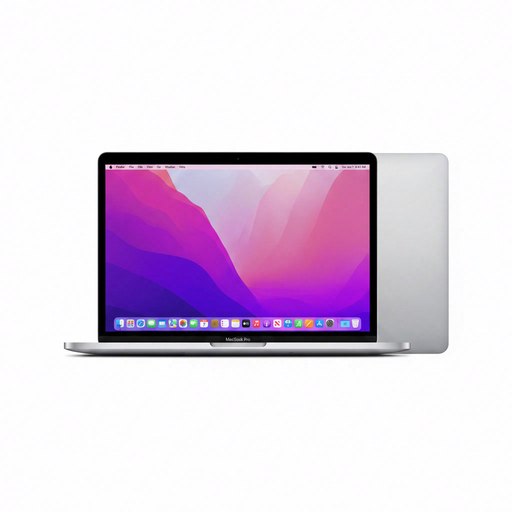
Apple MacBook Pro 13-inch M2 24GB 256GB
A Mac model for anyone who needs local Mac tools; check that the storage capacity is suitable for your project files and development environment.
M2 chip; 24 GB memory; 256 GB SSD; two Thunderbolt/USB 4 ports.
Joybuy
Frequently asked questions
Do I automatically need a dedicated graphics card for larger local projects?
Not just because you’re compiling. Check the requirements of your own tools and any emulator; Android Developers describes higher processor and memory requirements for larger projects. That alone doesn’t determine how quickly your project will build.
How should I set up a shared desk if I work on a laptop for long periods?
First check that the laptop, monitor and input devices work together. Arboportaal states that for employees who spend more than 2 hours a day working with a screen, the monitor and keyboard must not be attached to one another. So, when using a laptop, consider a separate monitor or keyboard; this requirement doesn’t automatically apply to every buyer.
What can I do if my laptop develops a fault after purchase?
When you buy as a consumer in the Netherlands, you have statutory rights and there is no fixed legal guarantee period. The Dutch government says the seller is your point of contact for a solution if a product is faulty; an additional guarantee doesn’t replace those rights.
Can I build an Xcode or Visual Studio project locally on any operating system?
No. Check the requirements for the specific version of the tool and your project. Apple lists a Mac running macOS Sequoia 15.6 or later as a requirement for Xcode 26; Microsoft Learn describes the supported Windows editions for Visual Studio 2026. Also check the requirements of any additional tools.


