
Writer who needs magnification
You want to see text and controls clearly while typing. Screen size and how well magnification works matter more to you than having the smallest possible laptop.


If members need a large-print version, adjust the text in the document itself; screen magnification only helps with your own view while working. Then compare the club’s software, the available screen space at your chosen magnification and how often you’ll take the laptop with you. Finally, check the finished PDF or printout.
You want to see text and controls clearly while typing. Screen size and how well magnification works matter more to you than having the smallest possible laptop.
You want club members to be able to read the finished text in large print, both in a shared file and on paper. So you pay attention to document formatting and check the PDF or printout.
You collect contributions from others or work in different locations. File sharing, offline access and being able to take your laptop with you all play a part in your choice.
A good fit if: your club works with Word documents and you want to adjust both the on-screen view and the text in the document. Microsoft Support explains both settings.
Bear in mind: a larger device may be less convenient to carry. Also check what’s included in the box for the exact configuration.
A good fit if: your club works together in a browser and the document and printing processes you need work there. Google explains how to use screen magnification and set up offline access in advance.
Bear in mind: check whether you need any desktop software, and test in advance how to edit club files offline.
A good fit if: macOS is compatible with your club’s software and you’re looking for a 15-inch workspace; Apple lists a version with an M5 chip.
Bear in mind: check how documents are shared, the keyboard layout and which charger and peripherals you’ll need.
| What to consider | What should you check? | Who is this important to? |
|---|---|---|
| Readability while writing | Try your own text at your preferred screen magnification on the exact screen size. Also check the text size and contrast settings. | If I need to enlarge text while typing, I still want to be able to see enough of the page. Around 33% of consumers prioritise readability while writing. |
| Large print in the pack | Adjust the font size in the document, then check the complete PDF or a test print for readability and page layout. | I want members to see the large print in the file or on paper, not just on my screen. Around 27% of consumers prioritise a large-print version. |
| Working together and sharing files | Find out which software and file formats the club uses. Test a sample file and set up offline access in advance if you need it. | If several club members are contributing, I want to know that file sharing and using my usual process online or offline will work smoothly. Around 20% of consumers prioritise collaboration and file sharing. |
| Portability and what’s in the box | Check the size against the bag you plan to carry your laptop in. For the exact configuration, check which charger and connections are included. | If I take my laptop to meetings, I weigh up screen space against size and check which accessories are included. Around 20% of consumers prioritise portability and knowing what’s included with their purchase. |
Screen settings change what you see on your laptop, but they don’t automatically change the formatting of the document club members receive.
Adjust the text in the document itself, then check the complete PDF or a test print.
Working together in a browser and working offline have different requirements from using any desktop software you may need.
Open a real club file, try the export or printing process you need, and set up offline access in advance if required.
For the HP OmniBook 3 17-dk0665nd reviewed, HP states that the charger is available separately. What’s in the box can vary by configuration.
Before buying, check the accessories included and the charging requirements for the exact model.
According to ACM ConsuWijzer, your statutory rights take precedence over a shorter warranty offered; whether they apply depends on the circumstances.
Check your statutory rights first, then decide whether additional cover makes sense for you.
The HP OmniBook 3 Windows configuration reviewed has a 17.3-inch screen, making it worth considering if physical screen space is important to you.
Acer offers a Windows Aspire Go 15 configuration and a Chromebook Plus 515 with ChromeOS, giving you the chance to compare different ways of working with documents.
The 15-inch MacBook Air is a macOS option if it’s compatible with your club’s software.
The Vivobook 16 OLED M1605 is a product line with a 16-inch screen.
The IdeaPad Slim 5 Gen 10 AMD is a 16-inch option for everyday document work.
This selection features Windows laptops with large screens for document work and an enlarged on-screen view. Set the font size in the shared document separately, then check the PDF or printout before distributing the pack.
 Image unavailable
The 17.3-inch screen gives you physical space for your on-screen workspace; adjust the text in the document separately.
17.3 inches, Full HD IPS, Intel Core 3 310, 12 GB RAM, 512 GB SSD and Windows 11 Home.
The AC adapter is not included and must be purchased separately.
 Image unavailable
The 17.3-inch screen gives you physical workspace for writing with an enlarged view; remember to check the finished document too.
17.3 inches, Full HD IPS, AMD Ryzen 5, 8 GB RAM, 512 GB SSD and Windows 11 Home.
The AC adapter is not included and must be purchased separately.
 Image unavailable
The 17.3-inch screen gives you physical space for your on-screen workspace; adjust the text in the document itself if members need a large-print version.
17.3 inches, Intel Core 5 320, 8 GB RAM, 256 GB SSD, Quiet Blue and QWERTY keyboard.
 Image unavailable
The 18-inch screen gives you physical space for your workspace; check how much of your document remains visible at the magnification you use.
18-inch UHD+ Mini LED 120 Hz, Intel Core Ultra 9 285HX, 64 GB DDR5, 6 TB SSD, NVIDIA GeForce RTX 5090 24 GB and Windows 11 Pro.
The product name identifies this as a gaming laptop; check that its specification and connections suit the way your club works.
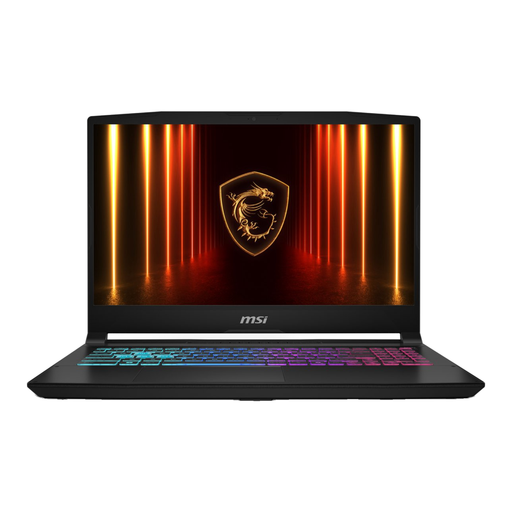 Image unavailable
The 17.3-inch screen gives you physical workspace for writing with an enlarged view; also check the formatting of the finished pack.
16 GB RAM, 1 TB SSD and QWERTY keyboard.
The AC adapter is sold separately.
No. To create a large-print version, adjust the font size in the document itself. Screen magnification changes your own view while working; check the PDF or printout afterwards.
Yes, if you set up offline access in advance and make the files you need available. Google Docs Help explains how; test the steps before working somewhere without an internet connection.
If the relevant conditions are met, your statutory rights may apply. ACM ConsuWijzer states that these rights take precedence over a shorter manufacturer’s or seller’s warranty; contact the seller to resolve the issue.
Not necessarily. The Dutch Data Protection Authority points out that organisations can’t simply share personal data with others. Decide which details you actually need, who will receive the pack and what privacy arrangements apply to your club.