What should you consider?
Mac with macOS
Choose this option: if you need to inspect or test your checkout in Safari on macOS.
Bear in mind: simulated screen sizes don’t replace testing on a real mobile device. Also check that the ports and power supply work with the shared desk setup.
Windows laptop
Choose this option: if your organisation uses Windows software or you need a Windows laptop with suitable connections.
Bear in mind: check the ports, charger and exact configuration. For Windows on Arm, Microsoft says required kernel drivers must be native Arm64.
Chromebook with ChromeOS
Choose this option: if you mainly use approved browsers or a remote testing environment and don’t need incompatible local software.
Bear in mind: Google says the Linux development environment is switched off by default and may be restricted on work or school devices. A Chromebook won’t provide Safari testing by default.
Start with the browsers and local testing software you need. Then compare the ports and charging requirements of the shared monitor or dock with the exact laptop configuration.
| What to consider |
What should you check? |
Who should weigh this more heavily? |
| Browsers and testing tools |
Compare the required browsers, operating systems, devices and local software with what the laptop supports. |
If I need to check Safari or several required browsers, I start with the testing environment rather than extra specifications. Around 31% of consumers in this situation give browser coverage top priority. |
| Connecting to the desk setup |
Note the ports and power requirements for the monitor and dock. Also check whether the laptop you choose comes with a charger. |
If I move between workstations, I want to connect my monitor and power supply without guesswork. Around 25% of consumers give compatibility with a shared desk top priority. |
| Protecting personal data |
Ask which test data, accounts and access rules your organisation allows, and check that the device management setup meets those requirements. |
If my checkout tests involve personal data, I want to know how accounts and access permissions are managed. Around 25% of consumers give data protection top priority. |
| Choosing the right configuration |
Match the memory and storage to the programmes you run at the same time and the files you keep locally. Check whether you need any additional accessories. |
If my testing mainly involves browser and office work, I don’t want to choose a configuration I don’t need. Around 19% of consumers give value for money top priority. |
Joybuy laptops for checkout testing
This selection includes Windows laptops and Macs. For each configuration, check that the browser environment and connections suit your testing needs and shared desk setup.
 No image available
Thunderobot Storm 17 5060 Gaming Laptop, 17.3-inch QHD, 16 GB, 1 TB
A Windows laptop option if you want to use a larger built-in screen or connect an external monitor via HDMI.
17.3-inch QHD screen; Windows 11; 16 GB RAM; 1 TB SSD; HDMI and USB-C listed as ports.
View at Joybuy
 No image available
Thunderobot Radiant S16 5060 Gaming Laptop, 16-inch QHD+, 16 GB, 1 TB
A Windows option with a 16-inch screen for checkout testing when you want to work on the laptop display.
16-inch QHD+ screen; Windows; 16 GB DDR5 memory; 1 TB SSD; HDMI listed as a port.
View at Joybuy
 No image available
Apple MacBook Air 15-inch M5, 16 GB, 512 GB, Starlight
A Mac option to consider if you run checkout tests on macOS, including in Safari.
15.3-inch screen; macOS; 16 GB memory; 512 GB storage.
View at Joybuy
 No image available
Apple MacBook Pro 14-inch M5 Pro, 24 GB, 1 TB, Space Black
A Mac option for checkout testing on macOS. Check that the HDMI connection works with the shared monitor.
14-inch MacBook Pro; 24 GB memory; 1 TB storage; HDMI and Thunderbolt listed as connections.
View at Joybuy
 No image available
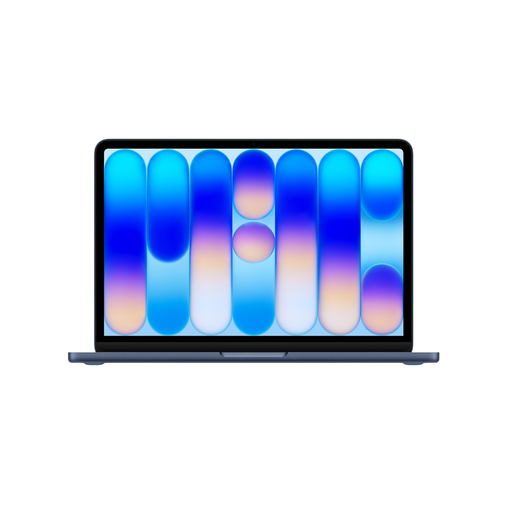
Apple MacBook Neo 13-inch A18 Pro, 8 GB, 256 GB, Indigo
A compact Mac option for checkout testing on macOS. Check that the configuration you choose supports the testing tools you need.
13-inch screen; macOS; 8 GB memory; 256 GB storage.
View at Joybuy
Frequently asked questions
Is a simulated phone screen in the browser enough to approve a checkout for mobile?
No, not if you also need to assess how it works on a real mobile device. Chrome Developers and Apple Developer describe emulation as useful for an initial check, but it doesn’t reproduce every difference in browser behaviour or real devices. Test on real devices if they’re part of your required coverage.
What should I check before connecting my laptop at a shared desk?
Compare the monitor and dock connections and charging requirements with the exact laptop configuration. Also check whether a charger is included: the Apple order configuration and a Dell Pro 14 configuration mentioned here don’t come with one.
Can I install local development tools on a Chromebook?
It depends on the model and IT policy. Google documents a Linux development environment that is switched off by default and may be restricted on work or school devices. Check before relying on local tools.
What happens if my personally purchased laptop breaks?
For a consumer purchase in the Netherlands, if a product doesn’t meet what you could reasonably expect under normal use, the seller must put things right free of charge, for example by repairing or replacing it. ACM ConsuWijzer explains this statutory protection. For a business purchase, check the applicable agreement separately.
Can I use real customer data for checkout tests?
Choosing a laptop doesn’t give you permission to do so. If tests involve processing personal data, the organisation must, among other things, have a valid reason for processing it and provide appropriate security. Ask which test data and access permissions your organisation has approved.


