
Student laying out the booklet
You’re working with text, images and page layouts. Check whether your brief requires desktop publishing software and a print-ready PDF. Adobe outlines the checks needed when exporting from InDesign for print.


For a booklet about canal history, start by choosing a laptop that suits your course software and the way you’ll be submitting the booklet. A larger screen gives you more room to view pages and images, while a more compact model is easier to carry around. Check the exact configuration, ports and required charger too.
You’re working with text, images and page layouts. Check whether your brief requires desktop publishing software and a print-ready PDF. Adobe outlines the checks needed when exporting from InDesign for print.
You’re viewing maps and photographs alongside your page layouts. Compare the display configuration of the exact laptop model, and check the source files before using them in print.
You want to carry on working in different locations, so you’ll need to weigh a more compact screen against the space available for pages and the ports you need. Check whether you’ll need an adapter for a projector or external display too.
Choose this option if: you’ll mainly work on pages in one place and want more screen space built in. HP lists a 16-inch OLED screen, Windows 11 Home, 16 GB RAM and a 512 GB SSD for the OmniBook 5 16-bm0630ndx.
Bear in mind: HP says the recommended 65 W USB-C adapter for this configuration is sold separately.
Choose this option if: macOS suits your course and you often work in different locations. For the 13-inch MacBook Air with M5, Apple lists a 13.6-inch display, 16 GB memory and a 512 GB SSD in the base configuration.
Bear in mind: its screen is smaller than that of a 16-inch laptop, and Apple lists two Thunderbolt 4 ports. Check whether you’ll need an adapter. The stated battery life is based on specified video and web use, not InDesign use.
Choose this option if: Windows and ports such as HDMI, USB-A, USB-C or microSD are important to you. Lenovo lists these ports for the IdeaPad Slim 5 14AKP10.
Bear in mind: Lenovo says that configurations and regional availability vary. An OLED option in the Slim 3 series won’t necessarily be available on every model.
| What to consider | What should you check? | Who is this important for? |
|---|---|---|
| Desktop publishing software | Check that the operating system and memory meet the requirements of your software. For InDesign 21.3 and later on Windows, Adobe lists 8 GB RAM as the minimum and recommends 16 GB. | If you’re laying out pages on your laptop, make sure it can run the software your course requires. Around 36% of consumers give top priority to support for desktop publishing software. |
| Pages and images | Compare the display configuration of the exact model. Before exporting for print, Adobe recommends checking links, fonts, bleed and images, among other things. | If you’re reviewing maps and photographs on the page, the actual display configuration matters. For around 29% of consumers, reviewing images and pages is the top priority. |
| Portability | Weigh the screen size and ports against how often you’ll carry your laptop with you. Check whether you’ll need an adapter for a projector or external display. | If you travel between study and exhibition venues, you’ll want a practical balance between portability and viewing pages. Around 21% of consumers put working on the move first. |
| Total cost and ports | Check what’s included, which charger you’ll need and whether you can access the required software. HP says the recommended adapter is sold separately for the OmniBook configuration mentioned. | If you want to know what you’ll need for a complete set-up, check adapters and software access too. For around 14% of consumers, total cost and ports are the main priority. |
A series may have several screen configurations. Lenovo lists an OLED option for the IdeaPad Slim 3 15AHP10, but warns that configurations vary.
Ask for the full model number and check the panel specification for that exact configuration.
You may need to buy a charger or adapter separately. Your course may also require software that you’ll need to arrange access to.
Before buying, check what’s in the box, which ports you’ll need and whether you can access the required software.
A laptop display can’t check whether links, fonts, bleed and images are correctly set up in your document. Adobe highlights these points when preparing a PDF for print.
Run a preflight check before exporting, and agree the PDF and colour settings with your printer.
The MacBook Air with M5 is a compact macOS option if this operating system suits your course and software. For the 13-inch base configuration, Apple lists 16 GB memory and a 512 GB SSD.
The HP OmniBook 5 16-bm0630ndx is a Windows configuration for anyone looking for a larger built-in screen. For this model, HP lists Windows 11 Home, 16 GB RAM, a 512 GB SSD and a 16-inch OLED screen.
The IdeaPad Slim 5 14AKP10 and IdeaPad Slim 3 15AHP10 offer different Windows configurations to compare in terms of size and ports.
The Vivobook S 14 OLED S5406 is a 14-inch Windows series to compare in terms of screen type and configuration.
This Joybuy selection includes laptops for Windows-based page layout and reviewing pages and images. Compare the exact configuration, software requirements and charger you’ll need before choosing.
 No image available
An option to compare if you’re looking for a Windows laptop for desktop publishing. Check that this configuration can run your course software.
According to the product information, you’ll need a compatible USB-C charger of at least 45 W, sold separately.
 No image available
A 16-inch Windows configuration to compare if screen space matters to you. Check that this model suits the software your course requires.
The product name lists 16 GB RAM and a 1 TB SSD. According to the product information, the charger must be bought separately.
 No image available
A Windows option with a 16-inch screen to compare with other screen sizes when reviewing pages and images.
The product name lists 16 GB RAM and a 1 TB SSD. According to the product information, the charger must be bought separately.
 No image available
A Windows configuration with a 16-inch screen to compare if you want more built-in workspace for viewing pages and images.
The product name lists 16 GB RAM and a 512 GB SSD. Check that the full configuration can run your course software.
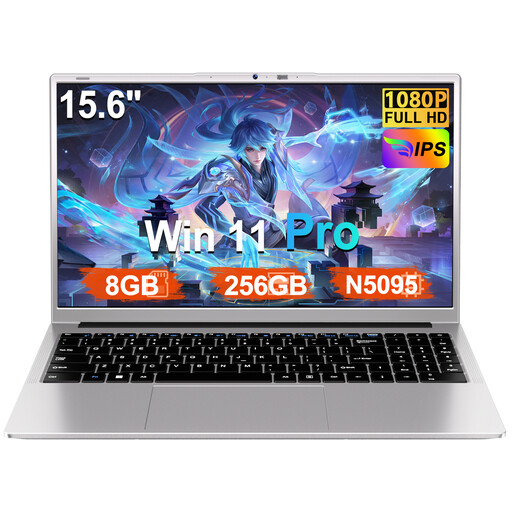 No image available
Compare this laptop with your course software requirements, and check the full configuration before choosing it for desktop publishing your booklet.
Also check which charger and ports you’ll need.
No, that isn’t specified in the brief. For InDesign 21.3 and later on Windows, Adobe lists 8 GB RAM as the minimum and recommends 16 GB. Check the requirements for the version of the software your course uses too.
First, ask the printer for its submission specifications. For a print-ready PDF, Adobe recommends checking links, fonts, bleed, colour settings and preflight, among other things. Set the final PDF settings to match the print job.
ACM ConsuWijzer distinguishes between a manufacturer’s warranty and your statutory rights. If a product doesn’t perform as you could reasonably expect under normal use, the seller is responsible for providing an appropriate solution. A stated manufacturer’s warranty period doesn’t automatically represent the full duration of your statutory rights.
Not simply because the material is online or you’re using it for a student project. The Dutch government states that you need permission to use photographs and text protected by copyright. Material for personal use can’t simply be distributed or made public. Check the rights and terms of use for each source.
No, not without conditions. ACM ConsuWijzer says that online purchases often come with a statutory cooling-off period, usually up to 14 days after delivery, but exceptions and conditions apply. Check how the rules apply to your specific purchase.