If you usually work on the built-in screen and want to read a camera guide alongside your draft, first check that both windows are easy to read on the screen configuration you choose. If you often take your laptop with you or import camera photos, consider its size and connections too. Windows and macOS both offer ways to place two windows side by side; an external screen may mean you don’t need a larger laptop display.
Who is this laptop choice for?
Writer working with two documents on screen
If you want to read the camera instructions and your draft at the same time on your laptop screen, compare readability and window layouts before considering extra processing power. Microsoft Support explains how to align windows left and right in Windows; Apple Support describes Split View for supported apps.
Writer working with camera photos
If you add example images or check them while writing, consider how you want to import photos from your camera or memory card. Microsoft Support explains how to import photos using an SD card, USB drive or phone, among other methods. Check that your camera and laptop connections suit the way you work.
Writer working in different places
If you often take your laptop with you but sometimes use an external screen in a fixed workspace, weigh up the built-in screen against the size you’re happy to carry. Also check that the exact laptop configuration has the video output you need.
What should you consider when choosing?
Start by thinking about how you want to read the guide and your draft side by side. Microsoft Support explains how to align windows in Windows; Apple Support describes Split View for apps that support this feature. Then consider the screen configuration, connections and size you want to carry.
| What to consider |
What to look for when buying |
Who is this important for? |
| Readable windows side by side |
Try your usual zoom level with two windows open, and check the screen size and resolution of the exact configuration. Dell lists a 16-inch 2K IPS screen for the DC16251 configuration shown. |
If I want to read the guide and my draft at the same time without an external screen, readability is my main consideration. Around 36% of consumers say being able to read two documents at once is their biggest concern when buying. |
| Multiple apps and files |
Check the selected memory and storage. If upgrading is important, make sure it’s possible on the exact configuration. Lenovo lists two DDR5 SO-DIMM slots for the ThinkPad E16 Gen 3 AMD. |
When I write with source files and other apps open, I want to know which memory and storage configuration I’m actually choosing. Around 29% of consumers prioritise working with multiple apps. |
| Transferring photos from a camera |
Compare your camera or memory card connection with the laptop’s ports. Lenovo doesn’t list a card reader for the ThinkPad E16 Gen 3 AMD, so check which cable or card reader your workflow requires. |
If I want to use camera photos in my quick-start guide, I check in advance how to transfer them to my laptop. Around 21% of consumers say camera imports and connections are their biggest concern when buying. |
| Taking your laptop between workspaces |
Compare the weight of the exact configuration and check whether a suitable external screen is available at your usual workspace. Check the required port and screen compatibility. |
If I often take my laptop with me, I want to be able to write on the go without relying on my usual workspace. Around 14% of consumers put portability ahead of their other buying concerns. |
Buying pitfalls to avoid
-
Assuming every model with the same screen size has the same configuration
With configurable laptops, the screen and memory can vary between configurations. The model name or screen size alone won’t tell you which specifications you’ll get.
Compare the selected configuration and its specifications, not just the product range.
-
Assuming a memory card will fit directly into the laptop
Lenovo says the ThinkPad E16 Gen 3 AMD doesn’t have a card reader. USB-C alone doesn’t confirm that your camera will connect directly either.
Check your camera’s card type and connections, along with those on the exact laptop. If needed, work out which cable or card reader suits your workflow.
You may need a suitable card reader or cable to import photos.
-
Assuming a charger is included as standard
For the OmniBook 5 16-bm0615ndx listed by HP, a recommended 65 W USB-C adapter is described as available separately.
Check the box contents and power specifications for the configuration you’re actually buying.
You may need to buy a suitable power adapter separately.
Brands to consider
Dell
The Dell 16 DC16251 is a configurable Windows laptop worth considering if you often write without an external screen. Dell lists a 16-inch 2K IPS screen for the configuration shown.
- The configuration mentioned has 16 GB of memory and a 16-inch screen.
- Dell warns that changing configuration options may affect other specifications and the delivery date. Be sure to compare the configuration you select.
HP
HP includes the OmniBook 5 16-bm0615ndx among its options for anyone comparing a larger built-in screen with a Windows laptop configured for business use.
- HP lists 16 GB of RAM and a 512 GB SSD for the OmniBook configuration mentioned.
- HP lists a recommended 65 W USB-C adapter that’s available separately. Check the contents of the specific offer.
Lenovo
The ThinkPad E16 Gen 3 AMD is worth considering if expandability or a connection for an external screen is part of your decision.
- Lenovo lists two DDR5 SO-DIMM slots, as well as HDMI and USB-C, for this product range.
- Lenovo says the ThinkPad E16 Gen 3 AMD doesn’t have a card reader. It also warns that some configurations aren’t available in every region.
Apple
The MacBook Air with M5 chip is a macOS option if you can use your writing software and import camera photos with this setup.
- Apple Support describes Split View for supported apps. Apple lists Thunderbolt 4 ports with USB-C for the MacBook Air M5.
- The port name doesn’t confirm that your camera will connect directly. Check whether you need a suitable cable or adapter.
Joybuy laptops for this writing task
These laptops are suited to viewing documents side by side on the built-in screen. The selection includes Windows models and a MacBook. For each configuration, also check the camera connections and the size you want to carry.
 No image available
Lenovo Yoga 9 16N1X11 83N70020MH, 16-inch 2-in-1
The 16-inch screen is designed for viewing two documents on the built-in display.
32 GB RAM and a 1 TB SSD. This configuration has a QWERTY keyboard.
View at Joybuy
 No image available
MSI Venture 16 AI A2HMG-068NL
The 16-inch screen is an option to try for viewing two documents side by side on the built-in display.
16-inch 1920 × 1200 screen, Intel Core Ultra 7 255H, 32 GB DDR5 RAM and 512 GB SSD. HDMI and USB-C with DisplayPort support are listed. This configuration is offered without a power adapter.
View at Joybuy
 No image available
Apple MacBook Air 15-inch M5, 16 GB, 512 GB
Consider this MacBook if you can use your writing software and import camera photos on macOS; Apple Support describes Split View for supported apps.
15.3-inch display, 16 GB of memory and 512 GB of storage. The configuration described weighs 1.23 kg and has Thunderbolt 4 ports with USB-C. The power adapter isn’t included; the description specifies a USB-C adapter of at least 35 W.
View at Joybuy
 No image available
HP OmniBook X Flip NG AI PC 16-ar0070nd
The 16-inch screen could suit writing with two windows open on the built-in display.
16-inch 3K OLED display, 24 GB of memory and a 1 TB SSD. The description lists HDMI and a weight of around 1.89 kg.
View at Joybuy
 No image available
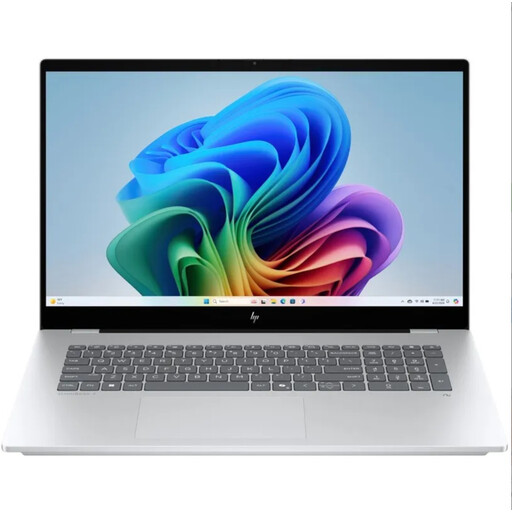
HP OmniBook 7 NG AI PC 17-dc0070nd
The 17.3-inch screen gives you a larger built-in display to try viewing documents side by side.
17.3-inch Full HD IPS touchscreen, 16 GB of memory and a 1 TB SSD.
View at Joybuy
Frequently asked questions
Can you place a guide and your draft side by side?
Yes. You can do this using window snapping in Windows or Split View on a Mac with apps that support the feature. Microsoft Support explains how to align windows left and right; Apple Support describes Split View. Check for yourself whether the text remains comfortable to read at your chosen screen size and zoom level.
Do you always need a built-in card reader for camera photos?
No. You can also transfer photos using another suitable connection or a separate card reader. Check your camera and laptop connections; for example, Lenovo doesn’t list a card reader for the ThinkPad E16 Gen 3 AMD. Microsoft Support explains how to import photos from an SD card using the Photos Legacy app.
What should you check when you start using your laptop?
Open your usual source material and word processor side by side, then try the zoom level you want to work at. Next, use your own camera, card or cable to check that you can import photos in the way you intend.
Who can help if a consumer laptop develops a fault too soon?
According to ACM ConsuWijzer, the seller is responsible for the statutory guarantee. If a product is faulty, the seller must offer a free repair, replacement or refund, depending on the circumstances. A commercial guarantee doesn’t replace your statutory rights.
Do you have a cooling-off period when buying online in the Netherlands?
ACM ConsuWijzer states that consumers who order online have a statutory cooling-off period that ends 14 days after delivery. Check whether these rules apply to your purchase; this isn’t a general guarantee for every business purchase.


