
Vandaag of morgen in huis

Kwaliteit gegarandeerd

Welkomstaanbiedingen ontgrendelen: GRATIS bezorging | Tot 80% korting | Gratis 30 dagen JoyPlus-proefperiode
Download de app
A laptop cable lock may seem like a simple accessory, but the wrong connection or awkward operation can quickly make the lock unusable. This applies in the office, classroom, at a hot desk and at home. So first check your laptop’s security slot, then decide whether a key or combination lock would be more convenient.
The main pitfalls when choosing a laptop anti-theft lock are:
A cable lock is primarily a physical deterrent and delay measure. Always attach the cable to a fixed, sturdy object and check that the lock is fully secured before use.
Look at the side or rear of your device to identify the connection available. Common variants include:
A universal laptop lock can be useful when an office, school or IT department uses different laptop models. According to the product description, the Kensington Universal 3-in-1 Keyed Laptop Lock is suitable for standard, nano and wedge-shaped security slots. Nevertheless, always check your laptop’s manual.
A laptop lock with key is suitable when one regular user manages the lock or when multiple keys are kept in a key register. Check how many keys are supplied and how replacements can be arranged.
A laptop lock with combination is more convenient for hot desks, classrooms and loan equipment. According to the product information for some Kensington and Dell models, a four-digit combination offers 10,000 combinations. This makes management easier, but record the combination in a secure place. Recovery is not possible on every model if the combination is forgotten.
A 1.8-metre cable lock generally provides enough reach for a desk, table or fixed post. Also check:
A slim laptop may become unstable if the lock head is too large. A slim NanoSaver head can help to limit this problem. According to Kensington, the Slim NanoSaver 2.0 EQ is designed to allow the laptop to lie flat while keeping the ports accessible. This is a product claim made by the brand; check that the shape is suitable for your model.
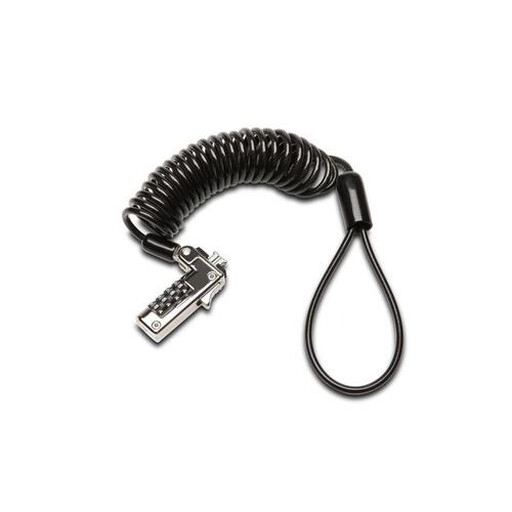
Why it suits this profile: This is a practical choice for a notebook with a standard security slot when you do not want to manage a key. According to the product description, the cable is 1.8 metres long.
The product information clearly states that the lock is intended for notebooks with a standard connection. Check this before buying to avoid choosing the wrong slot.
Combination lock with no key; 1.8-metre cable; intended for standard laptop and notebook connections.
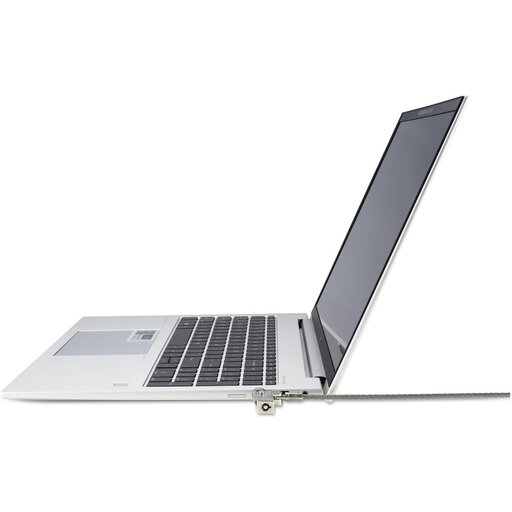
Why it suits this profile: This NanoSaver laptop lock with key is designed for slim laptops where stability and access to ports are important.
According to Kensington, the slim NanoSaver 2.0 lock head is designed to allow the laptop to lie flat and keep the ports clear. Suitable only for devices with the correct nano connection.
1.83-metre stainless steel cable; two keys included; 5 mm key mechanism according to the product specifications.
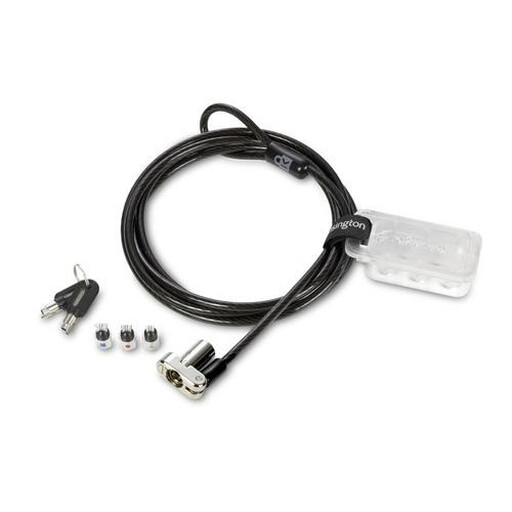
Why it suits this profile: For offices, schools and IT administrators managing different laptop models, one cable lock for multiple slot types is a practical solution.
According to the product description, the 3-in-1 lock head is suitable for standard, nano and wedge-shaped slots. This reduces the risk of choosing the wrong connection when managing mixed equipment.
Key operation; 1.8-metre cable; one model for multiple types of security slot.
For a NanoSaver connection without a key, you could also consider the Kensington Slim NanoSaver Combination Laptop Lock. According to the product information, this model has a 1.8-metre, 5 mm cable and a resettable four-digit combination. For multiple workstations, the stated pack of 25 locks is relevant; check the current pack contents when buying.
We have put together a complete, up-to-date list of products that fully meet these strict selection criteria and the applicable European safety regulations.
No. Kensington refers to the brand, not to one universal connection. Check whether your laptop has a standard, NanoSaver or wedge-shaped slot. A 3-in-1 model may support multiple types, but you should also check the device’s compatibility information.
Physical security depends not only on the locking method, but also on the connection, cable and attachment point. A key prevents someone from guessing the combination, while a combination lock is more practical when several users need access. Choose the option that is least likely to be misused or lost in your particular situation.
Its lifespan depends on use, storage and strain. Keep the lock dry, avoid sharp bends and do not use it as a carrying or lifting cable. Replace it if the cable, lock head or locking mechanism is visibly damaged. According to the product information, the Kensington products mentioned are covered by a minimum two-year statutory warranty in the EU; additional statutory rights may apply depending on the circumstances.
