
Vandaag of morgen in huis

Kwaliteit gegarandeerd

Welkomstaanbiedingen ontgrendelen: GRATIS bezorging | Tot 80% korting | Gratis 30 dagen JoyPlus-proefperiode
Download de app
A laptop cable lock seems simple: attach the cable to a fixed object, insert the lock into the security slot and lock it. Yet many people buy a model that doesn’t fit their laptop. This can be particularly frustrating in offices, schools, co-working spaces and meeting rooms: the lock doesn’t fit, the cable is too short or the laptop no longer sits flat on the table.
So, before buying a laptop cable lock, look out for these three common pitfalls:
A laptop lock is designed to provide physical security and act as a deterrent. It won’t stop someone from picking up a device if the cable lock isn’t properly attached to a fixed object. Always check the lock, cable and attachment before leaving your laptop unattended.
Look for the security slot on the side or back of your laptop, monitor or docking station. The device’s product description or the manufacturer’s website may help you identify it.
Common types include:
So, a Kensington laptop lock won’t necessarily fit every laptop. A universal model may support several slot types, but always check that your particular connection is included. Never force the lock into a slot that doesn’t fit, as this could damage the casing or connection.
A 1.8-metre cable lock is a popular length for workplaces. The cable can be looped around a table leg, desk frame or another fixed object. Measure the distance between your laptop and the anchor point beforehand. A cable that’s too long may also be more likely to snag, while one that’s too short will restrict where you can position your laptop.
The product information often lists the cable material, such as steel or carbon steel. The manufacturer may state that a carbon steel cable can resist certain cutting attempts. This is a product claim, not a guarantee against every tool or theft scenario. Always use the cable as instructed and check it regularly for kinks, damage or loose parts.
A laptop lock with a key works well for an individual user or an IT department that can manage the keys. A combination lock means you don’t have to carry a physical key. When choosing a laptop lock with a combination, check how many digits it has and whether you can reset the combination.
According to the product description, a four-digit combination offers 10,000 possible combinations. This makes it practical to use, but you should keep the code confidential. Don’t write it on a sticker under your laptop, and scramble the digits after use.
For schools, educational institutions and offices with several devices, consistency matters. Using one type of key or combination lock can simplify management, but only if all the laptops have the same security slot.
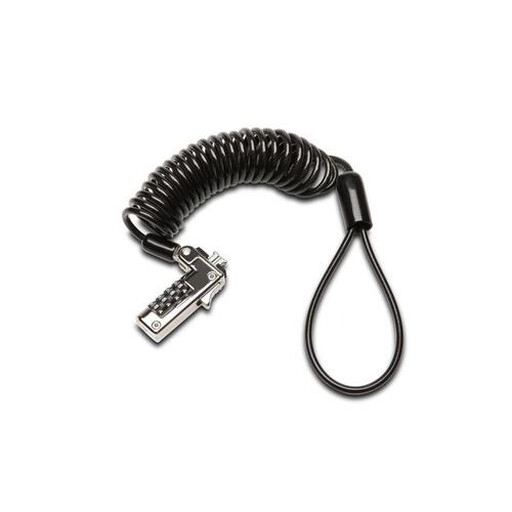
Why it suits this type of user: This cable lock is designed for notebook users looking for a simple keyless solution. The cable is 1.8 metres long, and the product description mentions that it’s easy to install.
The combination lock means there are no keys to manage. Just check beforehand that your device has a standard slot.
Keyless operation, a 1.8-metre cable and, according to the product information, compatibility with notebooks featuring a standard connection.
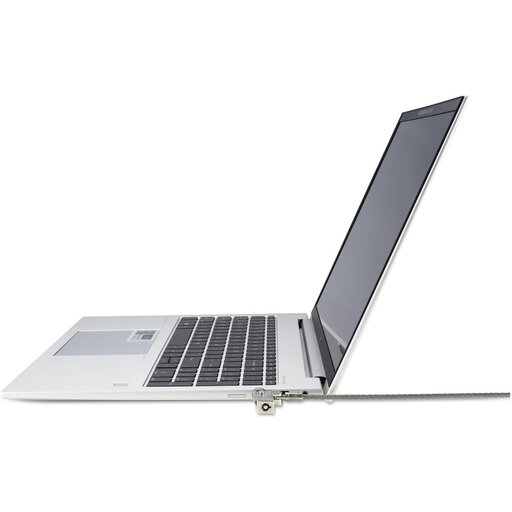
Why it suits this type of user: This model is designed for slim laptops with a NanoSaver slot. The product description lists a slim lock head, a 1.83-metre stainless steel cable and two included keys.
The NanoSaver lock head is designed for a specific narrow slot. This helps you avoid trying to use a standard lock head that could cause the laptop to tilt.
Key-operated, with a 1.83-metre cable, NanoSaver 2.0 compatibility and, according to the specifications, unobstructed access to ports.
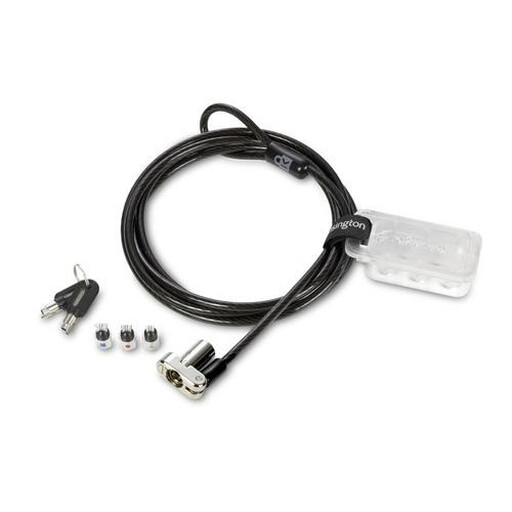
Why it suits this type of user: This model is a good option for organisations with a mixed fleet of laptops. According to the product description, its universal 3-in-1 lock head fits standard, nano and wedge-shaped security slots.
The three lock heads reduce the risk of needing to buy a different type for every slot variation. Check compatibility for each device.
Key mechanism, a 1.8-metre cable and support for three specified slot types, according to the product information.
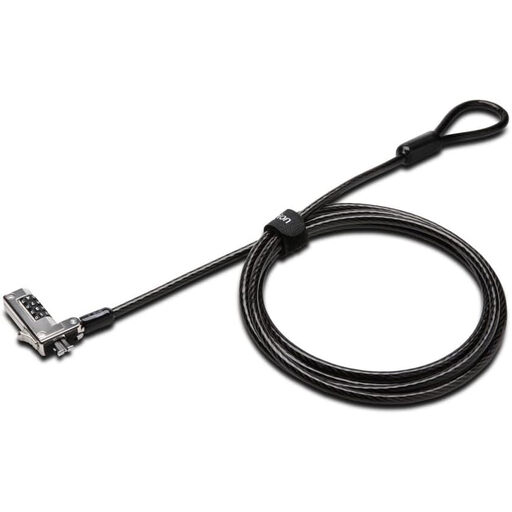
Why it suits this type of user: The slim lock head is designed for ultra-thin laptops and 2-in-1 devices with a standard slot. The four-digit combination is practical when the device is shared.
The flat lock head is designed to help prevent thin devices from tilting. The combination lock means there’s no need to issue keys to different users.
Resettable four-digit combination lock, 10,000 combinations according to the product information, and a cable that can be secured to tables or desks.
We’ve put together a complete, up-to-date list of products that meet these strict selection criteria and the applicable European safety regulations.
Only use a cable lock for a notebook or monitor as intended. The cable isn’t a handle and shouldn’t be used to lift equipment. If you have a key model, keep the spare key somewhere secure and managed.
No. Check the type of security slot. Some models are designed for a standard connection, while others are for NanoSaver or wedge-shaped slots. A universal model supports several types, but check your device’s specifications.
The main difference is how each type is used and managed. A combination lock avoids the risk of losing a key and is handy for shared devices. A key model may be easier to manage when an IT administrator looks after the keys. Physical security also depends on having the right connection and anchor point, and on the cable being in good condition.
Its lifespan depends on how it’s used and stored, and whether it’s exposed to moisture or damage. Check the cable, lock head and locking mechanism regularly. Replace the lock if any parts are bent, the cable is fraying or the lock no longer works smoothly. According to the product information, the products listed are covered by a minimum two-year statutory guarantee within the EU; additional rights may apply under the relevant national rules.
