
Vandaag of morgen in huis

Kwaliteit gegarandeerd

Welkomstaanbiedingen ontgrendelen: GRATIS bezorging | Tot 80% korting | Gratis 30 dagen JoyPlus-proefperiode
Download de app
A laptop cable lock is useful in an office, a classroom, a shared workspace or at home. However, not every laptop security lock fits every computer. The connection type, locking mechanism and cable length are the main factors that determine whether your purchase will be practical.
Many buyers focus only on the brand or price. This can lead to three common problems:
Read on to find out what to look for and which models suit different situations.
The most important step is to check the connection on the side of your laptop. A laptop cable lock only works if the lock head matches the slot on your device.
Common types include:
Can’t find the slot type in your laptop’s manual or product specifications? Check the connection visually and look up the exact laptop model on the manufacturer’s website. Never force a lock into an incompatible opening, as this could damage the connection or lock head.
A universal laptop lock with several interchangeable or built-in connection options can be useful in an organisation with different laptop models. Even so, check which three types are actually supported.
A laptop lock with a key is suitable when a designated administrator is responsible for securing multiple devices. Keys can be registered and distributed, but they require careful management. If you’re buying several locks, check whether spare keys or key registration are available.
A laptop combination lock works without a key. This makes it useful for shared workspaces, home use and situations where several employees use the same lock. Consider the following:
Product information for some Kensington models lists a resettable four-digit code with 10,000 combinations. Kensington says that a registration programme can help you retrieve a forgotten code. This is a product feature stated by the manufacturer, not a guarantee that every code problem can be resolved.
A laptop security cable generally consists of a metal cable and a lock head. The cable should be long enough to reach a fixed object, without creating a trip hazard along a walkway.
Pay particular attention to:
A cable lock is a physical security measure, not a guarantee against every form of theft. Always attach the cable to a fixed, sturdy object and check it regularly for visible damage to the cable or lock.
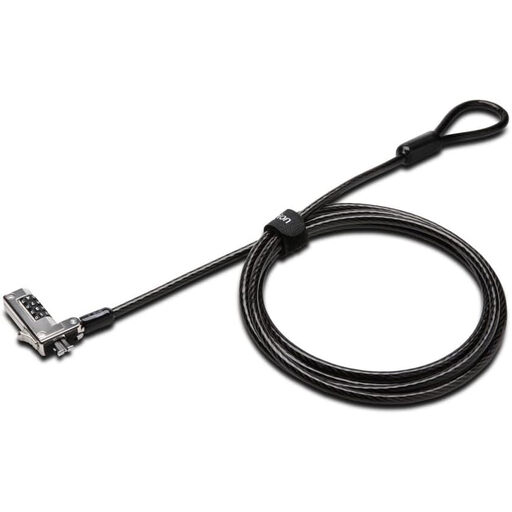
Why it suits this profile: A practical choice for home workers or a permanent workstation where you don’t want to manage keys. The slim lock head is designed for laptops with a Standard slot.
The product description lists a rotating cable head and a resettable four-digit code. This means there’s no separate key to keep track of, and you can position the cable flexibly.
A resettable four-digit code, a carbon steel cable and a design that, according to the product information, is intended to help keep the laptop stable.
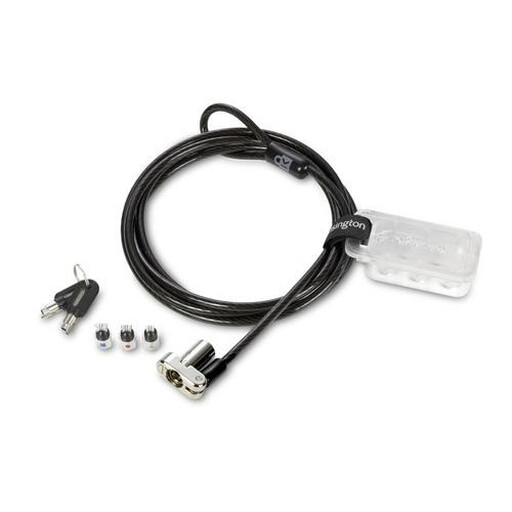
Why it suits this profile: Suitable for offices, schools and organisations using a range of laptops where key-operated locks are preferred.
According to the product information, the 3-in-1 lock head fits Standard, Nano and Wedge slots. Be sure to check the laptop models in your own inventory.
Key-operated locking and a 1.8-metre cable make this Kensington laptop lock suitable for environments with several types of security slot.
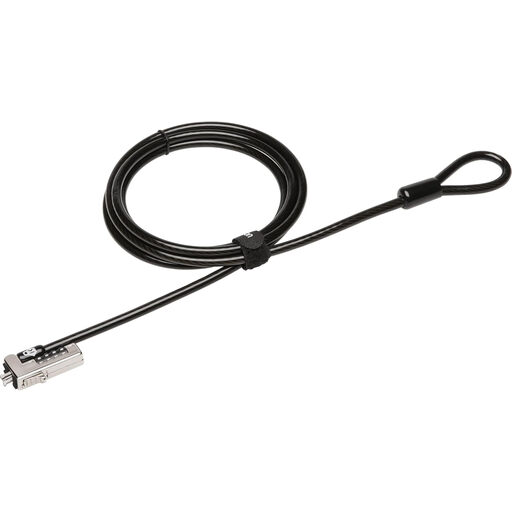
Why it suits this profile: Designed for users of slim laptops with a NanoSaver slot, for example in an office, educational setting or while travelling.
This NanoSaver laptop lock is designed specifically for a NanoSaver connection. That helps you avoid buying a Standard head for a slim model with a narrower slot.
A 1.8-metre cable, a diameter of 5 mm and a four-digit combination mechanism, according to the product details.
We’ve put together a complete, up-to-date list of products that meet these strict selection criteria and current European safety regulations.
No. Check whether your laptop has a Standard, NanoSaver or Wedge slot. A universal laptop lock may support several types, but read the product specifications before ordering.
Insert the lock head into the correct security slot, lock it according to the instructions and attach the cable to a fixed object. Then check that the head is fully secured and the cable isn’t sharply bent.
Its lifespan depends on use, storage and maintenance. Keep the cable lock dry, avoid sharp bends and don’t use it for lifting or climbing. Replace it if the cable, lock head or fastening shows visible damage.
