
Vandaag of morgen in huis

Kwaliteit gegarandeerd

Welkomstaanbiedingen ontgrendelen: GRATIS bezorging | Tot 80% korting | Gratis 30 dagen JoyPlus-proefperiode
Download de app
Buying a laptop seems straightforward until you compare the specifications side by side. The processor, RAM, storage, screen size and keyboard layout all determine how comfortable a laptop is to use. A low price may be tempting, but making the wrong choice often leads to extra costs or frustration.
Pay particular attention to these three common pitfalls:
For a laptop used for studying, working from home or everyday tasks, a modern processor and sufficient RAM are important. 16GB RAM gives you more room for multitasking than 8GB. This is useful when you are working with documents, making video calls, browsing the web and using cloud software at the same time.
A laptop with Ryzen 7 is an interesting option for users who regularly work with more demanding programmes or combine several tasks. A model with Intel Core Ultra may also feature an NPU for supported AI functions. A higher TOPS value does not automatically mean that every application will run faster: the software must actually support the NPU.
With an AI laptop or Copilot+ laptop, compatibility is important. Features may depend on Windows updates, a Microsoft account, an internet connection, your region and the application you use. According to ASUS product information, the Copilot+ features on the Vivobook and Zenbook are intended for compatible Windows functions and software.
A laptop with a 512GB SSD provides space for Windows, documents, photos and applications. The usable capacity is lower than 512GB because Windows, recovery partitions and pre-installed software take up storage space.
An NVMe SSD generally helps Windows start quickly and programmes open smoothly. If you store lots of video files, games or large photo libraries, you may need additional cloud or external storage.
A 14-inch laptop is practical for students and commuters. A 15 or 15.3-inch screen gives you more workspace without being as large as a desktop replacement. A 16-inch laptop or 17-inch laptop is particularly suitable for use at home, spreadsheets and working with multiple windows.
Do not just look at the diagonal measurement; consider the aspect ratio too. A 1920 × 1200 display with a 16:10 aspect ratio shows more content vertically than a standard 16:9 panel. A matt or anti-glare screen can reduce reflections in a bright room. Also check whether the screen has touchscreen functionality.
A 2-in-1 laptop with a 360-degree hinge is a good option if you want to combine laptop and tablet use. The trade-off is usually a higher weight or a different price. A touchscreen is not necessary for standard office work, so only choose this feature if you will actually use it.
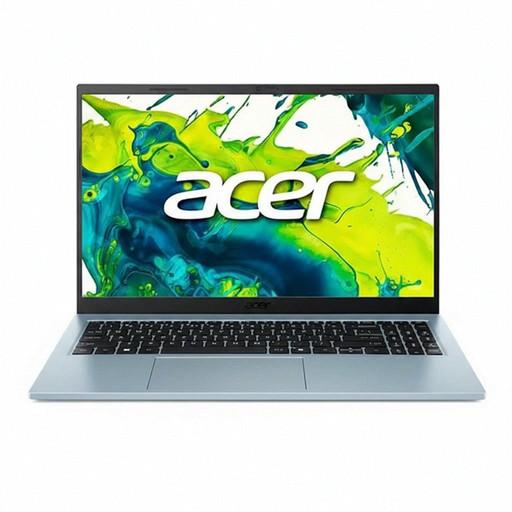
Why it suits this profile: This 15.6-inch laptop is designed for everyday use, studying, browsing and office work. At 1.53 kg, it is portable without making you settle for a small screen.
The product information states that a 65W adapter is included. The DDR4 memory can also be upgraded to 32GB according to the product specifications.
Intel Core 5 120U with 10 cores, 512GB PCIe 4.0 SSD, matt Full HD IPS display and QWERTY keyboard.
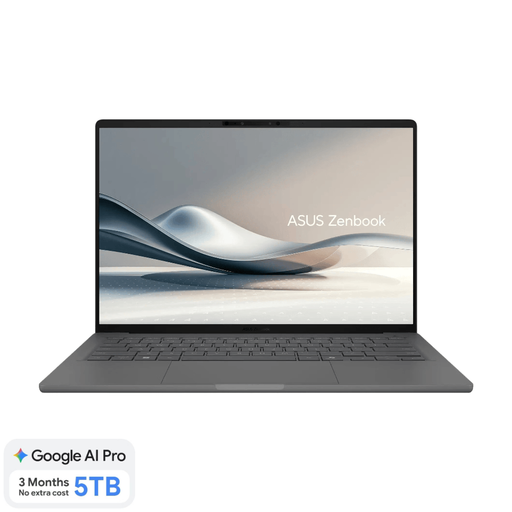
Why it suits this profile: Weighing approximately 0.98 kg, this is a lightweight laptop for travelling, studying and working flexibly. The OLED screen is designed for users who value image quality.
The specifications list 16GB of onboard memory and a 512GB SSD. However, check the software compatibility of Windows on Snapdragon beforehand.
14-inch WUXGA OLED, 100% DCI-P3 according to the product specifications, Dutch QWERTY, 70Wh battery and Copilot+ support.
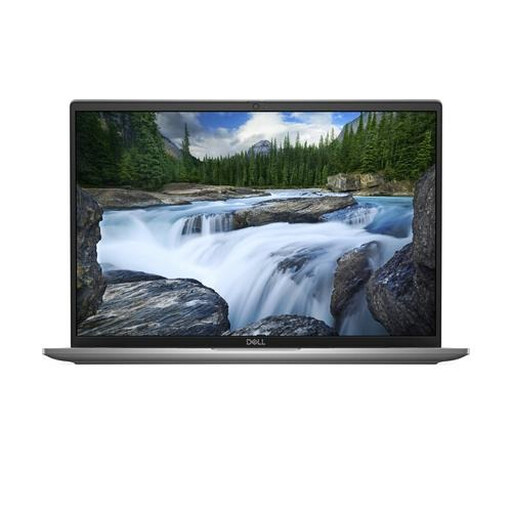
Why it suits this profile: This business laptop combines Windows 11 Pro, 16GB LPDDR5X and connections for docks and external displays. That makes it suitable for a mobile office and intensive multitasking.
The product details mention TPM security, a privacy shutter and Thunderbolt 4. However, the memory is soldered and cannot be upgraded.
Intel Core Ultra 7 155U, Wi-Fi 7, 16-inch 1920 × 1200 display, 512GB SSD and Windows 11 Pro.
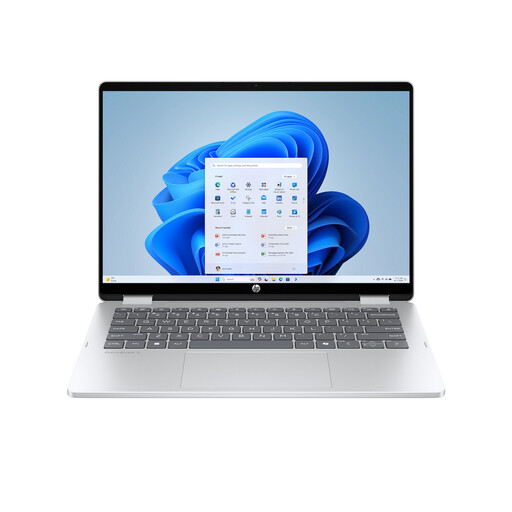
Why it suits this profile: The 360-degree hinge enables laptop, tablet, tent and stand modes. This is practical for presentations, drawing with touch or enjoying media.
The product information lists a touchscreen and a backlit QWERTY keyboard. The charger and stylus are not included, so you will need to budget for them separately.
14-inch 1920 × 1200 IPS touchscreen, 512GB SSD, two USB-C ports and a 68Wh battery.
We have put together a complete, up-to-date list of products that fully meet these strict selection criteria and the applicable European safety regulations.
For browsing, email and simple documents, 8GB may be sufficient. For studying, working from home and multitasking, 16GB RAM is a practical choice. If you use professional software or large files, you should also consider the processor, graphics capabilities and software requirements.
Its lifespan depends on build quality, software updates, battery usage and the demands of the programmes you use. A laptop with sufficient RAM and SSD storage may remain useful for longer, but soldered memory can make a later upgrade impossible. Before buying, check whether the RAM can be upgraded.
Remember to budget for a separate charger if one is not included, as well as possible cloud storage, accessories and software subscriptions. A USB-C laptop can be convenient if you already have a suitable adapter, but always check the required power output and Power Delivery support.
