
Vandaag of morgen in huis

Kwaliteit gegarandeerd

Welkomstaanbiedingen ontgrendelen: GRATIS bezorging | Tot 80% korting | Gratis 30 dagen JoyPlus-proefperiode
Download de app
Buying a laptop seems straightforward until you start comparing the specifications. A low price may look appealing, but a model with limited RAM, an unsuitable keyboard or no charger could end up costing more in the long run. Terms such as AI, fast processor and long battery life do not always tell you enough about how the laptop will perform for your specific needs.
Pay particular attention to these three pitfalls:
For a laptop for studying or a laptop for work, 16GB RAM combined with a modern processor is a practical choice. You can generally use several documents, browser windows and communication apps side by side. A laptop with Ryzen 7 is worth considering if you multitask regularly or use light creative applications.
For simple tasks such as email, online lessons and word processing, an AMD Ryzen 5 with 8GB RAM may be sufficient. However, check whether the memory can be upgraded. On several compact models, the RAM is permanently soldered to the motherboard.
For gaming, video editing and 3D applications, a dedicated graphics card is particularly important alongside the processor. An integrated graphics chip is aimed more at everyday use and light graphics tasks.
A 14-inch laptop is usually easy to carry around. A 15-inch laptop provides a more spacious working area without being as large as a desktop replacement. A 16-inch laptop often combines additional screen space with a 16:10 aspect ratio, which can be useful for documents and spreadsheets. A 17-inch laptop is mainly suitable for use at home or at a permanent workstation.
Do not just look at the diagonal measurement. Also check:
A laptop with a 512GB SSD provides room for Windows, programmes, documents and photos. An SSD starts up faster than a traditional hard drive. If you store lots of video files, games or large photo libraries, you may also need external storage.
Also check the keyboard layout. A laptop with a QWERTY keyboard is generally suitable for Dutch users, but there are differences between Dutch, international, British and US QWERTY layouts. If you are used to AZERTY, take extra care when checking the specification.
Finally, check whether the product includes an adapter. A laptop without a charger may be supplied with only a USB-C cable or without an adapter altogether. Check the required wattage and support for USB Power Delivery. Do not use a random phone charger if it does not provide enough power.
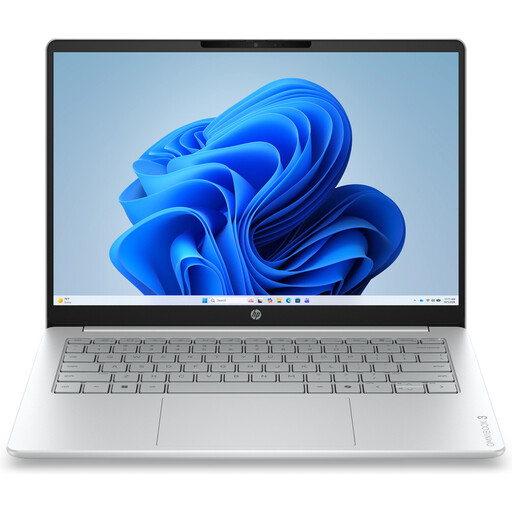
Why it suits this profile: A compact model for browsing, documents, online lessons and video calls. It weighs approximately 1.42 kg.
The specifications clearly state 8GB RAM, a 512GB SSD and a non-touchscreen display. The charger must be purchased separately.
14-inch IPS display with 1920 × 1200 pixels, webcam with privacy shutter and QWERTY keyboard.
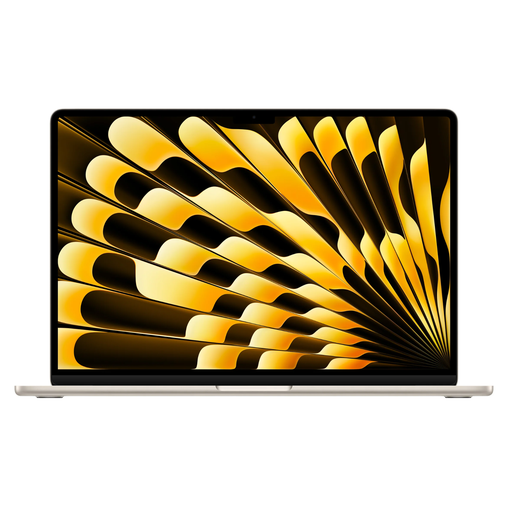
Why it suits this profile: For users looking for a spacious display, macOS and a quiet working environment for productivity and creative applications.
The configuration includes 16GB memory and a 512GB SSD. Please note: the power adapter is not included, although a MagSafe cable is listed.
15.3-inch Liquid Retina display, Apple M5 chip, two Thunderbolt 4 ports and a weight of approximately 1.51 kg.
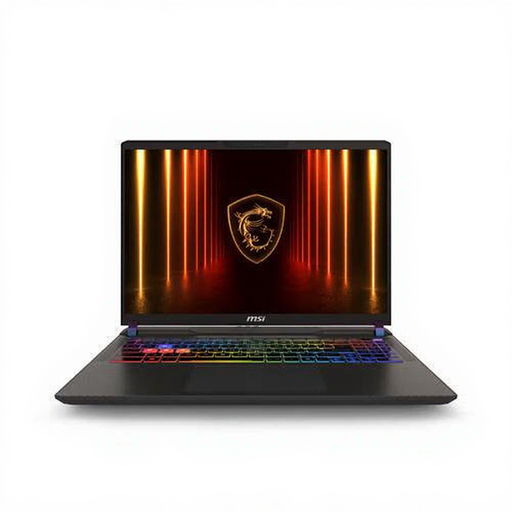
Why it suits this profile: A gaming laptop for users who need high graphics performance for games, 3D software or demanding applications.
The dedicated NVIDIA GeForce RTX 5070 Ti graphics card means that graphics work does not rely entirely on integrated graphics. However, the laptop weighs approximately 2.7 kg and is supplied without a charger.
Ryzen 9 8940HX, 16GB DDR5, 1TB SSD, 16-inch WQXGA display with 240Hz and expandable memory.
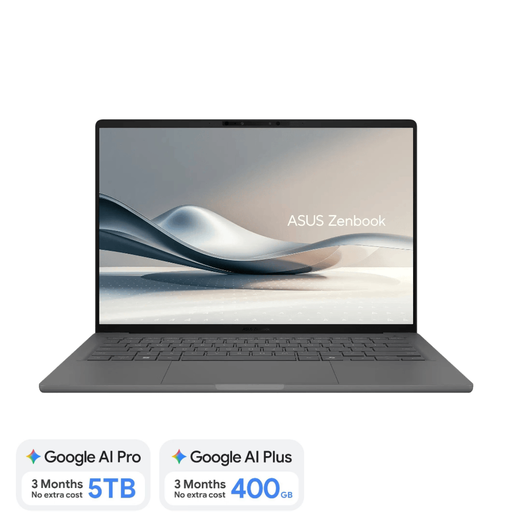
Why it suits this profile: Weighing approximately 0.98 kg, this model is designed for people who regularly travel between home, lectures, the office and flexible workspaces.
The product information lists 16GB RAM, a 512GB SSD, a Dutch QWERTY keyboard and a required 65W USB-C charger. The charger is not included.
14-inch OLED display, Snapdragon X platform, NPU up to 45 TOPS, Wi-Fi 6E and a 70Wh battery.
We have put together a complete, up-to-date list of products that fully meet these strict selection criteria and the applicable European safety regulations.
For word processing, browsing, video calls and spreadsheets, 8GB RAM is suitable when you are using a limited number of programmes. 16GB RAM gives you more room for multitasking and is a sensible choice if you want to use the laptop for several years.
That depends on how you work. A touchscreen is useful for annotations, presentations and tablet mode. If you mainly use a keyboard and mouse, you may be paying for a feature you rarely use. Also check whether a stylus is included, as this is not guaranteed.
Add the price of a suitable adapter to the purchase price. Check the required power output, such as 45W or 65W USB-C Power Delivery. A suitable charger means you will not have to search for a compatible one after delivery.
