
Vandaag of morgen in huis

Kwaliteit gegarandeerd

Welkomstaanbiedingen ontgrendelen: GRATIS bezorging | Tot 80% korting | Gratis 30 dagen JoyPlus-proefperiode
Download de app
Buying a laptop seems straightforward until you start comparing specifications. Terms such as fast processor, AI features and long battery life do not mean much on their own. Two laptops with the same storage capacity can also perform very differently.
The most common buying pitfalls are:
For a laptop for studying or everyday office work, an AMD Ryzen 5, Intel Core 5 or comparable processor, together with 8GB RAM, is often sufficient for browsing, documents, video calls and streaming. If you regularly use lots of tabs, spreadsheets and communication apps at the same time, a laptop with 16GB RAM is a better choice.
Do not just look at Ryzen 5, Ryzen 7 or Intel Core. Check the model number too. For example, the AMD Ryzen 5 7520U in several HP OmniBook models has four cores and integrated Radeon 610M graphics. That is a different performance class from a Ryzen 7 8840HS with eight cores and Radeon 780M graphics.
For gaming, 3D software and video editing, a dedicated graphics card is more important. A gaming laptop with an NVIDIA GeForce RTX 5060 has its own graphics chip and graphics memory. This makes it better suited to demanding applications than a lightweight laptop with integrated graphics only.
The right size depends on your workspace and how portable you need your laptop to be:
Also consider the aspect ratio. A screen with 1920 × 1200 pixels and a 16:10 aspect ratio displays more content vertically than a standard Full HD screen with 1920 × 1080 pixels. This can be useful for long documents and web pages. For gaming, the refresh rate and graphics card are also important. A 165Hz or 240Hz screen is particularly worthwhile when the hardware can deliver enough frames to make use of it.
A touchscreen or 2-in-1 design is only useful if you plan to use those features. Thanks to its 360-degree hinge, the HP OmniBook 5 Flip can be used as a laptop, tablet, tent or stand, but a stylus is not included.
A laptop with a 512GB SSD provides space for Windows, applications and personal files. The usable capacity is lower because the operating system and recovery files take up storage space. For large game libraries, video projects or photo collections, you may need an additional SSD, external drive or cloud storage.
Check the ports too. USB-C can support charging, display output and data transfer, but not every USB-C port supports all these functions. Look for terms such as Power Delivery and DisplayPort Alt Mode.
For users in the Netherlands, a laptop with a QWERTY keyboard is not always the same thing. Check whether it has a Dutch QWERTY, English EU QWERTY or another layout. The ASUS Vivobook 14 and ASUS Zenbook A14 in this overview have a Dutch QWERTY layout. According to the product specifications, the HP OmniBook 5 Flip has an International English QWERTY keyboard.
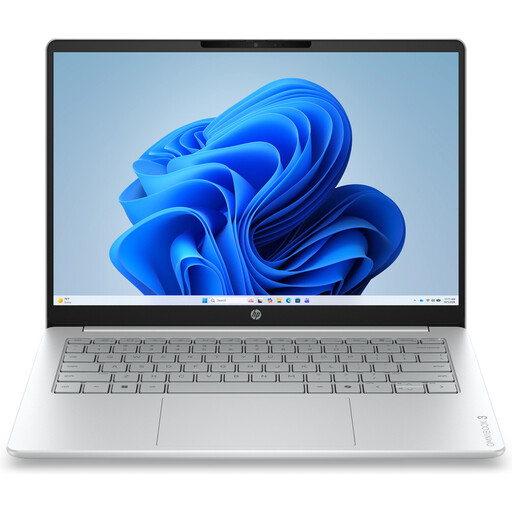
Why it suits this profile: The combination of a 14-inch screen, a weight of approximately 1.42kg, Ryzen 5, 8GB RAM and a 512GB SSD makes this laptop suitable for everyday use, studying and light office work.
The key specifications are clearly defined: 1920 × 1200 pixels, 60Hz, 8GB onboard RAM and no touchscreen. Bear in mind that the charger must be purchased separately.
Compact size, Full HD webcam, privacy shutter, Wi-Fi 6 and 512GB PCIe NVMe SSD.
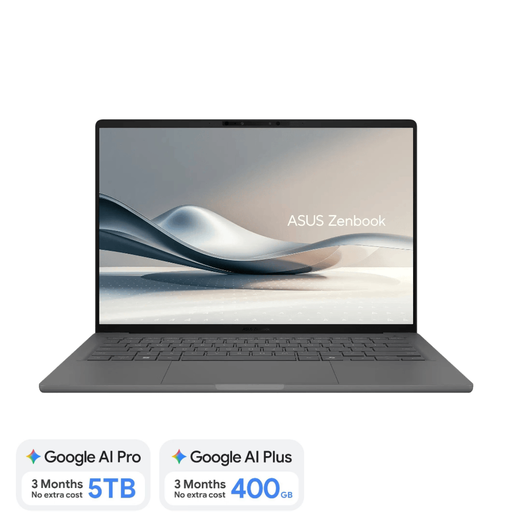
Why it suits this profile: Weighing approximately 0.98kg, this lightweight laptop combines an OLED screen, 16GB RAM and a Dutch QWERTY layout for working and studying on the move.
The model explicitly states that the screen is not touch-sensitive, the RAM cannot be upgraded and a 65W USB-C charger is not included.
14-inch WUXGA OLED, 16GB LPDDR5x, 512GB SSD and Qualcomm NPU of up to 45 TOPS for supported Copilot+ features.
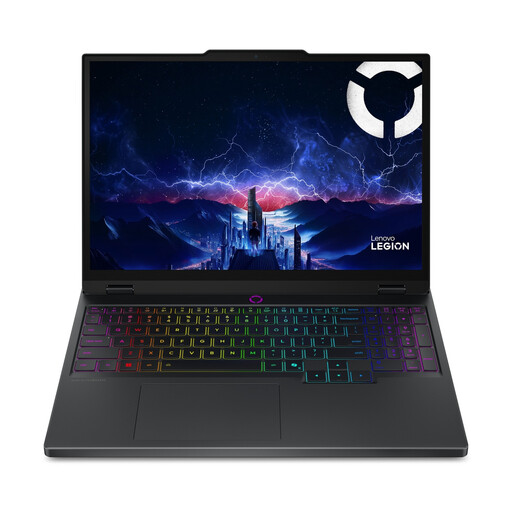
Why it suits this profile: The Core Ultra 7 255HX, RTX 5060 and 16GB DDR5 are designed for gaming and graphically intensive applications.
The dedicated RTX 5060 with 8GB GDDR7 makes it clear that this is not an ordinary office laptop. However, check the overall dimensions, weight and required power supply before ordering.
15.1-inch OLED screen with 2560 × 1600 pixels and 165Hz; RAM upgradeable to 32GB.
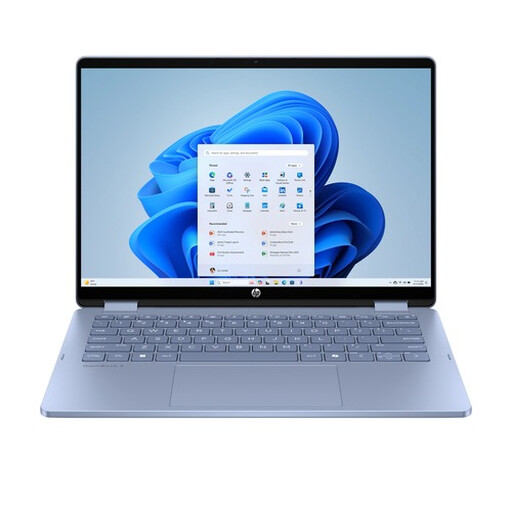
Why it suits this profile: The 14-inch touchscreen and 360-degree hinge are practical for presentations, note-taking, travelling and switching between different ways of working.
The product information clearly states that the stylus and USB-C charger are not included. The RAM is also onboard and cannot be upgraded.
Touchscreen, laptop, tablet, tent and stand modes; 512GB SSD and two USB-C plus two USB-A ports.
We have put together a complete, up-to-date list of products that fully meet these strict selection criteria and the applicable European safety regulations.
For browsing, word processing, video calls and simple spreadsheets, 8GB RAM may be sufficient. If you use lots of browser tabs, large spreadsheets or creative software, a laptop with 16GB RAM is the more practical choice. Check whether the memory can be upgraded; on various compact models, it is onboard and cannot be replaced.
How long a laptop remains usable depends on the software, maintenance, battery wear and build quality. A laptop for work or study can remain useful for longer if you choose enough RAM and storage from the outset. Also check the manufacturer’s warranty, software support and the availability of replacement accessories. A fixed lifespan cannot be guaranteed based on the processor alone.
Allow for a possible charger, protective case, mouse, docking station and additional storage. For laptops without a supplied adapter, you will need to purchase a suitable USB-C Power Delivery or branded charger separately. With gaming models, an external monitor, headset and higher energy consumption may also form part of the overall budget.
