
Vandaag of morgen in huis

Kwaliteit gegarandeerd

Welkomstaanbiedingen ontgrendelen: GRATIS bezorging | Tot 80% korting | Gratis 30 dagen JoyPlus-proefperiode
Download de app
Buying a laptop seems straightforward until you start comparing the specifications. Manufacturers often highlight one standout feature, while other details are less obvious. For example, a fast processor won’t count for much if the screen, keyboard or memory isn’t right for the way you use your laptop.
There are three common pitfalls to watch out for:
A mid-range processor is generally sufficient for documents, video calls, browsing and streaming. A laptop for studying or a business laptop doesn’t automatically need to be a gaming model.
Based on the listed specifications, for example, a laptop with Ryzen 7 offers 8 processor cores and 16 threads. That’s well suited to multitasking, office software and light creative work. A laptop with Ryzen 9 is designed for heavier workloads, but it often uses more power and usually comes in a larger chassis.
For gaming, video editing and 3D applications, you’ll also need to consider the graphics card. A laptop with RTX 5060 or laptop with RTX 5070 has a dedicated graphics processor and its own video memory. Check the maximum graphics power, screen and cooling system too. The GPU model name doesn’t tell you the whole performance story.
16 GB RAM is a practical minimum if you use several programmes at once. Check whether the memory can be upgraded. Some lightweight laptops have soldered memory, which means you can’t upgrade it later.
A 512 GB SSD is suitable for documents, apps and a modest media library. If you store lots of photos, videos or games locally, you’ll benefit more from a 1 TB SSD or a model with an extra M.2 slot. Bear in mind that Windows and recovery partitions use some of the stated storage capacity.
A lightweight laptop is handy for train journeys, lectures and flexible working. Don’t just look at the screen size; check the weight too. A 14-inch model often weighs less than a 16- or 18-inch gaming laptop.
According to the product specifications, a laptop with an OLED screen can offer high contrast and a wide colour gamut. Check whether the screen is a touchscreen, its refresh rate and whether it has a glossy or matt finish. For gaming, 144 Hz or 240 Hz are useful specifications; for word processing, 60 Hz is usually enough.
Finally, check the keyboard layout. If you’re looking for a QWERTY laptop, make sure you check the exact variant. Dutch QWERTY, US QWERTY, British QWERTY and Belgian AZERTY layouts are not the same.
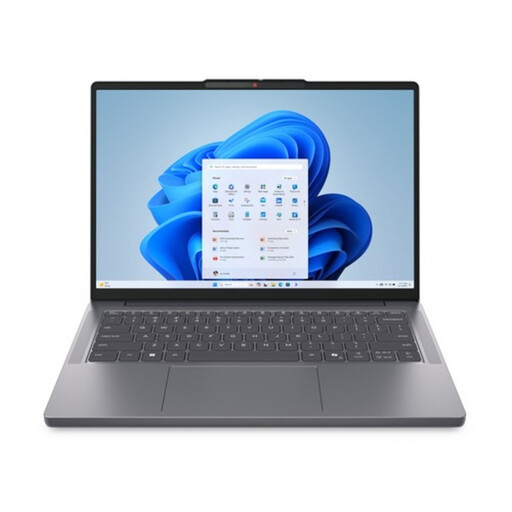
Why it suits this type of user: Its 14-inch size, 1.39 kg weight, Ryzen 7 8840HS, 16 GB RAM and 1 TB SSD make it a good fit for studying, home use and everyday multitasking.
The specifications clearly list 16 GB DDR5, 1 TB of storage and a Dutch QWERTY layout. Check whether the charger is included with your version.
14-inch WUXGA IPS screen, Radeon 780M graphics, SD card reader and FHD webcam with privacy shutter.
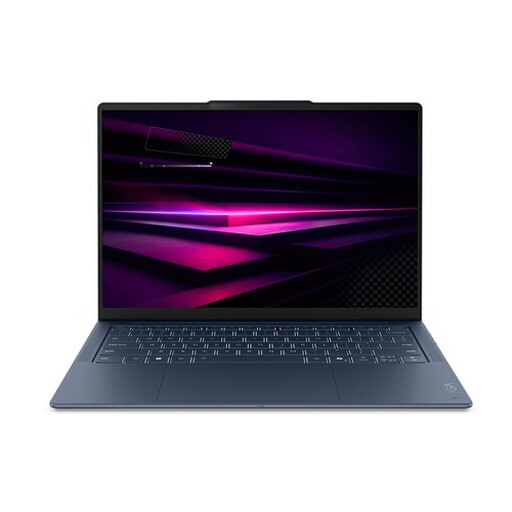
Why it suits this type of user: A great option for mobile professionals and creative users who value a light design, an OLED screen and modern connectivity.
The fixed 16 GB LPDDR5X memory and 512 GB SSD are clearly listed. If you use specialist Windows software, check ARM compatibility before buying.
1.17 kg, 14-inch OLED with 100% DCI-P3 according to the product specifications, Wi-Fi 7 and three USB4 ports.
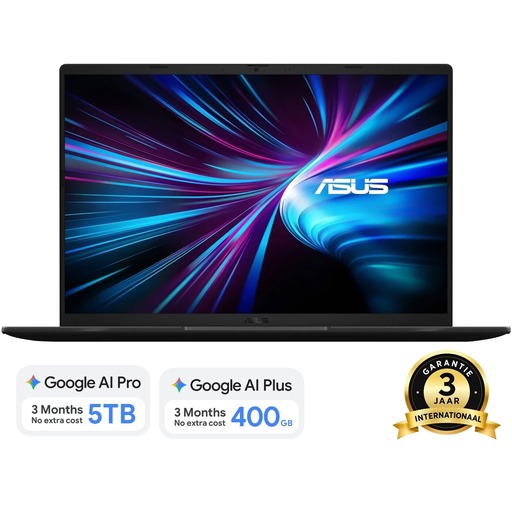
Why it suits this type of user: A good option for gamers and creators looking for a dedicated GPU, 1 TB of storage and a larger screen.
The RTX 5070, 16 GB DDR5 and maximum memory of 32 GB are specified separately. For intensive use, check the power adapter, ventilation and noise levels.
16-inch WUXGA screen with 144 Hz, 1 TB SSD, upgradeable DDR5 memory and Dutch QWERTY layout.
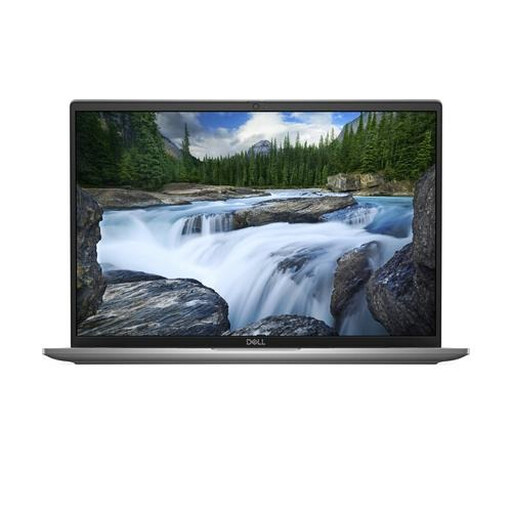
Why it suits this type of user: The 16-inch workspace, Windows 11 Pro, webcam privacy shutter and business security features make it well suited to office work and hybrid working.
The specifications list 16 GB of fixed LPDDR5X memory and a 512 GB SSD. Check that this capacity will be enough for the length of time you plan to use the laptop.
Intel Core Ultra 7 155U, Wi-Fi 7, two Thunderbolt 4 ports and a weight of approximately 1.835 kg.
We’ve put together a complete, up-to-date list of products that meet these strict selection criteria and the current European safety regulations.
For word processing, video calls, browsing and presentations, 16 GB RAM is generally a practical choice. If you use demanding video-editing software, virtual machines or large datasets, look for upgradeable memory or a higher-spec configuration.
How long a laptop remains useful depends on the workload, battery, updates and build quality. A model with enough RAM and storage will usually stay useful for longer than an entry-level model that quickly reaches its limits. Check whether the RAM and SSD can be replaced too.
A gaming laptop uses considerably more power during demanding games than a lightweight laptop used for office work. Power consumption is affected by the graphics card, screen brightness, performance settings and how long you play on battery power. A suitable power adapter is usually recommended for maximum performance.
