
Vandaag of morgen in huis

Kwaliteit gegarandeerd

Welkomstaanbiedingen ontgrendelen: GRATIS bezorging | Tot 80% korting | Gratis 30 dagen JoyPlus-proefperiode
Download de app
Buying a laptop seems straightforward until you start comparing specifications. One manufacturer highlights a fast processor, another an AI feature or a high refresh rate. But one impressive figure tells you little about how easy the laptop is to use overall.
For shoppers in the Netherlands, there are three main pitfalls to watch out for:
For office work, studying, browsing and streaming, a modern mid-range processor is usually enough. A laptop with Ryzen 7, such as the Lenovo IdeaPad Slim 3 15AHP10, has 8 cores and 16 threads, making it suitable for multitasking, documents and light creative work.
For gaming, 3D software and video editing, a dedicated graphics card is more important. A gaming laptop with RTX 5060 or RTX 5070 Ti is more powerful for these tasks than a model with integrated graphics alone. Don’t just look at the graphics card’s name: check its stated power rating, such as TGP, too. This affects real-world performance.
A Copilot+ PC, such as a Lenovo Yoga Slim 7 or Microsoft Surface Laptop, also uses an NPU for compatible AI features. If you choose a Snapdragon laptop, check in advance that your software works with Windows on ARM. Older programmes, specialist drivers and some peripherals may have limitations.
16GB RAM is a good starting point for studying, working from home and business use. You can have several browser tabs, documents and communication apps open at once. More memory may be useful for intensive video editing, virtual machines or demanding games.
Check whether the memory can be upgraded. Some Lenovo models have memory that is partly or fully soldered in place. The Lenovo IdeaPad Slim 3 14AHP10, for example, has 16GB DDR5, while the ASUS Zenbook A14 has 16GB of onboard memory that can’t be upgraded.
A 512GB SSD is suitable for documents, apps and a modest media collection. If you store lots of photos, video files or games, you’ll get more use from a laptop with a 1TB SSD. Bear in mind that the available space is always less than the advertised capacity because of Windows, recovery partitions and pre-installed software.
A 14-inch laptop is generally more convenient for train journeys, lecture theatres and flexible workspaces. A 15.3- or 16-inch model gives you more room to work. Gaming laptops with 17- or 18-inch screens are more comfortable for long gaming sessions, but often weigh well over two kilograms and are less suited to carrying around every day.
As well as the resolution, look at:
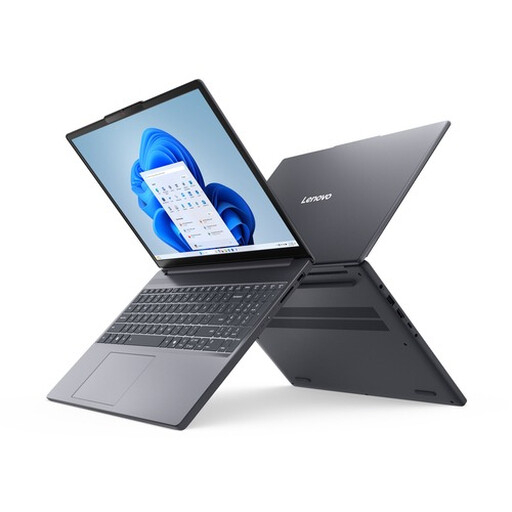
Why it suits this user: This Lenovo laptop offers a practical combination of Ryzen 7 performance, 16GB RAM and a 15.3-inch WUXGA screen for studying, office work and everyday entertainment.
Its 16GB of RAM avoids the limitations of entry-level models with 8GB. The SD card reader and additional M.2 support give you practical upgrade options.
AMD Ryzen 7 8840HS, 16GB DDR5, 512GB PCIe 4.0 SSD and a 15.3-inch 16:10 IPS screen.
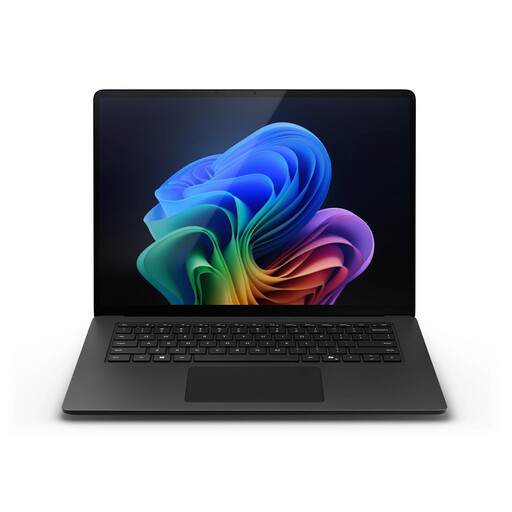
Why it suits this user: With 32GB RAM, a 1TB SSD, a touchscreen and Windows 11 Pro, this laptop is a good fit for business users and creative professionals who do a lot of work locally.
The generous memory and storage mean you’re less likely to need an upgrade soon. However, check in advance that your specific Windows programmes are compatible with Snapdragon.
15-inch PixelSense Flow touchscreen, up to 120Hz, 32GB LPDDR5X, 1TB SSD and Wi-Fi 7.
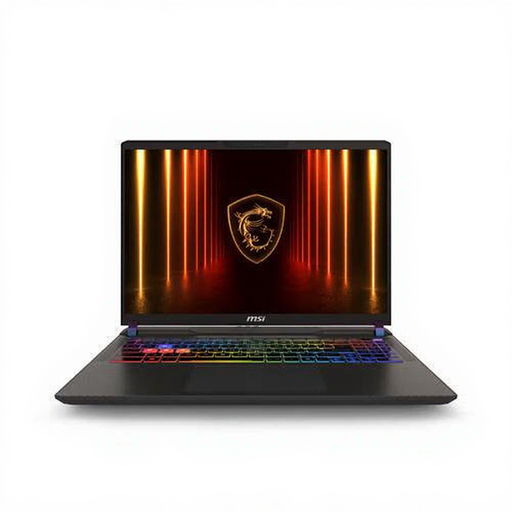
Why it suits this user: This MSI laptop is designed for gamers and creators who prioritise a powerful processor, dedicated graphics and a fast screen over low weight.
The RTX 5070 Ti has 12GB of video memory, and its stated graphics power is 140W. This configuration is clearly built for demanding graphics work, but the laptop weighs around 2.7kg.
Ryzen 9 8940HX with 16 cores, 1TB SSD, QHD+ 240Hz screen and two SO-DIMM slots for up to 96GB RAM.
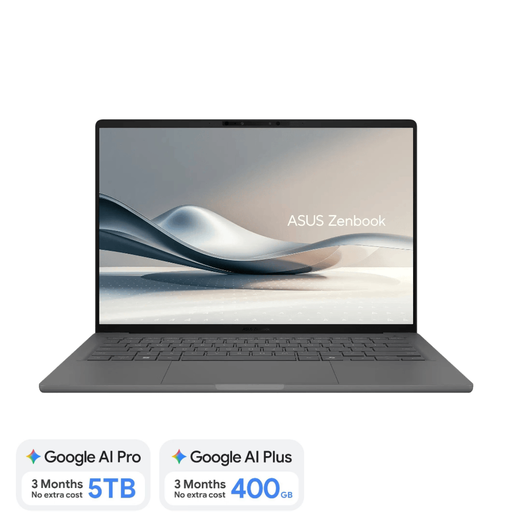
Why it suits this user: Weighing around 0.98kg, this Copilot+ PC is made for people who regularly move between home, education, the office and working on the go.
The product information clearly states that the laptop is supplied without a charger. Also bear in mind that its 16GB of memory can’t be upgraded and that ARM compatibility may be an issue.
14-inch OLED screen, 16:10 aspect ratio, 512GB SSD, Wi-Fi 6E and very low weight.
We’ve put together a complete, up-to-date list of products that meet these strict selection criteria and the applicable European safety regulations.
For browsing, studying, admin and working from home, 16GB RAM is a practical choice. 8GB may be enough for simple tasks, but leaves less room for lots of browser tabs and more demanding programmes. Professional video editing or virtual machines may require more than 16GB.
Yes, a gaming laptop can run business software without any problems. However, bear in mind the extra weight, larger size, fan noise and generally shorter battery life under heavy use. If you travel every day, a business laptop or lightweight student laptop is often more practical.
As well as the laptop itself, you may need to pay for a separate charger, USB-C dock, external storage, software and accessories. Check the warranty terms too. EU law provides a legal guarantee of conformity; several product pages also mention a two-year warranty period. Keep your proof of purchase and check which accessories are actually included in the box before placing your order.
