
Vandaag of morgen in huis

Kwaliteit gegarandeerd

Welkomstaanbiedingen ontgrendelen: GRATIS bezorging | Tot 80% korting | Gratis 30 dagen JoyPlus-proefperiode
Download de app
Buying a laptop seems simple until you start comparing the specifications. Many models look very similar on paper, yet the difference in everyday use can be significant. A lightweight laptop for university has different requirements from a gaming laptop for modern games. A laptop for work or home use does not automatically need the most expensive processor either.
Pay particular attention to these three common pitfalls:
For browsing, email, word processing and online lessons, a laptop with a modern entry-level or mid-range processor is often a good fit. A laptop with a Ryzen processor, such as the AMD Ryzen 5 7520U, is designed for everyday use. For intensive multitasking, video editing or gaming, processors from higher ranges are more suitable.
Also look out for:
An SSD will generally launch programmes more quickly than a traditional hard drive. If you store large video files, games or photo libraries, you may also need external or cloud storage.
The size affects how comfortable the laptop is to work on and how easy it is to carry with you.
Do not only consider the diagonal measurement. A resolution of 1920 × 1200 provides more vertical space than 1920 × 1080 thanks to the 16:10 aspect ratio. Refresh rate is also relevant for gaming. 144Hz or 240Hz can display movement more smoothly than 60Hz, but the graphics card must also be able to produce the images at that rate.
A laptop with a touchscreen or a 2-in-1 model is useful for finger-based controls and presentations. Do check whether a stylus is included, however. With some models, it is available separately.
A Windows laptop works with a wide range of business software, peripherals and games. If you want to buy a MacBook, you will be choosing macOS, so check in advance whether specific Windows software, plug-ins or peripherals are compatible.
In the Netherlands, also check the keyboard layout. A QWERTY laptop is common, but there are differences between Dutch, international, British and American layouts. If you enter lots of figures, you may benefit from a numeric keypad.
Also look for USB-C, USB-A, HDMI, a headphone socket and, where relevant, Ethernet. USB-C does not automatically mean that every port supports charging, display output and high data-transfer speeds. Check the exact functions for each model.
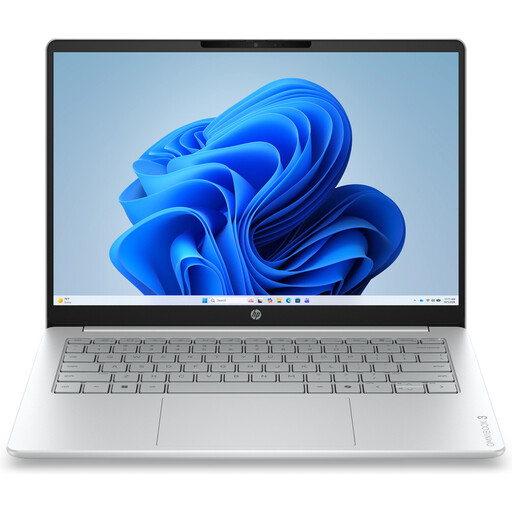
Why it suits this profile: This compact Windows laptop is designed for documents, online lessons, video calls and everyday internet use. Weighing approximately 1.42 kg, it is easier to carry than larger models.
The product information clearly states that the 8GB memory is onboard and that a charger is required separately. This means you can factor in these costs and limitations before buying.
14-inch IPS display with 1920 × 1200 resolution, 512GB NVMe SSD, Full HD webcam and Wi-Fi 6.
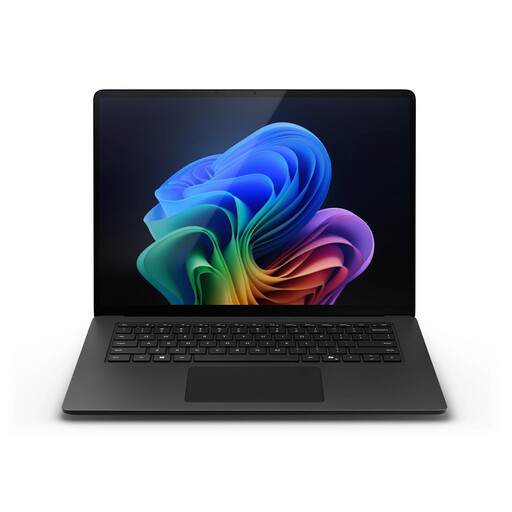
Why it suits this profile: The 15-inch touchscreen, 32GB RAM and 1TB SSD are well suited to business users and professionals who work with lots of applications and files at the same time.
The combination of 32GB memory and 1TB storage means you are not focusing solely on processor performance. Do check that specific Windows programmes are compatible with the Snapdragon architecture.
2496 × 1664 touchscreen, 32GB LPDDR5X, 1TB SSD and Windows 11 Pro.
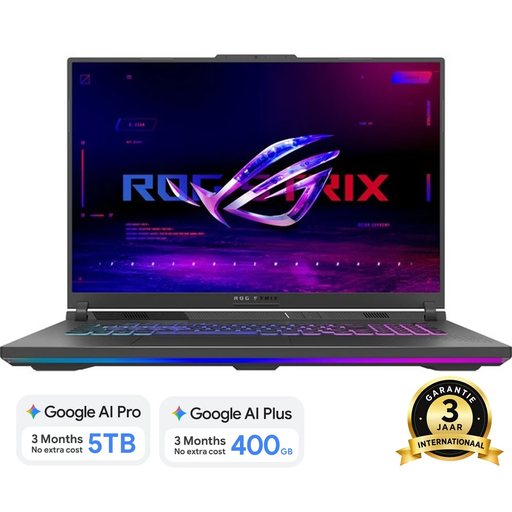
Why it suits this profile: This gaming laptop combines a Ryzen 9 8940HX, RTX 5060 with 8GB GDDR7 and a large 18-inch display. It is a good fit for gamers and users running graphically demanding applications.
The dedicated RTX graphics card makes the graphics capability clear. Bear in mind that it weighs approximately 3 kg and, according to the product information, does not include a standard charger.
18-inch WQXGA display with 240Hz, 16GB DDR5, 1TB PCIe 4.0 SSD and two SO-DIMM slots.
We have compiled a complete, up-to-date list of products that fully meet these strict selection criteria and the applicable European safety regulations.
Its lifespan depends on build quality, battery, software updates and the type of work you do. A model used for internet browsing and documents may remain practically useful for longer than a laptop that runs demanding games or video editing software every day. Choose enough RAM and storage for your expected usage, and check the warranty conditions.
For word processing, browsing, video calls and standard office software, 8GB can be sufficient. 16GB RAM provides more room for running multiple programmes, large spreadsheets, programming environments and extended multitasking. If the memory is onboard, you will not be able to expand it later.
Allow for a charger that may not be included, a protective case, mouse, docking station and additional storage. Gaming laptops generally use more power under load than lightweight models. Before making your choice, check the charging requirements, battery capacity and weight.
