
Vandaag of morgen in huis

Kwaliteit gegarandeerd

Welkomstaanbiedingen ontgrendelen: GRATIS bezorging | Tot 80% korting | Gratis 30 dagen JoyPlus-proefperiode
Download de app
Buying a laptop seems straightforward until you start comparing specifications, keyboard layouts and accessories. A slim model may look appealing, but too little RAM can lead to slowdowns later on. A large screen gives you more room to work, but is less convenient to carry in a rucksack. And an attractive price can seem less appealing if the charger is not included.
The Joybuy Product Recommendation Officer selects products based on verifiable information, including the processor, RAM, storage, weight, screen size and keyboard layout. This allows you to compare models from Apple, Lenovo, HP, ASUS and Microsoft without relying solely on marketing terms.
A Copilot+ laptop has hardware for certain AI features, but that does not mean every application will use them. On Windows laptops with a Snapdragon processor, compatibility, drivers and support for older software may differ from those of traditional Windows PCs.
Therefore, check the following before buying:
16GB RAM is working memory for programmes and multitasking. 512GB SSD is storage space for Windows, apps and files. A laptop with 512GB of storage does not automatically have enough RAM for lots of browser tabs, video calls and demanding software.
For a laptop for work or study, 16GB RAM is a practical choice if you regularly use several programmes at the same time. 8GB may be enough for browsing, email and basic documents, but the memory cannot be upgraded on many compact models.
Several models in this selection state that the charger is not included as standard. This applies to certain laptops from Lenovo, HP, ASUS and Apple, among others. Always check the contents of the packaging and the required charging capacity.
A USB-C port does not automatically mean that every USB-C charger is suitable. Look for USB Power Delivery and the required wattage, such as 65W on some Copilot+ laptops.
For documents, online lessons, administration and streaming, a modern mid-range processor is generally sufficient. If you edit photos, programme or work with larger files, a processor with more cores and a higher power rating will be more suitable.
Do not just look at the processor name. Also consider:
A laptop for creative work involving video editing or 3D software often requires more graphics performance than a laptop for studying.
8GB RAM is suitable for basic use: word processing, email, simple websites and streaming. For more intensive multitasking, 16GB RAM makes more sense. Also check whether the memory can be upgraded. On the ASUS Vivobook 14, ASUS Zenbook A14 and various HP models, the memory is integrated and cannot be upgraded.
A 512GB SSD provides space for Windows, applications, photos and documents. The usable capacity is lower than 512GB because the operating system and recovery partitions use some storage.
If you work with large video files, RAW photos or locally stored games, 1TB may be more practical. The Apple MacBook Pro with a 1TB SSD is designed for this, while a model with 256GB is mainly suitable if you store a lot of your files in the cloud.
A 14-inch laptop is often a useful compromise between workspace and portability. A 15-inch laptop or 15.3-inch model gives you more room for spreadsheets and two windows side by side. A 16-inch laptop is comfortable for a permanent workstation, but usually weighs more.
A lightweight laptop such as the ASUS Zenbook A14 weighs approximately 0.98 kg according to the product specifications. That is useful for students, train commuters and home workers who regularly move between locations. Also consider the aspect ratio: 16:10 or 3:2 displays more vertical information than 16:9.
For use in the Netherlands, a laptop with a QWERTY keyboard is usually the most practical choice. Check whether it is Dutch QWERTY, international English QWERTY, US QWERTY or Belgian AZERTY. The key layout and symbols may differ.
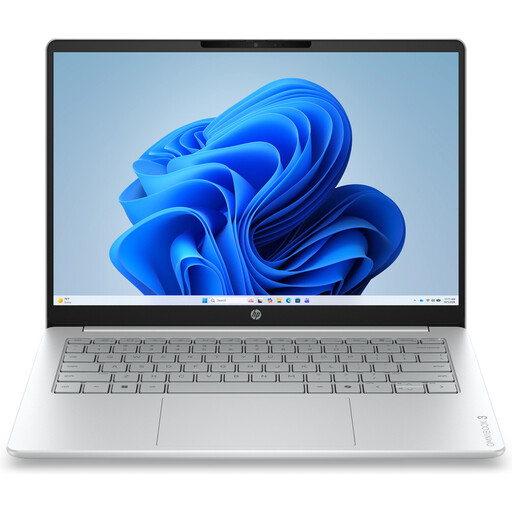
Why it suits this profile: This 14-inch model is designed for browsing, documents, online lessons and streaming. The 512GB SSD provides practical storage for everyday use.
The product specifications clearly state 8GB RAM and a 512GB SSD. The memory cannot be upgraded, so this is important to consider in advance.
14-inch IPS screen, 512GB SSD, Full HD webcam and Windows 11 Home. Please note: the charger must be purchased separately.
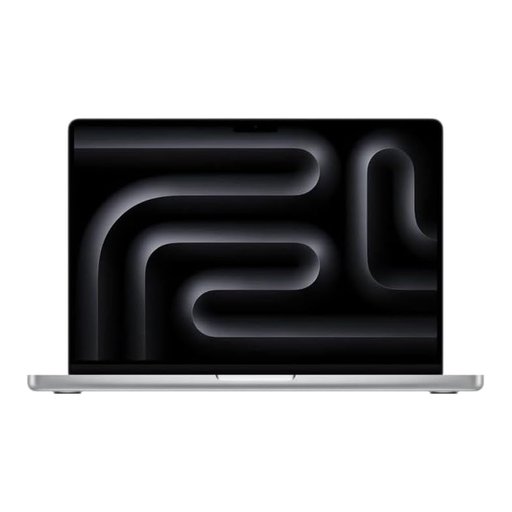
Why it suits this profile: This MacBook is ideal for creative professionals and users who regularly work locally with demanding files and multiple applications.
With 24GB unified memory and a 1TB SSD, there is more room for multitasking and large files than with entry-level configurations.
14-inch screen, Apple M4 Pro chip, 120Hz Mini-LED display and QWERTY keyboard. This model uses macOS.
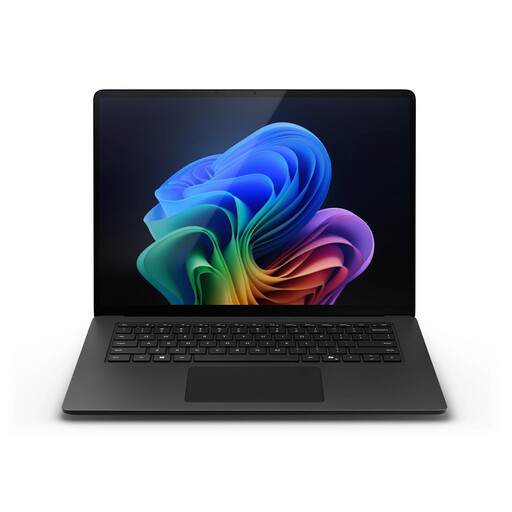
Why it suits this profile: This model is aimed at business users and professionals who need plenty of screen space, local storage and Windows 11 Pro.
The configuration lists 32GB LPDDR5X and a 1TB SSD. However, check the compatibility of specific Windows software with Snapdragon in advance.
15-inch touchscreen, 3:2 aspect ratio, up to 120Hz refresh rate, Wi-Fi 7 and Windows 11 Pro.
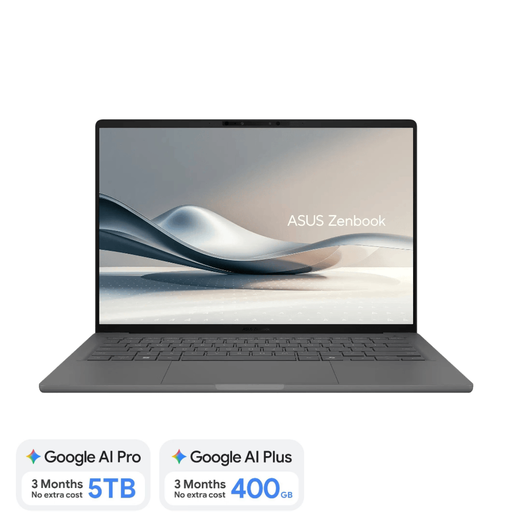
Why it suits this profile: Weighing approximately 0.98 kg, this is a lightweight laptop for lectures, commuting, meetings and flexible home working.
The product explicitly lists a Dutch QWERTY keyboard and 16GB onboard RAM. The charger is not included and must be selected separately.
14-inch OLED screen, 16GB RAM, 512GB SSD, 70Wh battery and Copilot+ support. Check application compatibility with Windows on Snapdragon.
We have compiled a complete, up-to-date list of products that fully meet these strict selection criteria and the applicable European safety regulations.
For studying, a 14-inch laptop, 16GB RAM and a 512GB SSD are often practical. Also consider the weight, webcam, battery capacity and a Dutch QWERTY keyboard. If you mainly use documents and browser applications, you will generally not need a dedicated graphics card.
Its lifespan depends on build quality, battery usage, software and whether the storage or memory can be upgraded. Also check the stated update support and statutory warranty. A model with 16GB RAM and a 512GB SSD generally offers more room for future software than an entry-level configuration.
Energy consumption depends on the processor, screen brightness, charging habits and length of use. An energy-efficient laptop with a modern mobile processor generally uses less power for light office work than a powerful model with a dedicated graphics card. The biggest ongoing costs are usually electricity, accessories, cloud storage and, potentially, a replacement charger.
