
Vandaag of morgen in huis

Kwaliteit gegarandeerd

Welkomstaanbiedingen ontgrendelen: GRATIS bezorging | Tot 80% korting | Gratis 30 dagen JoyPlus-proefperiode
Download de app
Buying a laptop sounds simple until you have to choose between a Windows laptop, MacBook, gaming laptop or 2-in-1 laptop. Manufacturers often highlight one eye-catching feature while making important details less obvious. This could be memory that cannot be upgraded, a missing charger or a keyboard layout that is unsuitable for use in the Netherlands.
This practical buying guide helps you compare laptops based on features that make a real difference in everyday use.
A fast processor sounds appealing, but the overall configuration determines the user experience. A laptop with a powerful chip and just 8 GB of RAM can still feel limited when you have lots of browser tabs, video calls and documents open. Always check the combination of processor, RAM and SSD storage.
Several models in this overview do not include a charger as standard. This applies to various HP, Lenovo and ASUS laptops, among others. Before buying, check:
The laptop’s purchase price does not always represent the total amount you need to pay to get started straight away.
A 14-inch screen is portable, but offers less workspace than a 15.3-, 16- or 17.3-inch screen. A touchscreen is also not the same as a 2-in-1 laptop: only a convertible model with a 360-degree hinge can also be used as a tablet.
Pay attention to the layout as well. A QWERTY keyboard is common on Dutch models, but there are differences between Dutch, international English, British and American QWERTY layouts. Check the product description before ordering a laptop for study or work.
For email, word processing and browsing the internet, 8 GB of RAM may be sufficient. If you regularly work with several programmes, large spreadsheets, video meetings or creative software, 16 GB of RAM is a better choice. On some laptops, the memory is onboard and cannot be upgraded. In that case, a 16 GB model may be the wiser option if you plan to use the laptop for several years.
A laptop with a 512 GB SSD provides space for Windows, programmes, documents and photos. The usable capacity is always lower than the stated 512 GB because the operating system and recovery files take up space. For large video projects, lots of games or extensive photo libraries, you may need an external SSD or cloud storage.
A 14-inch laptop is often suitable for commuting and lectures. A 15.3- or 16-inch screen gives you more room for documents and two windows side by side. A 17.3-inch laptop is comfortable at a fixed workstation, but less convenient to carry around every day.
Also look at:
A manufacturer’s claim such as ‘up to 18 hours of battery life’ is a maximum figure under specific conditions. Do not treat it as a fixed usage time.
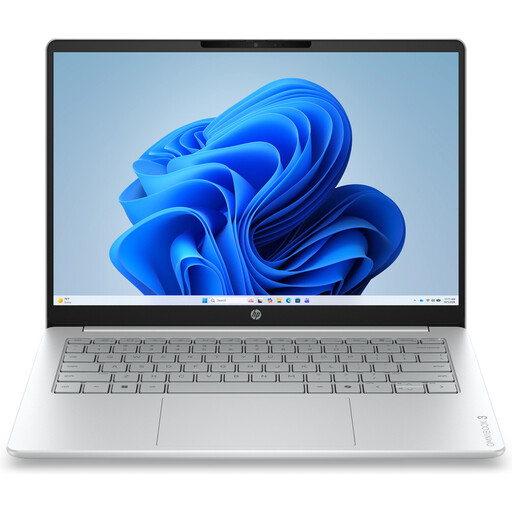
Why it suits this profile: This Windows laptop is designed for documents, browsing, online lessons and streaming. Its 14-inch format and weight of approximately 1.42 kg are practical for everyday use.
The product information clearly states that it has 8 GB of onboard memory, 512 GB of SSD storage and no charger. You can therefore factor in these additional costs in advance.
14-inch IPS screen with 1920 × 1200 pixels, 512 GB NVMe SSD, webcam with privacy shutter, and USB-A, USB-C and HDMI ports.
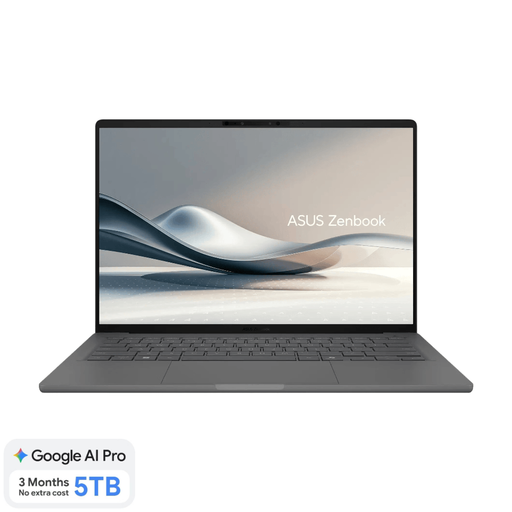
Why it suits this profile: A lightweight laptop weighing approximately 0.98 kg, with 16 GB of RAM, an OLED screen and a Dutch QWERTY layout for working and studying on the move.
The specifications explicitly state that the memory cannot be upgraded and that a 65W USB-C charger is not included. The screen is also not touch-sensitive.
16 GB LPDDR5x, 512 GB SSD, 14-inch OLED with 1920 × 1200 pixels, 70Wh battery and a weight of approximately 0.98 kg.
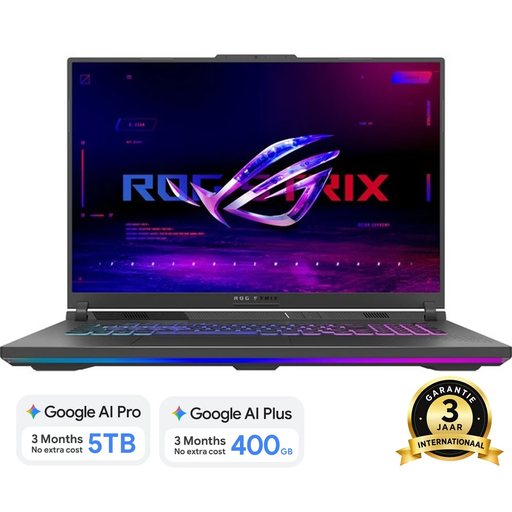
Why it suits this profile: This gaming laptop is designed for gaming, streaming and demanding graphics applications. With its size and weight of approximately 3 kg, it is mainly suited to a fixed setup.
The dedicated RTX 5060 Laptop GPU, 16 GB DDR5 and two SO-DIMM slots make the configuration clearer than a model with integrated graphics only. The charger must still be checked separately.
Ryzen 9 8940HX, RTX 5060 with 8 GB GDDR7, 1 TB SSD and an 18-inch screen with 2560 × 1600 pixels and 240 Hz.
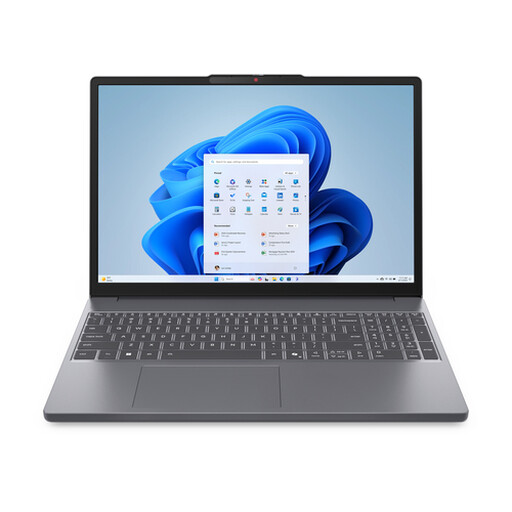
Why it suits this profile: The combination of 16 GB of RAM, 512 GB SSD, numeric keypad and a weight of approximately 1.59 kg is well suited to studying, administration and office work.
The specifications state that the screen is not touch-sensitive and that the charger is not included. It is also clearly specified that the memory supports up to 16 GB.
Ryzen 7 8840HS, 16 GB DDR5, 512 GB PCIe 4.0 SSD, SD card reader, FHD IR camera and a 15.3-inch screen with a 16:10 aspect ratio.
We have put together a complete, up-to-date list of products that fully meet these strict selection criteria and the applicable European safety regulations.
Lifespan depends on usage, maintenance, updates and repairability. A model with 16 GB of RAM and sufficient SSD space may remain practical for longer than an entry-level model with limited, non-upgradeable components. Check the warranty terms as well. A one-year manufacturer’s warranty is separate from your statutory consumer rights; within the EU, many products are covered by statutory conformity protection, depending on the circumstances and national regulations.
This depends on its power consumption, hours of use and the energy price. A lightweight laptop used for word processing generally consumes less energy than a gaming laptop with a dedicated graphics card. Do not look only at battery life; also consider charging power and usage patterns. A gaming laptop uses considerably more power under heavy load than when performing simple browsing.
For basic use, 8 GB may be sufficient, but 16 GB of RAM gives you more room for multitasking with browsers, documents, Teams or similar applications. As the memory on many thin laptops cannot be upgraded, 16 GB is a practical choice if you plan to use the laptop for longer.
