
Vandaag of morgen in huis

Kwaliteit gegarandeerd

Welkomstaanbiedingen ontgrendelen: GRATIS bezorging | Tot 80% korting | Gratis 30 dagen JoyPlus-proefperiode
Download de app
Buying a laptop seems straightforward until you start comparing specifications. Manufacturers use terms such as AI, fast processors and long battery life, but these do not always tell you enough about the practical experience. You often only notice you have made the wrong choice after a few weeks: the laptop turns out to be too heavy to carry every day, has too little RAM or does not come with a suitable charger.
So pay particular attention to these three common pitfalls:
For a laptop used for studying, commuting or flexible working, weight is a practical consideration. Models weighing around 1.3 to 1.5 kg are generally easier to carry every day. A 15-inch laptop gives you more room for documents and windows, while a 14-inch laptop often has a more compact chassis.
Also pay attention to the aspect ratio. A 1920 × 1200 display with a 16:10 aspect ratio shows more information vertically than a traditional 16:9 screen. This is useful for web pages, text and spreadsheets. A touchscreen is only worthwhile if you genuinely use this input method. For drawing or tablet use, a 2-in-1 laptop is a better fit.
For everyday browsing, word processing and video calls, 8GB of RAM may be enough. If you use several programmes at the same time, it is better to choose a laptop with 16GB RAM. Also check whether the memory can be upgraded. On the ASUS Vivobook 14 and ASUS Zenbook A14, the LPDDR5X memory is integrated and cannot be expanded.
A laptop with a 512GB SSD provides space for Windows, apps, documents and photos. The actual available capacity will be lower because of the operating system and recovery partitions. For large video libraries, games or local media collections, you may need an external SSD or cloud storage.
A Ryzen 5 or Ryzen 7 processor is suitable for a wide range of Windows tasks. Snapdragon processors in a Windows 11 laptop or Copilot+ PC laptop are designed to deliver efficient mobile performance and support AI features. For specialist software, older drivers and business peripherals, check whether ARM compatibility is sufficient.
A laptop with a QWERTY keyboard is common in the Netherlands, but layouts can vary. Dutch QWERTY, international English QWERTY, US QWERTY and Belgian AZERTY are not identical. Always check the exact keyboard layout in the product information.
If you are considering buying a MacBook, you also need to take macOS into account. Check whether the study, accounting, design or business software you use is available for macOS. Switching from Windows may also mean adopting a different approach to file management and keyboard shortcuts.
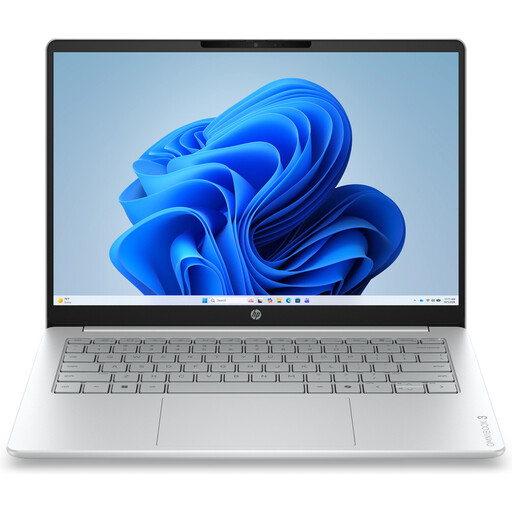
Why it suits this profile: A compact choice for email, documents, online lessons, streaming and simple home use.
The product information clearly states that it has 8GB of onboard memory and that the charger must be purchased separately. This allows you to factor in the additional costs in advance.
14 inches, approx. 1.42 kg, 512GB SSD, Full HD webcam and a 1920 × 1200 display.
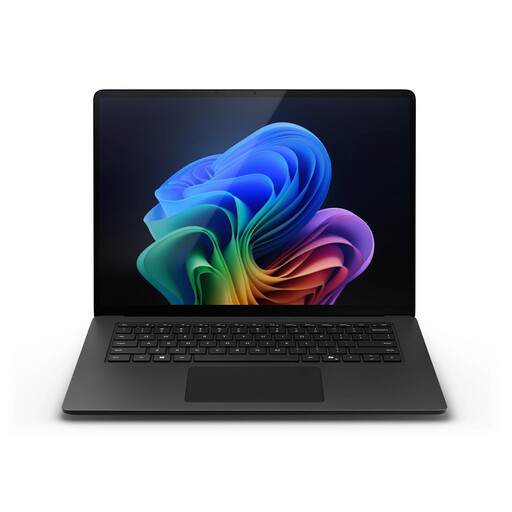
Why it suits this profile: Suitable for business users and people working from home who want a large touchscreen, plenty of memory and Windows 11 Pro.
The configuration lists 32GB of RAM and a 1TB SSD. This reduces the risk of intensive multitasking or large files quickly leading to storage problems.
Snapdragon X Elite, 32GB LPDDR5X, 1TB SSD, 15-inch PixelSense touchscreen and Windows 11 Pro.
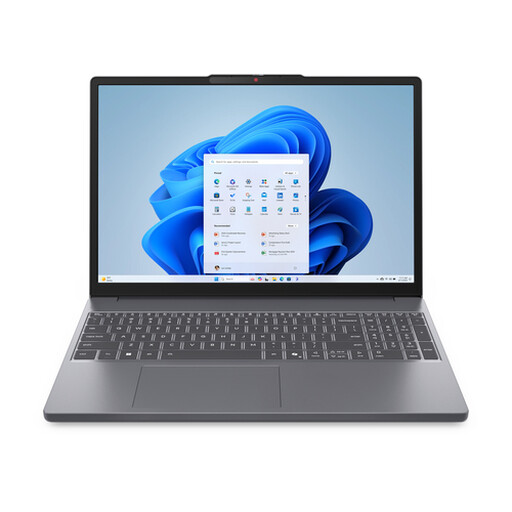
Why it suits this profile: A practical laptop for studying, office work, extensive connectivity and everyday use, with a numeric keypad.
The specifications explicitly state that the 15.3-inch screen is non-touch, that it has an English QWERTY layout and that a standard charger is not included.
Ryzen 7 8840HS, 16GB DDR5, 512GB SSD, SD card reader, numeric keypad and 1920 × 1200 IPS display.
We have put together a complete, up-to-date list of products that fully meet these strict selection criteria and the applicable European safety regulations.
For simple tasks, 8GB is often sufficient. For studying or working from home with several programmes, and for long-term use, 16GB RAM is a practical choice. If you work with large datasets, virtual machines or demanding creative software, you may need more. Always check whether the memory can be upgraded later.
A 14-inch laptop is a better choice for frequent travel, lessons and working in different locations. A 15-inch laptop offers more screen space for spreadsheets, video editing and multitasking. Do not just look at the screen size; also consider weight, resolution, aspect ratio and available ports.
Allow for a possible USB-C or laptop charger, a protective case, a docking station and additional storage. With laptops featuring integrated RAM, replacement may be more difficult in the long term. Also check the warranty, keyboard layout and software compatibility before placing your order.
