
Vandaag of morgen in huis

Kwaliteit gegarandeerd

Welkomstaanbiedingen ontgrendelen: GRATIS bezorging | Tot 80% korting | Gratis 30 dagen JoyPlus-proefperiode
Download de app
A new laptop is a significant investment. The market is vast, and the specifications can be overwhelming. How can you be sure you're choosing a model that meets your needs not just today, but for years to come? The wrong choice is a waste of money and leads to frustration.
This guide will help you make an informed decision. We focus on the most important specifications and explain what they mean for your daily use, without the marketing jargon.
To find the right laptop, it's crucial to align your needs with the technical specifications. Here are the four core components that determine performance and user experience.
The processor is the brain of the laptop and dictates its overall speed. For basic tasks like browsing the web, sending emails, and word processing, an entry-level processor is sufficient. For more demanding applications such as photo editing, video editing, or running multiple programs simultaneously, a more powerful processor (like an Apple M-series, Intel Core i5/i7, or AMD Ryzen 5/7) is recommended.
A new development is the AI laptop. These laptops feature a dedicated NPU (Neural Processing Unit) that efficiently handles AI tasks without heavily taxing the main processor. This improves performance and battery life when using smart software features.
Memory, or RAM, is your laptop's short-term memory. It determines how many tasks you can run smoothly at the same time.
Virtually all modern laptops use an SSD (Solid State Drive) for storage. An SSD is many times faster than a traditional hard drive, allowing your laptop and programs to boot up quickly.
The screen size affects the balance between portability and workspace. A lightweight laptop of 13 or 14 inches is ideal for on the go. A 15- or 16-inch screen offers more comfort for extended use in one place. A resolution of Full HD (1920x1080) is the minimum standard for a sharp image.
The choice between a Windows laptop and an Apple MacBook depends on personal preference and the software you use. Windows offers the broadest compatibility with hardware and software. macOS is known for its user-friendly interface and strong integration with other Apple products.
Based on the criteria above, we have curated a selection of models that cater to different user profiles.
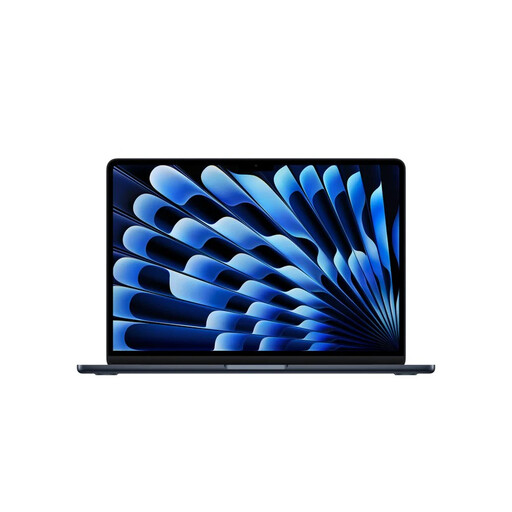
Why this product The MacBook Air with the M5 chip combines an ultra-lightweight design with powerful performance and long battery life. It is an excellent all-rounder for those who are frequently on the move.
Advantages
Who is this for? This laptop is ideal for students, commuters, and professionals who need a reliable, light, and fast machine for daily tasks and beyond.
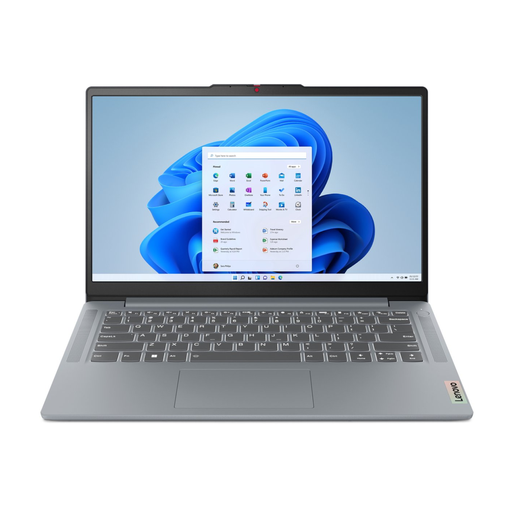
Why this product The Lenovo IdeaPad Slim 3 offers a solid all-around package at an accessible price point. It is a practical Windows laptop for everyday tasks.
Advantages
Who is this for? An excellent choice for home users, pupils, and students looking for a reliable and affordable laptop for study, administration, and entertainment.
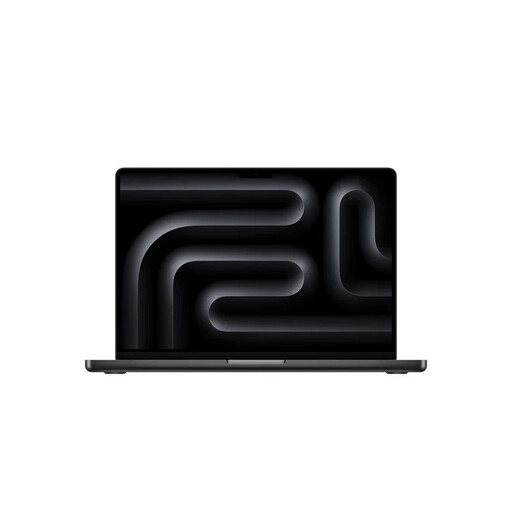
Why this product The MacBook Pro is engineered for maximum performance. With the M5 Pro chip, an abundance of memory, and a superior display, this is a workhorse for the most demanding tasks.
Advantages
Who is this for? This professional laptop is aimed at video editors, graphic designers, programmers, and other power users who refuse to compromise on performance and display quality.
This selection covers a broad spectrum, but the laptop market is large and diverse. Perhaps you are looking for a different brand, a specific screen size, or a model that fits perfectly within your budget. For a complete overview of all available models, from entry-level to high-end workstations, you can browse our full range.
View all our laptops and notebooks
1. How much RAM do I really need in 2026? For most users, 16 GB of RAM is the recommended amount for 2026. This ensures a smooth experience when multitasking and using modern software. If you only use your laptop for light tasks like email and browsing, 8 GB may still be sufficient. For professional creative work, 24 GB or more is advisable.
2. What is an AI laptop, and do I need one? An AI laptop includes an NPU (Neural Processing Unit) specifically designed to execute AI tasks efficiently. You'll notice this, for example, when using smart features in photo editing software, live captions, or the AI assistants in the operating system. While not yet a strict necessity for everyone, it is increasingly becoming the standard and makes your laptop better prepared for the software of the future.
3. Is a MacBook or a Windows laptop a better choice? There is no objectively "better" answer; it depends on your personal needs. Opt for a Windows laptop if you want maximum software compatibility, a wide choice of hardware, and more control over your system. Choose an Apple MacBook if you value a seamless user experience, a strong ecosystem (if you also have an iPhone or iPad), and a focus on design and build quality.
