What should you look for?
Start with the files and software you use. Then choose a screen that’s easy to read and fits on your desk, and only then decide whether you need a touchscreen or more powerful hardware.
| What to consider |
What should you check? |
Who should pay particular attention? |
| Screen and desk space |
Measure the available space and view one of your own drawings at the intended screen size. Compare the resolution of the exact configuration; Lenovo Netherlands and HP Store Netherlands, for example, list 1920 × 1200 pixels for the models mentioned. |
If I want to read plans on a small desk, the screen needs to show the details without taking over my entire workspace. Around 36% of consumers say readability in a limited desk space is their top priority. |
| Files and annotation |
Make a note of the file formats and annotation software you use, and whether you work offline. Autodesk Viewer supports DWG and RVT files in a browser, among others; for local use, check the requirements of your own software. |
When I mark up PDFs or view supported files, I want my software and workflow to work well together. Around 29% of consumers prioritise file compatibility and annotation. |
| Working on Revit models locally |
Check the full configuration against your Revit version and model size. Autodesk says 16 GB RAM is generally enough for a typical editing session in Revit 2026; this is not a performance guarantee for every model. |
If I edit models locally in Revit, the demands of that task matter more than simply having a compact laptop. Around 21% of consumers say working on models locally is their top priority. |
| Ports and portability |
Check the ports on the exact configuration, and whether the charger and any other accessories you need are included. |
If I use my laptop elsewhere or connect it to existing equipment, I want to know what I’ll need. Around 14% of consumers prioritise ports and portability. |
Joybuy laptops for a compact workspace
This selection includes compact laptops for viewing building plans, as well as a Flip configuration for anyone considering touchscreen controls. If you’ll be using annotation or modelling software locally, check the requirements for the exact configuration.
 No image available
HP OmniBook 5 Flip 14-fp0075nd C5VM5EA#ABH
Consider this Flip configuration if you’d like to try using touchscreen controls on a compact laptop too; check that this workflow suits your annotation software.
According to the product information, the charger isn’t included and must be purchased separately.
View at Joybuy
 No image available
Apple MacBook Pro 14-inch M5 Pro 24 GB 1 TB Space Black QWERTY
This 14-inch configuration is an option to compare if you’re looking for a compact laptop for viewing plans.
The product name lists 24 GB of memory, 1 TB of storage and a QWERTY keyboard.
View at Joybuy
 No image available
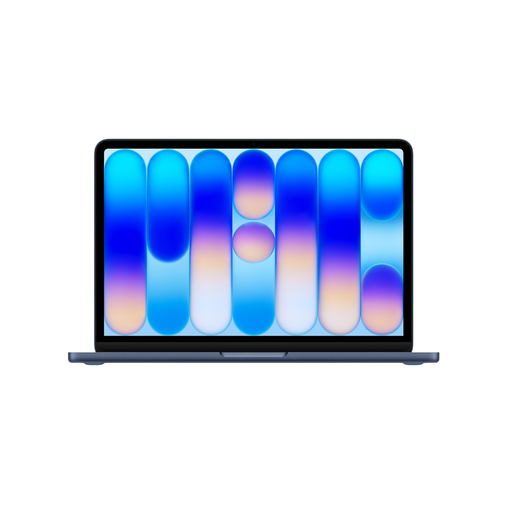
Apple MacBook Neo 13-inch A18 Pro 8 GB 256 GB Indigo QWERTY
The 13-inch screen makes this configuration worth considering if you have limited desk space; check how easy it is to read one of your own drawings on it.
The product name lists 8 GB of memory, 256 GB of storage and a QWERTY keyboard.
View at Joybuy
 No image available
Apple MacBook Neo 13-inch A18 Pro 8 GB 512 GB Citrus QWERTY
This 13-inch configuration is an option for a compact workspace; check first whether plans are easy for you to read at this screen size.
The product name lists 8 GB of memory, 512 GB of storage and a QWERTY keyboard.
View at Joybuy
 No image available
ASUS ROG Zephyrus G14 GA403UM-QS024W Ryzen 9 270 RTX 5060 16 GB 1 TB SSD QWERTY
This 14-inch configuration is compact enough to consider for a small desk; use your software’s requirements to decide whether the specification suits your work.
The product name lists an RTX 5060, 16 GB of memory and a 1 TB SSD. According to the product information, the memory is built in and can’t be upgraded by the user.
View at Joybuy
Frequently asked questions
Do I always need Revit installed locally to open DWG or RVT files?
No. If you only want to view supported files, Autodesk describes a browser-based Viewer for DWG and RVT files, among others. Revit has separate system requirements for working locally.
What should I check before opening a large set of PDF plans?
Check the requirements of the PDF software you use. For Revu 21, Bluebeam distinguishes between standard documents and large sets of engineering drawings, which need sufficient processor and memory resources. Also test whether your own plans are easy to read on the screen you’ve chosen.
Does every 2-in-1 laptop come with a stylus?
No. Don’t assume it does just because a laptop is described as a 2-in-1. Acer Store Netherlands lists an included stylus for the TravelMate P4 Spin 14 configuration NX.BF8EH.001; check the box contents for the exact variant.
What accessories and service terms should I check?
Check whether a charger is included, for example: HP Store Netherlands says the charger for the EliteBook 8 G1i 13 D51F7EA#ABH is sold separately. For a consumer purchase, the statutory guarantee is separate from any additional manufacturer’s or seller’s guarantee. According to the Dutch Government, the seller is your point of contact if there’s a problem with the product.
Do online purchases in the Netherlands always come with a 14-day cooling-off period?
Online consumer purchases generally come with a statutory 14-day cooling-off period, although there are exceptions. This statutory consumer cooling-off period doesn’t automatically apply to sales to businesses; check the terms agreed for your business order. Ondernemersplein explains the rules on cooling-off periods for sales.


