
Commuters who want to travel light
Want to open a spreadsheet in a limited seating space and easily put their laptop away after the journey. NS describes trains as being designed primarily for short journeys.


Choose based on the software and files you already use: a compact Windows laptop is a good fit if you need Windows programmes, a MacBook Air if your budgeting software runs on macOS, and a Chromebook if your workflow is browser-based or works with compatible offline files. For online banking on the train, it’s also important to shield your screen from view and make a conscious choice between a VPN and a mobile hotspot.
Want to open a spreadsheet in a limited seating space and easily put their laptop away after the journey. NS describes trains as being designed primarily for short journeys.
Want to check their banking or budget details without making it easy for people nearby to see, and want to choose their connection carefully. Veilig Internetten recommends using a VPN or a mobile data hotspot on public Wi-Fi.
Want to keep using the same spreadsheet or application, even without an internet connection. Microsoft and Google outline different software options and limitations for offline files on Chromebooks.
First check that your current budgeting software works with the operating system; then weigh up screen size, privacy and the specifications you really need when travelling.
Choose this option: if you need existing Windows programmes or the desktop version of Excel.
Bear in mind: compare the specific configuration for weight, screen and keyboard. A 14-inch screen may give you more room to work, but it won’t necessarily be more comfortable in a cramped seat.
Choose this option: if your files and financial software work on macOS.
Bear in mind: check which software and connections you need in advance. The stated maximum battery life doesn’t guarantee it will last for your train journey.
Choose this option: if your budgeting software works in a browser or with compatible offline files.
Bear in mind: Microsoft says the Windows and Mac desktop versions of Microsoft 365 can’t be installed on a Chromebook; Google outlines offline access for certain Drive files.
| What to consider | What to look for when buying | Who is this important for? |
|---|---|---|
| Portability and battery | Compare the size and weight of the exact configuration; only compare battery figures alongside the conditions under which they were tested. | If I want to open a spreadsheet in a cramped seat and easily put my laptop away after the journey, portability matters a lot; around 33% of consumers give portability and battery life top priority. |
| Privacy and connectivity | Consider where you’ll position the screen and check whether you can use a mobile hotspot or VPN. Veilig Internetten advises against online banking on public Wi-Fi without a VPN. | If you check account details while travelling, you’ll want to stop fellow passengers from looking at your screen and choose how your laptop connects; around 27% of consumers prioritise privacy and connection security. |
| Compatibility | Check the operating system and test a copy of your own budgeting file, including editing it and using it offline. | If I want to keep using my existing spreadsheet or programme when the connection drops, my workflow needs to be compatible; around 20% of consumers make compatibility their main reason for buying. |
| Cost and specifications | Compare the configuration with the requirements of your own software and the number of files you store locally; don’t automatically pay for extra processing power. | If you mainly do simple household admin, you won’t want to choose a configuration with more than you need; around 20% of consumers prioritise avoiding unnecessary purchase costs. |
Microsoft states that the Windows and Mac desktop versions of Microsoft 365 can’t be installed on a Chromebook. Google supports offline access to certain Drive files, but that doesn’t mean every app will work offline.
Before buying, test a copy of your own budgeting file, including editing it and using it offline.
The OmniBook 7 Aero 13-bg1694ndx is one model to consider if you’re comparing small Windows laptops.
The 13-inch MacBook Air with M5 is a compact macOS option if your budgeting software works on macOS.
The Dutch ThinkPad E14 Gen 7 configuration 21T9001TMH is a 14-inch Windows model to compare if you’re looking for more screen space.
The Dell 14 DC14250 is a configurable Windows laptop, so check the exact model you’ve selected.
These Joybuy models include Windows laptop and MacBook options for viewing files while travelling. Check that your budgeting software and any other programmes you need work with your chosen operating system.
 No image available
A Windows option for anyone who wants to use existing Windows software while travelling.
13,3-inch screen; Windows 11 Home; 16 GB RAM; 512 GB SSD; 43 Wh battery capacity; weight 1,46 kg.
 No image available
A Windows option with a 14-inch screen for anyone comparing larger display sizes.
AMD Ryzen 5 7520U; 14-inch anti-glare IPS screen with 1920 × 1200 pixels; 8 GB RAM; 512 GB SSD; Windows 11 Home; weight approx. 1,42 kg.
According to the product description, this configuration is supplied without a charger.
 No image available
A Windows option with a touchscreen and 360-degree hinge for anyone who would find these features useful when working with documents.
Intel Core 5 120U; 14-inch IPS touchscreen with 1920 × 1200 pixels; 8 GB RAM; 512 GB SSD; Windows 11 Home; weight approx. 1,60 kg.
According to the product description, the charger and stylus are not included.
 No image available
A macOS option if your budgeting software and other required programmes work on macOS.
13,6-inch screen; 16 GB memory; 512 GB SSD; weight 1,23 kg; QWERTY keyboard.
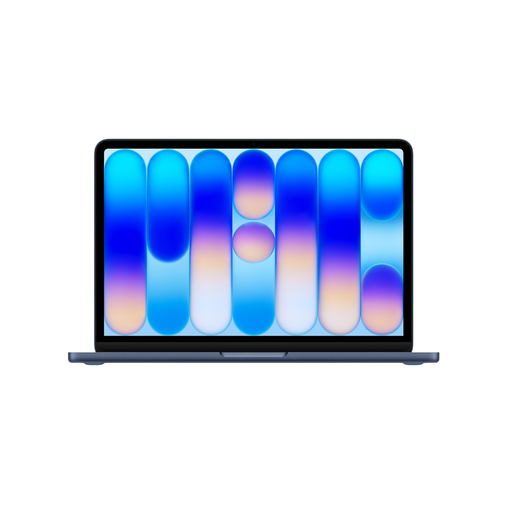 No image available
A macOS option for anyone using budgeting software that works on macOS.
13-inch screen; 8 GB memory; 256 GB SSD; QWERTY keyboard.
According to the product description, charging requires a USB-C adapter of at least 20 W; this is not included.
Veilig Internetten recommends using a VPN on public Wi-Fi or creating a hotspot with mobile data. The organisation advises against online banking on public Wi-Fi without a VPN. Also shield your account details from fellow passengers; this advice doesn’t mean that any particular laptop model makes online banking safe.
That depends on the app and whether the file is available offline. Google outlines how certain Drive spreadsheets can be used offline on Chromebooks and synced once you’re connected again. Test in advance whether you can open and edit your own file offline.
Not necessarily. The Consumentenbond says 8 GB of RAM is enough for light tasks and recommends considering 16 GB if you use several programmes at once. Also check the requirements of your own software.
Your statutory rights in the Netherlands are separate from the manufacturer’s warranty. According to ACM ConsuWijzer, there is no fixed time limit for the statutory guarantee; if a product develops a fault during normal use, it depends on what you could reasonably expect from it. According to the Dutch government, the retailer is your point of contact for an appropriate solution.