
Vandaag of morgen in huis

Kwaliteit gegarandeerd

Welkomstaanbiedingen ontgrendelen: GRATIS bezorging | Tot 80% korting | Gratis 30 dagen JoyPlus-proefperiode
Download de app
Need a new laptop bag? The options are endless, but that doesn't make the choice any easier. Many bags look great at first glance but prove to be impractical, uncomfortable, or offer inadequate protection in daily use. Before you invest in a bag you'll use every day, it's wise to look beyond the marketing hype. We'll outline the most common pitfalls and show you what to look for.
A laptop bag is more than just an accessory; it's the primary protection for a valuable device. Yet, many people make a poor choice by falling for the following traps:
To avoid a bad purchase, focus on the specifications that truly matter. These are the three most important points to consider.
Your laptop's size, such as 15.6 inch or 17.3 inch, is a starting point, but it's not the whole story. The bezels (borders) around the screen vary between models. A modern 15.6-inch laptop can be significantly more compact than an older model with the same screen size.
Always check the physical dimensions (length x width x thickness) of your laptop and compare them with the internal dimensions of the laptop compartment. A bag that's too loose offers insufficient shock protection, while one that's too tight puts pressure on the zippers and seams. A snug fit is crucial.
The material determines the durability and level of protection your bag offers. Polyester and nylon are popular for their light weight and wear resistance. Pay attention to the following features:
Think about how you will use the bag. Are you a student, a professional who travels a lot, or do you have a hybrid work schedule?
Based on these criteria, we have selected a few models that suit different user profiles.
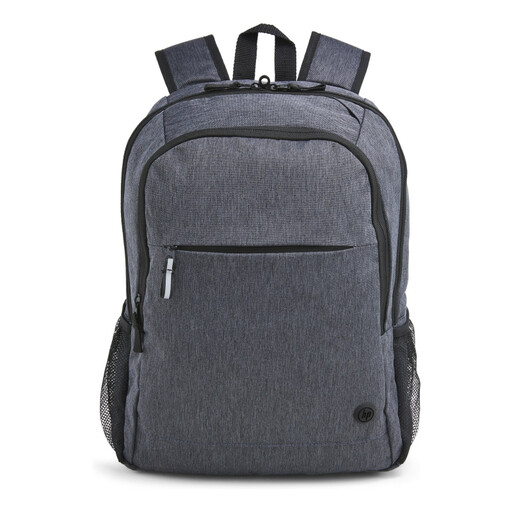
Why This Fits Their Persona: Ideal for those on the move every day. This backpack combines comfort with smart organization and is designed with sustainability in mind, perfect for the conscious professional or student.
The padded shoulder straps prevent the discomfort of poor straps. The separate, padded laptop compartment and zippered pockets solve the 'black hole' problem.
Made from 95% recycled materials with a water-repellent layer. The convenient cable pass-through and trolley strap make it highly practical.
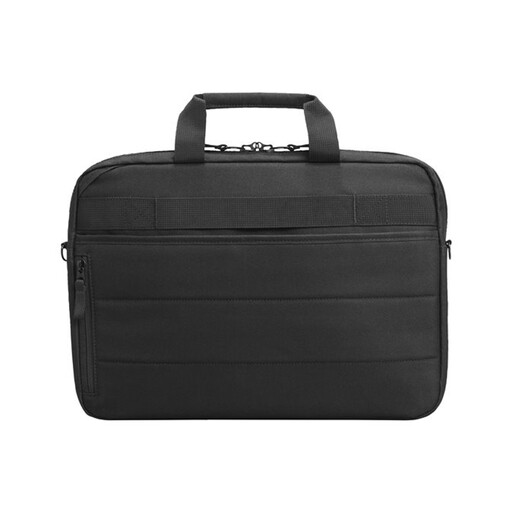
Why This Fits Their Persona: Designed for professionals who travel frequently and have a larger laptop (up to 17.3 inches). It prioritizes security and convenience with a sleek, corporate look.
It tackles security risks with an RFID-blocking pocket to protect your cards and lockable zippers. Its multiple compartments prevent the chaos of a disorganized bag.
The trolley strap is indispensable at airports. Made from 100% ocean-bound plastics, making it a sustainable choice.
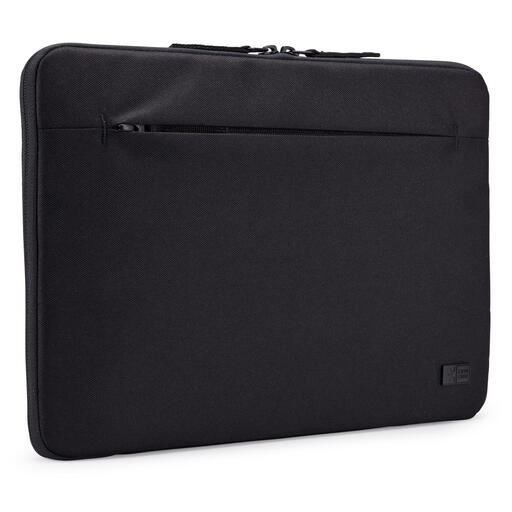
Why This Fits Their Persona: For those who only need basic protection and carry their laptop inside another bag or under their arm. Simple, effective, and lightweight.
A sleeve is minimalist by definition, avoiding the pitfalls of uncomfortable straps and poor organization. It does one thing well: protecting your laptop from scratches and minor bumps.
Made from 100% recycled polyester and is water-repellent. Its slim form factor makes it ideal for sliding into a larger backpack or suitcase.
A laptop backpack often strikes a great balance between comfort, space, and a professional look. We have a complete selection of models that meet strict criteria for daily business use.
Measure the actual dimensions of your laptop (length, width, and thickness) with a tape measure. Don't just rely on the screen size in inches. Compare your measurements with the bag's laptop compartment specifications, which are usually found on the product page. Allow for a few millimeters of clearance, but not too much.
Water-resistant means the material has been treated with a coating that repels water droplets. This protects against light rain or spills, but the material will eventually soak through with prolonged exposure to moisture. Waterproof means the material and construction (often with sealed seams and zippers) will not let water pass through, even under pressure. For most daily commuters, a good water-resistant bag is sufficient.
Most polyester or nylon laptop bags can be cleaned with a damp cloth and a mild soap solution. Avoid harsh cleaning agents or the washing machine, as this can damage the water-repellent coating. Let the bag air-dry completely before using it again. Regularly check the zippers and seams for wear and tear.
