
Vandaag of morgen in huis

Kwaliteit gegarandeerd

Welkomstaanbiedingen ontgrendelen: GRATIS bezorging | Tot 80% korting | Gratis 30 dagen JoyPlus-proefperiode
Download de app
Carrying a laptop in an ordinary backpack might seem convenient, until the charger rubs against the casing, rain gets through the fabric or the bag won’t close properly. A laptop bag needs to do more than look smart. Its size, lining, fastening and layout all help determine whether it’s right for work, study, commuting or travel.
Look out for these common pitfalls:
A 14-inch laptop bag, 15.6-inch laptop bag or 17-inch laptop bag usually refers to the maximum screen size. The laptop’s external dimensions matter just as much. So measure:
Compare these measurements with the bag’s internal dimensions. A little extra room is useful, but too much can let the laptop slide around. Too little may put pressure on the zip or edges.
A protective laptop sleeve should ideally have a soft lining and a fastening that won’t come into direct contact with the laptop. Polyester, neoprene, PU faux leather and other materials each have different properties. According to the product description, the VoxorAI sleeve is made from PU faux leather and has a faux lining. The manufacturer also states that it is water-resistant and protects against wear and scratches. These are specifications given in the product listing; they don’t guarantee protection from every fall or prolonged exposure to rain.
For a water-resistant laptop bag, the construction matters too: seams, zips and flaps can let water in, even if the outer fabric repels splashes.
A laptop shoulder bag is handy if you need quick access and want to carry documents. A laptop backpack generally distributes weight across both shoulders, which can be more comfortable for cyclists and commuters. For short journeys, a laptop sleeve may be enough, especially if you’re putting it inside a larger bag.
For travel, a trolley strap, padded shoulder strap and separate laptop compartment are useful extras. When choosing a laptop bag for travel, always check the bag’s dimensions as well as your airline’s baggage rules. Any claim that a bag is suitable for a particular airline is based on the product information, so check the latest rules before you travel.
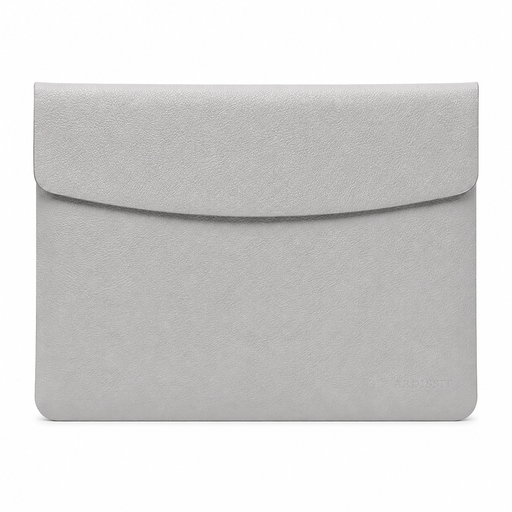
Why it suits this need: This slim sleeve is designed for anyone who wants to carry a 14-inch laptop compactly to lectures, the office or a flexible workspace. Its listed dimensions are 35 × 25,3 × 0,5 cm and it weighs 300 grams.
Its stated dimensions help you avoid relying on screen size alone. Check that your laptop fits within the measurements provided.
PU faux leather, magnetic flap, lightweight construction and a slim design, according to the product description.
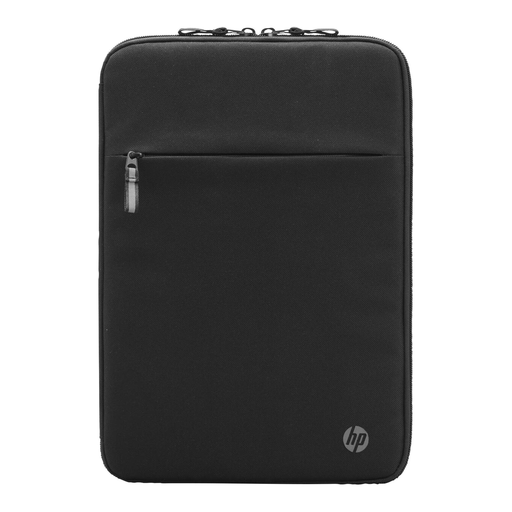
Why it suits this need: A good choice for professionals looking for a smart, padded sleeve with pockets for cables and small essentials. The stated maximum screen size is 14,1 inches.
The organiser pocket and extra compartments help keep loose accessories together, rather than scattered in another bag. Check compatibility, as the product information lists HP as the compatible brand.
Padded construction, double zip, cable pass-through and pockets for accessories. The product description states that it is made from recycled materials.
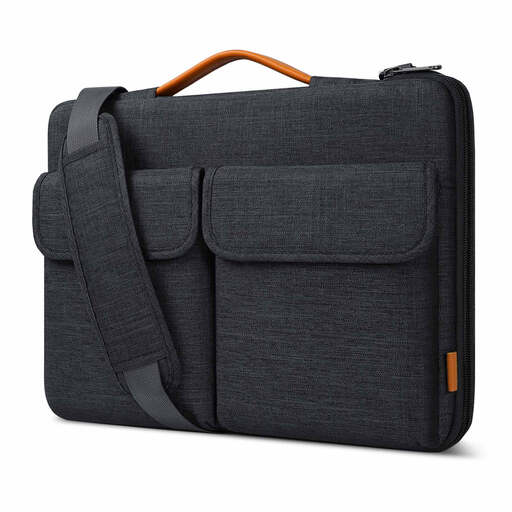
Why it suits this need: A practical option for commuters and travellers with a 15,6-inch laptop who want a shoulder bag, a handle and room for accessories in one.
The internal dimensions of 38,5 × 26,5 × 3 cm make it easier to check the fit. The product description states that the outer material is splash-resistant; this is not the same as being waterproof.
Soft lining, a protective edge along the zip, two carrying options, a trolley strap and pockets for a mouse, charger and cables.
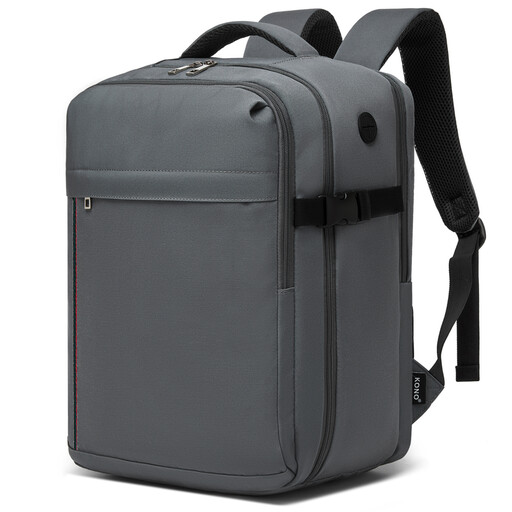
Why it suits this need: Handy for short business trips, commuting and weekend breaks. The backpack has a padded laptop compartment for laptops up to 15,6 inches, three compartments and a capacity of around 24 litres.
The listed external dimensions are 40 × 30 × 20 cm and the bag weighs 0,5 kg. Even so, check your airline’s latest baggage allowance.
Water-resistant polyester according to the product description, padded shoulder straps, trolley strap, cable pass-through and an organiser for travel essentials.
We’ve put together a complete, up-to-date list of products that meet these strict selection criteria and current European safety regulations.
Check your laptop’s dimensions and compare them with the bag’s internal measurements. A 15.6-inch laptop bag won’t necessarily fit every laptop with a 15,6-inch screen. Also consider the thickness of gaming laptops and models with wide screen bezels.
According to product descriptions, a laptop sleeve will generally help protect against scratches and minor knocks. For everyday travel with a charger, documents and accessories, a laptop bag with extra padding and pockets is more practical. If you’re often on the move, a laptop backpack can also distribute the weight more evenly.
Its lifespan depends on the material, zips, seams and how you use it every day. Avoid overloading it, don’t place heavy items on top of your laptop, and follow the manufacturer’s care instructions. Clean the bag according to its label; harsh cleaning products can damage the finish of water-resistant materials.
