
Vandaag of morgen in huis

Kwaliteit gegarandeerd

Welkomstaanbiedingen ontgrendelen: GRATIS bezorging | Tot 80% korting | Gratis 30 dagen JoyPlus-proefperiode
Download de app
At first glance, choosing a laptop backpack seems simple: select the right size, put your laptop inside and set off. In practice, models vary considerably in terms of protection, carrying comfort, organisation and water resistance. The wrong choice can leave you with a laptop compartment that is too tight, a backpack that quickly feels heavy or insufficient protection in a rain shower.
Pay particular attention to these three common pitfalls:
As well as checking the screen size, look at the internal dimensions of the laptop compartment. A 15-inch laptop backpack and a 15.6-inch laptop backpack may seem similar, but a few millimetres can make all the difference. Larger devices are also catered for with models for a 16-inch laptop backpack or 17.3-inch laptop backpack.
Measure your laptop as follows:
The specifications for the Lenovo ThinkPad Professional 2nd Generation Laptop Backpack for 16-Inch Laptops, Black, Plastic state a maximum screen size of 16 inches, while the product description mentions laptops of up to 15 inches. This is a good reason to compare the dimensions of your own laptop particularly carefully.
A padded laptop compartment helps reduce scratches and minor knocks. Pay attention to its position: a compartment that sits directly against your back can keep the laptop better separated from loose accessories. However, a separate sleeve is still a sensible choice if you often cycle, travel by public transport or put your backpack down in busy places.
Materials can indicate what a backpack is designed for:
A water-repellent laptop backpack is suitable for everyday commuting in light rain. In prolonged or heavy rain, a rain cover or waterproof laptop sleeve provides additional protection.
For a backpack for work and travel, litres are not the only important factor. Also consider the shape of the main compartment and the weight distribution. A packed backpack feels more comfortable when heavy items are positioned close to your back.
Useful features may include:
A USB port generally requires an external power bank. The backpack does not charge itself. Check how the connection is designed and whether the cable remains accessible without having to open the bag completely.
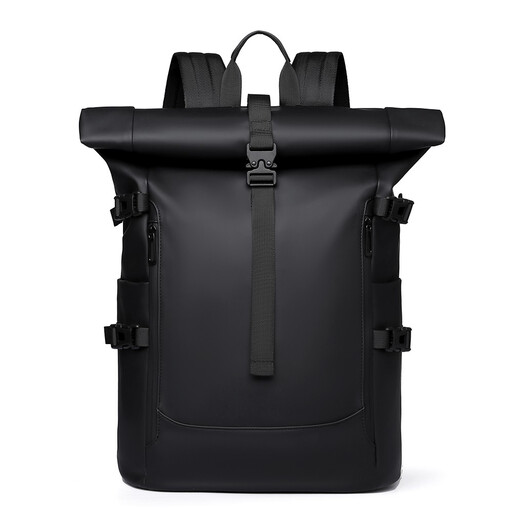
Why it suits this profile: The roll-top design offers an adjustable closure and is designed for everyday use, cycling and getting around the city with a laptop of up to 15.6 inches.
The product title states that it is water-repellent; this is not a promise of complete waterproofing. Check the closure and use an additional cover in heavy rain.
Suitable for laptops of up to 15.6 inches according to the product title; roll-top design and generous capacity for everyday carrying.
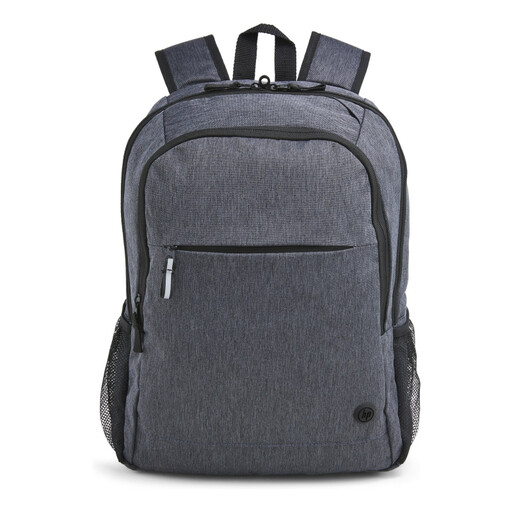
Why it suits this profile: This business laptop backpack combines a padded 15.6-inch compartment with a trolley strap and adjustable shoulder straps for the office and travel.
The specifications mention a padded laptop compartment, so you do not have to rely solely on the backpack’s general storage space.
Stated laptop size of 15.6 inches; product weight of 480 grams; water-resistant design and trolley strap.

Why it suits this profile: The expandable capacity is practical for commuters and travellers who carry clothes, accessories or documents alongside their laptop.
The stated capacity is 25 litres and can be expanded to 30 litres. This lets you adjust the space to suit your trip without having to carry an oversized bag as standard.
Expandable capacity from 25 to 30 litres; laptop compartment for up to 15.6 inches; chest straps and multiple storage compartments.
We have put together a complete, up-to-date list of products that fully meet these strict selection criteria and the applicable European safety regulations.
No. The designation usually refers to the maximum screen size, not the complete casing. Compare your laptop’s dimensions with those of the laptop compartment. Also allow for a protective sleeve.
Its lifespan depends on the load, zips, seams, material and maintenance. A backpack that is filled heavily every day will wear out faster than a bag used for light commuting. Distribute the weight, avoid overloading and clean the material according to the care instructions.
A USB port is primarily a cable pass-through to a power bank. Check that the connection is secure and keep electronic equipment dry. The port only supplies power when a suitable power bank is connected, so check the product information beforehand.
