
Vandaag of morgen in huis

Kwaliteit gegarandeerd

Welkomstaanbiedingen ontgrendelen: GRATIS bezorging | Tot 80% korting | Gratis 30 dagen JoyPlus-proefperiode
Download de app
A laptop backpack might seem simple at first: choose a size, check the colour and place your order. But small differences in fit, protection and comfort can make a big difference after a few weeks. A laptop compartment that’s too tight, awkward zips or not enough room for a charger can quickly make everyday use frustrating.
For students, commuters and business travellers, these are the main pitfalls to avoid:
First, check both the maximum screen size and the dimensions of the laptop compartment. A 16-inch laptop backpack might seem suitable for a 15.6-inch laptop, but generous external dimensions tell you nothing about the padding or internal fit.
Check:
For example, the Lenovo ThinkPad Professional 2nd Generation is listed as suitable for a maximum screen size of 40.6 cm (16 inches). Its stated dimensions are 30 × 43.5 × 18.5 cm, and it weighs around 1 kg. The product description also mentions protection for laptops up to 15 inches. So, check the exact dimensions of your device before buying, especially if you have a 16-inch laptop.
A durable outer fabric, secure zips and a padded laptop compartment are useful features for commuting. Pay attention to the wording too:
If you cycle or travel in the Netherlands, a rain cover may still be a good idea. Also, keep electronics away from sharp objects such as keys, tools and metal accessories.
A lightweight laptop backpack is comfortable for short journeys, but an ultra-light model won’t always have the same padding or support as a business laptop backpack. Look for:
A 25-litre backpack may be enough for everyday use, while an expandable model can be more useful for clothes or extra accessories on a business trip. But more capacity doesn’t automatically mean more comfort: heavy items should be packed close to your back.

Why it suits this profile: A practical choice for students or commuters looking for a 15.6-inch laptop backpack for everyday travel to school or the office.
The product name specifies a 15.6-inch laptop compartment. Be sure to check the exact internal dimensions before ordering; the available product information doesn’t provide full measurements.
Described as a lightweight model for work, commuting and travel, with a USB charging port according to the product title.
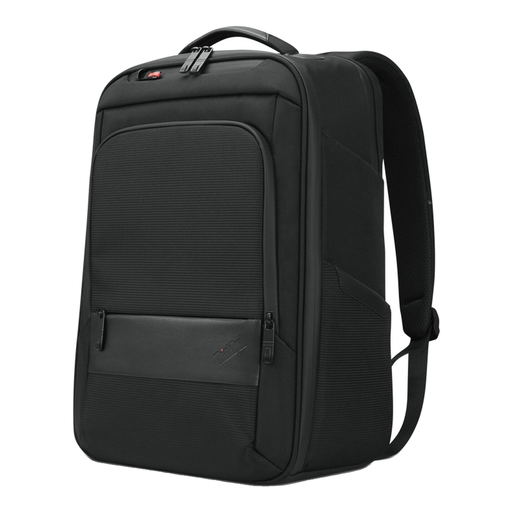
Why it suits this profile: A good fit for professionals looking for a business laptop backpack with room for documents and accessories.
The stated dimensions and separate notebook compartment make it easier to compare. Note the different references to 15 and 16 inches, and measure your laptop before buying.
Dimensions of 30 × 43.5 × 18.5 cm, a handle, zipped compartments and, according to the product specifications, 70% recycled material.

Why it suits this profile: A travel backpack with a laptop compartment for commuters and business travellers who want to carry clothes, documents and accessories together.
It has a stated capacity of 25 litres and expands to 30 litres. That gives you room for extra belongings without needing to take a second bag straight away.
Suitable for laptops up to 15.6 inches according to the specifications, with chest straps, multiple compartments, a concealed RFID-blocking pocket and lockable zips.
We’ve put together a complete, up-to-date list of products that meet these strict selection criteria and current European safety requirements.
It might, but always check the internal dimensions. The inch measurement usually refers to the screen diagonal, not the full casing. A laptop with a wide bezel or an extra-thick base could still be a tight fit.
Its lifespan depends on the weight it carries, the quality of the zips and seams, exposure to moisture and how often you use it. Distribute the weight, don’t overfill the bag and always keep your laptop in the padded compartment. Clean the bag according to the manufacturer’s instructions; if a model can only be cleaned with a damp cloth, it shouldn’t go in the washing machine.
An external USB port can be handy for connecting your phone to a power bank in the bag while you’re out and about. The port isn’t a power source in its own right. Make sure the power bank is secure, keep cables clear of the zips and use suitable accessories only. The USB feature also says nothing about how well the laptop itself is protected.
