
Vandaag of morgen in huis

Kwaliteit gegarandeerd

Welkomstaanbiedingen ontgrendelen: GRATIS bezorging | Tot 80% korting | Gratis 30 dagen JoyPlus-proefperiode
Download de app
Carrying a laptop, documents, personal items, and a fresh lunch to work or university is a daily reality for many. The solution seems simple: a laptop backpack with a cooler compartment. Yet, the search often ends in frustration. You might find bags that fall apart after three months, an "insulated" pocket that fails to keep your salad cool, or an awkward layout that causes back pain.
Before you invest in a new work bag, it's wise to know the common pitfalls. Many bags overpromise and underdeliver. Here are the most frequent issues to watch out for.
To find a bag that genuinely makes your daily life easier, it's crucial to look past the marketing hype and focus on the specifications that truly matter.
A quality backpack with an insulated compartment is more than just a thin layer of foil. Pay attention to the following points:
A work bag with a lunch compartment must be, above all, functional. The layout is crucial.
Modern backpacks often offer convenient features that make life on the go easier.
Based on these criteria, we have selected several popular choices that suit different user profiles.
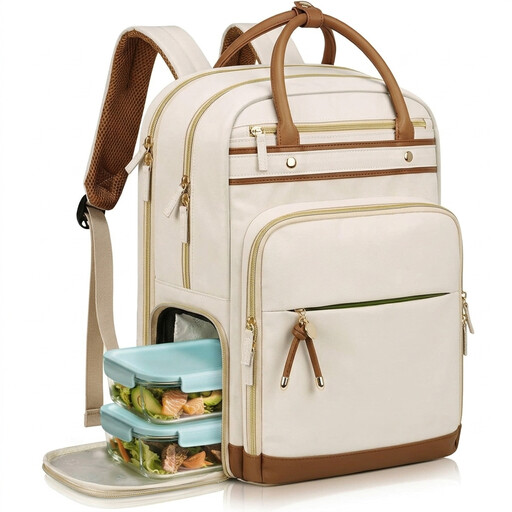
Why This Fits Their Persona: Ideal for those who value flexibility. The detachable lunch bag makes the backpack slimmer for days when you're eating out, while the organized compartments and professional look are perfect for the office.
The detachable cooler compartment is made from aluminium foil and EVA, providing solid insulation. As it's a separate unit, the risk of leaks into the main compartment is minimal.
2-in-1 Design: Maximum versatility. TSA-Friendly: Folds open completely for smooth air travel. Suitable for 15.6-inch laptops.
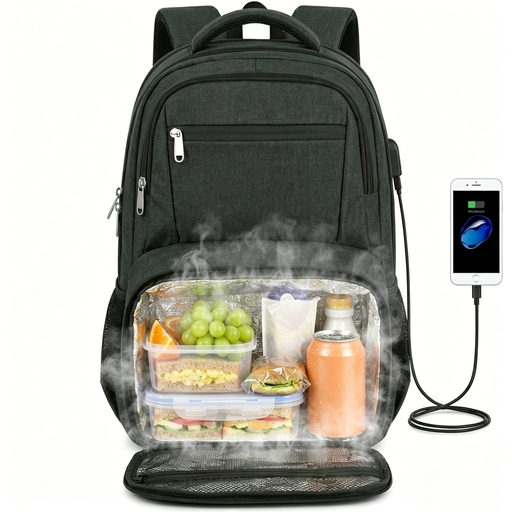
Why This Fits Their Persona: For long days on campus or on the go. This bag combines a very spacious main compartment with a large, integrated cooler section and a sleeve for a 17.3-inch laptop. There's enough room for books, a laptop, and a substantial lunch.
The cooler compartment is not only spacious (fits 10 cans, according to the manufacturer) but also strategically placed at the bottom. This ensures stable weight distribution, even when the bag is full.
Large Capacity: Suitable for laptops up to 17.3 inches. Collapsible Cooler: Can be compressed to create more space in the main compartment.
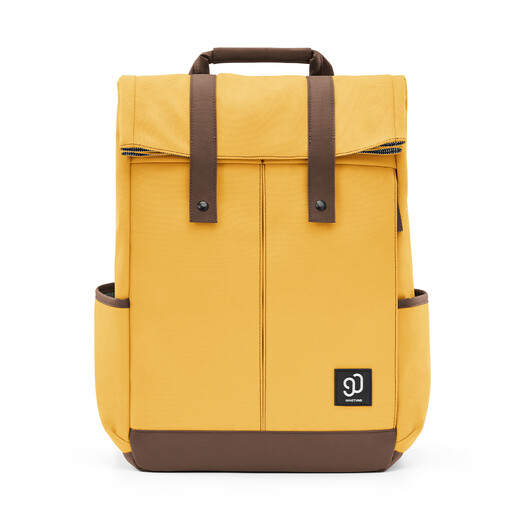
Why This Fits Their Persona: For those seeking a functional bag with a modern, minimalist aesthetic. It's perfect for university or a first job where an overly technical look isn't desired. The smart compartment layout keeps everything neatly in place.
This bag avoids the "fake insulation" trap by simply not promising it. Instead, it offers level 4 water-repellent fabric and separate compartments to safely keep a well-sealed lunch box away from your laptop.
Stylish Design: Modern and not too bulky. Quick Laptop Access: A separate side zipper provides direct access to the laptop compartment (up to 14 inches) without opening the entire bag.
We have compiled a complete, up-to-date list of products that meet these strict selection criteria and comply with current regulations.
Never put the backpack in a washing machine. Use a damp cloth, with a mild soap solution if necessary, to remove stains. The USB port itself does not require cleaning, but ensure the port and the connected cable are completely dry before use to prevent short-circuiting.
It's designed to help, but it's not a guarantee. The 180-degree lay-flat design allows security staff to get a clear X-ray scan of your laptop without you having to remove it from the bag. However, the security officer always has the final say and may still ask you to remove the laptop for additional inspection.
This depends on the quality of the insulation, the ambient temperature, and whether you use an ice pack. A well-insulated compartment with an ice pack can keep your lunch cool for several hours (e.g., 4 to 6), which is typically enough for the commute to work and until your lunch break. Without an ice pack, the cooling duration is significantly shorter.
