
Vandaag of morgen in huis

Kwaliteit gegarandeerd

Welkomstaanbiedingen ontgrendelen: GRATIS bezorging | Tot 80% korting | Gratis 30 dagen JoyPlus-proefperiode
Download de app
A laptop and laptop backpack may seem like a straightforward purchase. However, problems often only become apparent after a few weeks of use. The bag turns out to be too small for the charger, the laptop does not have enough ports, or supposedly water-resistant material only offers protection against light rain.
For students, homeworkers, office workers and commuters, three pitfalls are particularly important:
A 15.6-inch laptop backpack is suitable for many common laptops, but in addition to the screen size, look at the physical dimensions. A laptop with a wide casing or a thick protective sleeve may be a tight fit. Therefore, measure:
For commuting, a padded laptop compartment is useful. If you cycle or use public transport every day, adjustable shoulder straps, a breathable back panel and a sturdy handle are more valuable than a large number of small pockets.
With a water-resistant laptop backpack, you should distinguish between the material and the construction. Water-repellent fabric can help keep out light rain, but prolonged exposure to rain remains a risk. A roll-top closure, covered zips and a raised or padded laptop section can make a practical difference.
Also check whether the product description clearly states:
For a laptop for study and working from home, the processor, memory and storage are the most important components. A configuration with 16GB RAM and 512GB SSD offers space for multitasking and files on paper, but the overall experience also depends on the software, settings and how you use the laptop.
Also look out for:
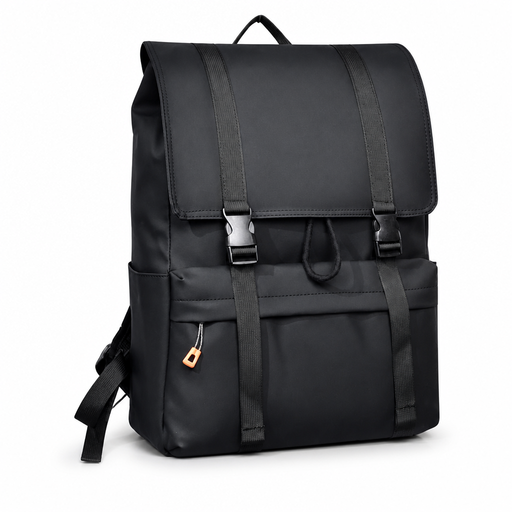
Why it suits this profile: This backpack is designed for everyday use at school, work and when travelling around town. The flip-top design and generous capacity provide room for a laptop and everyday essentials.
The product listing mentions a water-repellent design and a compartment for laptops up to 15.6 inches. Check the exact internal dimensions before buying a thick model with a sleeve.
Flip-top closure, generous capacity and suitable for school, work and travelling around town.
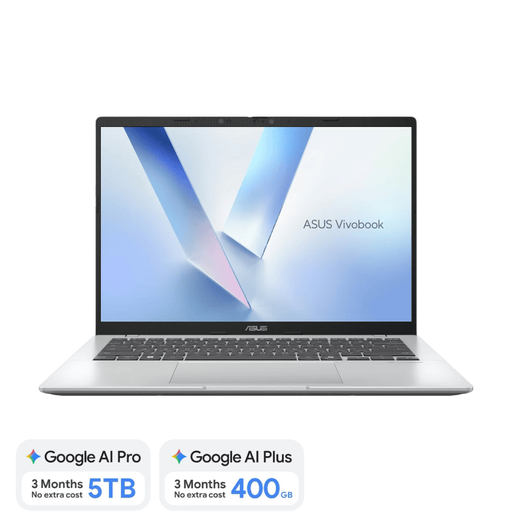
Why it suits this profile: This 14-inch laptop combines a weight of approximately 1.49 kg with 16GB LPDDR5X, a 512GB SSD and a Dutch QWERTY keyboard layout.
The specifications clearly state which ports and how much memory are included. The memory is integrated and cannot be upgraded, so bear this in mind if you plan to use the laptop for a long time.
WUXGA screen in a 16:10 format, Wi‑Fi 6E, two USB4 Type-C ports and a backlit Dutch QWERTY keyboard.
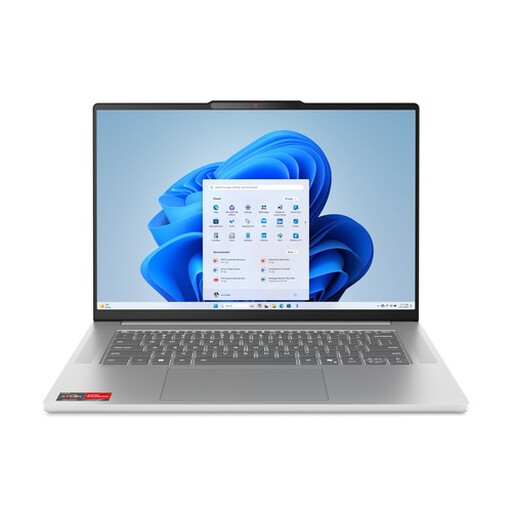
Why it suits this profile: This laptop is designed for users who combine multiple browser windows, documents and video calls. The Ryzen 5 processor has 6 cores and 12 threads.
The product information lists 16GB of RAM and a 512GB SSD separately. The RAM is soldered in and cannot be upgraded, which is worth considering before making your choice.
15.3-inch WUXGA IPS screen, 70Wh battery, microSD card reader and FHD infrared camera with privacy shutter.
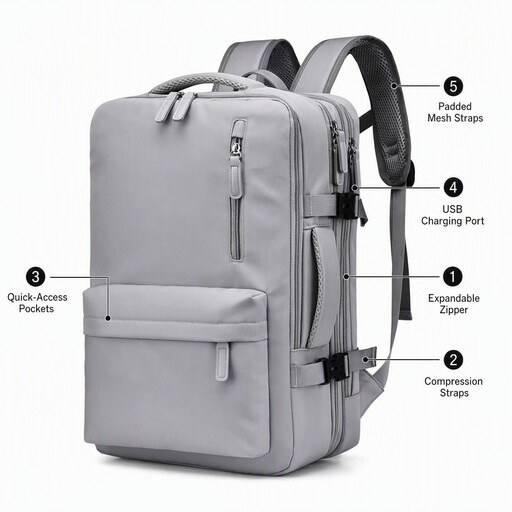
Why it suits this profile: The expandable design is practical for business trips, commuting and days when you need to carry extra documents or accessories.
The listing mentions a water-resistant design, multiple compartments and an external USB charging port. The charging port does not replace a power bank; you need to use one separately.
Suitable for laptops up to 15.6 inches, expandable capacity and an external USB port for compatible accessories.
We have put together a complete, up-to-date list of products that fully meet these strict selection criteria and the applicable European safety regulations.
No. The screen size refers to the diagonal measurement of the display, not the complete casing. Always check the internal dimensions of the laptop compartment and compare them with the width, height and thickness of your laptop.
No. The USB port is usually an external connection that leads to a power bank inside the bag. You therefore need a suitable power bank, cable and phone. Also check whether the connection only transfers power or supports additional functions.
Its lifespan depends on the weight carried, frequency of use, closures, seams and exposure to rain. Avoid overloading the bag, place the laptop in the designated compartment and regularly check the zips and shoulder straps. For everyday use at work or for study, a sturdy construction and suitable capacity are more important than a large number of accessories.
