
Commuter who types notes
You read PDFs on the go and mainly add highlights and typed comments. A portable laptop with a comfortable keyboard may be more important than writing on the screen.


For typed notes, choose a compact standard laptop with a keyboard. If you want to write by hand on PDFs, a 2-in-1 is a good fit only if the pen you want is compatible and included with that configuration. A Chromebook may be enough for basic annotations if your apps and files also work offline. Check which test a manufacturer’s battery-life claim is based on, and don’t assume there’ll be Wi-Fi or a socket on the train.
You read PDFs on the go and mainly add highlights and typed comments. A portable laptop with a comfortable keyboard may be more important than writing on the screen.
You regularly write or sketch on documents and want a practical tablet mode and a pen that works with your chosen configuration. A touchscreen alone doesn’t confirm that the pen you want will work.
You’re looking for a device for basic annotations and want to check in advance that your apps, local storage and any separate accessories meet your needs.
A good fit if: you mainly highlight text and type comments, and a keyboard matters more to you than writing on the screen.
Check: a standard laptop doesn’t automatically have a touchscreen or support a compatible pen.
A good fit if: you regularly write by hand or sketch on PDFs and want to use tablet mode.
Check: pen compatibility and whether the pen is included with that exact configuration.
A good fit if: the annotation features in the ChromeOS Gallery app meet your needs and your files are available locally.
Check: whether the study or work software you need runs on ChromeOS, and how locally stored files are managed.
First decide whether you’ll type or write with a pen, then check offline use, screen size and the exact configuration. The percentages below show the top buying priority for each scenario.
| What to consider | What should you check? | Who should pay extra attention? |
|---|---|---|
| Portability and workspace | Compare the dimensions and weight of the exact configuration, and think about how much screen and keyboard space you’ll have in your seat. | If I take my laptop with me often and read in a confined space, compactness matters a lot. Around 36% of consumers give portability top priority. |
| Handwritten annotations | Test your own PDF and app; check that the pen is compatible and included with your chosen configuration. | If I want to write in the margins or sketch, I need more than just a touchscreen. Around 29% of consumers give handwritten annotations top priority. |
| Offline use and power | Test saving a file locally without Wi-Fi and opening it again; check what testing a battery-life claim is based on. | If I don’t want to rely on Wi-Fi or a socket during my journey, my PDF needs to work on its own. Around 21% of consumers give offline use top priority. |
| Total cost and software | Check the apps you need, storage space and whether essential accessories such as a pen or adapter are included. | If I’m looking for a suitable combination of laptop, software and accessories without unnecessary extras, I compare the complete configuration. Around 14% of consumers give keeping total costs manageable top priority. |
A touchscreen doesn’t confirm that a particular digital pen is supported or included.
Check pen compatibility and what’s in the box for the exact configuration. Lenovo says the Yoga Pen is optional and sold separately for the Yoga 7 2-in-1 Gen 10 configuration reviewed.
Bear in mind that a compatible pen may be sold separately.
A manufacturer may state battery life for video streaming or web browsing, but that doesn’t tell you directly how long your own PDF session will last. NS also says that sockets on Sprinters vary by train type and route.
Check what activity a battery-life claim is based on, and plan your journey as if charging isn’t guaranteed.
The ChromeOS Gallery app supports PDF highlighting and text annotations, but the software you need and how locally stored files remain available also matter.
Before choosing, test your own PDF and app offline, including saving and reopening the file.
You may need to use a different app or method for local storage.
The Yoga 7 2-in-1 Gen 10 (14-inch AMD) is a Windows option for anyone who wants to switch between laptop and tablet mode.
The 13-inch MacBook Air with M5 chip is a compact macOS option for reading, typing and highlighting.
The Zenbook 14 OLED UX3405 is a Windows option for anyone looking for a compact standard laptop.
The Chromebook x360 14b-ce0686ndx is a ChromeOS option with a fold-back touchscreen for basic annotations.
This selection features standard laptops for compact, mainly typed annotations on the go. Check for each configuration whether your PDF app works offline and which accessories are included.
 No image available
The 13.3-inch configuration with a backlit keyboard is well suited to typing notes on the go.
13.3-inch IPS screen; 1,46 kg; 16 GB RAM; 512 GB SSD; Windows 11.
 No image available
This compact configuration with a QWERTY keyboard is designed for reading and typing comments on the go.
13.6-inch screen; 1,23 kg; 16 GB memory; 512 GB SSD. The power adapter is not included; a USB-C adapter is required.
 No image available
This 13-inch configuration with a QWERTY keyboard is designed for compact, typed notes.
8 GB memory; 256 GB SSD. The USB-C power adapter is not included and must be provided separately.
 No image available
This 13-inch configuration with a QWERTY keyboard is designed for compact, typed notes.
8 GB memory; 512 GB storage. The USB-C power adapter is not included and must be provided separately.
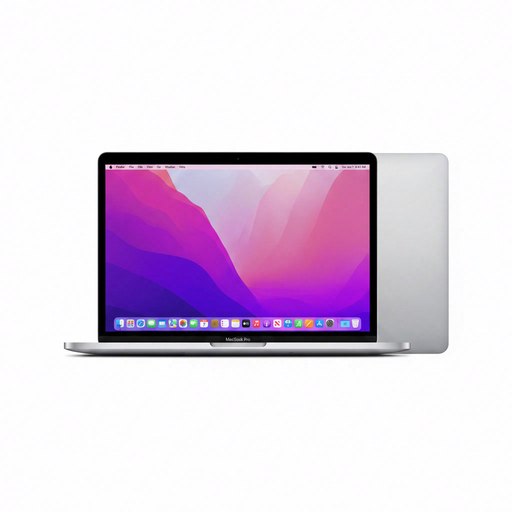 No image available
This 13.3-inch laptop with a QWERTY keyboard is an option for typing comments on the go.
13.3-inch screen; 1,4 kg; 24 GB memory; 256 GB storage.
Yes, as long as your PDF and annotation app are available locally and the app can save files offline. Microsoft describes highlighting and saving in Edge; Google describes annotations in the ChromeOS Gallery app. Test your own file without a connection, then reopen it to check that your changes have been saved.
No. Check the facilities available on your specific journey before relying on a socket. NS says that Wi-Fi and sockets on Sprinters vary by train type and route. An NS document mentions sockets with USB connections in both classes on the ICNG, but that doesn’t apply to every train.
No. Also check that the specific pen is compatible and included with your chosen configuration. Lenovo says the Yoga Pen is optional and sold separately for the Yoga 7 2-in-1 Gen 10 configuration reviewed.
Use mobile data or a secure connection, such as a VPN, when going online via public Wi-Fi. Lock your laptop when you step away, and watch out for people looking over your shoulder in public spaces.
According to ACM ConsuWijzer, online purchases generally come with a cooling-off period of up to 14 days after delivery, subject to legal exceptions. You’re also covered by the statutory guarantee: if a laptop breaks down sooner than you could reasonably expect under normal use, the seller must offer an appropriate solution. A manufacturer’s guarantee doesn’t replace these statutory rights.