
3D animator
Creates or renders 3D scenes regularly, so compares the GPU, video memory and RAM of the exact configuration. Blender Foundation sets out Blender’s system requirements and points to consider.


Choose a laptop that suits your animation work. For Blender rendering, the GPU, video memory and RAM matter; for 2D drawing and timeline work, the screen and input method are more important. Also check that you can use the screen and input devices comfortably at both sitting and standing heights: a sit-stand desk alone doesn’t make prolonged laptop use ergonomic.
Creates or renders 3D scenes regularly, so compares the GPU, video memory and RAM of the exact configuration. Blender Foundation sets out Blender’s system requirements and points to consider.
Works mainly with drawings, images and timelines, and looks at the screen, input method and space for an external monitor or graphics tablet.
Alternates between sitting and standing and wants to position the screen and input devices so they work at both desk heights. Arboportaal recommends alternating between sitting and standing.
Start with the main priority for your animation work. For Blender rendering, the supported GPU, video memory and RAM are important, while the screen and input method matter more for 2D drawing. Blender Foundation recommends 32 GB RAM and 8 GB VRAM for Windows; these aren’t universal minimum requirements for every animation task.
| Consideration | What to look for when buying | Who should prioritise this? |
|---|---|---|
| 3D performance and memory | Check the GPU, VRAM, RAM and support for your preferred Blender rendering backend. | If I regularly create 3D scenes or render on the GPU, I want to know whether the exact configuration suits my projects. Around 36% of consumers make 3D performance and memory their top buying priority. |
| Screen and input for 2D | Check the screen configuration and reflections, and whether the laptop supports the input method or graphics tablet you use. | For drawing and reviewing images or timelines, the screen and input method matter most. I also check that my own drawing tools are compatible. Around 29% of consumers prioritise the screen and input for 2D work. |
| Sitting and standing setup | Check that you have the connections and desk space for a separate monitor or keyboard, and try the setup at both heights. | If I alternate between sitting and standing, I want to be able to position the screen and keyboard appropriately. Around 21% of consumers make their workspace setup their top priority. |
| Portability and connections | Compare the size and check that the connections work with your screen and input devices at both workspaces. | When I move my workspace regularly, I want to know which equipment I’ll need to take with me or reconnect each time. Around 14% of consumers prioritise portability. |
A GPU alone doesn’t tell you whether it supports your preferred Blender rendering backend or has enough memory for complex scenes. Blender Foundation also explains the memory limitations involved in complex GPU rendering.
Check the GPU, VRAM and rendering backend you want to use for the exact laptop configuration.
A laptop screen and keyboard can’t be positioned separately. Some employees are also subject to workplace setup regulations.
Plan your complete setup and check in advance that a separate screen or keyboard, along with the necessary connections, will work in your workspace.
Models in the same product range can differ in processor, screen and memory.
Compare the full model number and specifications of the exact configuration you’re considering.
The ProArt P16 H7606 range includes Windows configurations for creative professionals, with specifications varying by configuration.
The Yoga Pro 9i Gen 11 is a Windows range with configurations that combine screen and drawing features with graphics capability.
The MacBook Pro range offers macOS configurations with a choice of M5, M5 Pro and M5 Max chips.
The ZBook X G1i is a Windows workstation range with clearly specified configurations.
The Pro Max Plus 16 is a workstation range with configurable options.
Joybuy laptop picks for animation work at a sit-stand desk.
 No image available
The product title describes a configuration for creative professionals, with an RTX 5070 and 32 GB RAM for anyone looking for a laptop for creative workloads.
16-inch IPS screen, 2560 × 1600, 240 Hz and 100% DCI-P3; 1 TB storage.
 No image available
This configuration lists an RTX 5090 with 24 GB and 64 GB RAM; compare the specifications with your 3D software’s requirements.
18-inch UHD+ Mini LED screen, 120 Hz, Intel Core Ultra 9 285HX and 6 TB SSD.
The product description lists a weight of 3.6 kg; bear this in mind if you move the laptop between workspaces often.
 No image available
The product title mentions the RTX 5060 and positions this configuration for content creation as well as gaming; check whether 16 GB RAM is enough for your projects.
16-inch QHD+ OLED screen, 240 Hz, 16 GB DDR5 and 1 TB SSD.
 No image available
This configuration lists 16 GB memory and a 512 GB SSD; compare the full specifications with your animation software’s requirements.
The product description says the power adapter must be purchased separately.
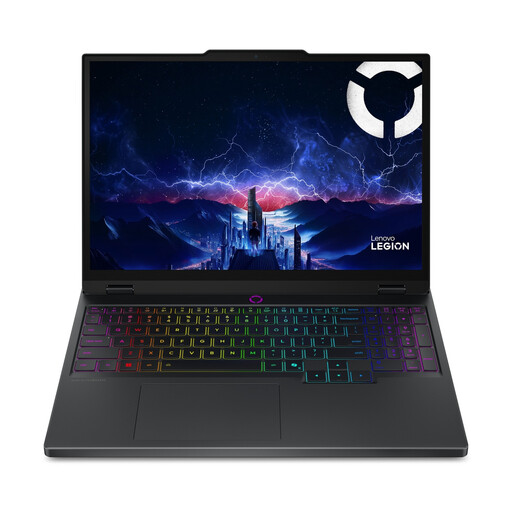 No image available
The product title lists an RTX 5060; check that the stated configuration and memory suit your animation work.
15.1-inch WQXGA OLED screen, 16 GB memory and 512 GB SSD.
The product description says the power adapter must be purchased separately.
No, it depends on the work you do. Check for a supported GPU and video memory especially if you use Blender with GPU rendering. For 2D drawing or other image work, the requirements of your own software and workflow are what matter. Blender’s 3D recommendations aren’t general minimum requirements for animation.
Make sure you can position the screen and input devices comfortably at both sitting and standing heights, and alternate between sitting and standing. Arboportaal recommends switching between the two; standing for longer isn’t in itself a solution to prolonged screen work.
Arboportaal sets out workplace setup requirements for employees who work at a screen for more than two hours a day. If they use a laptop, they must be able to use a separate screen or keyboard. This applies in an employment context; it isn’t a general ban on individuals using a laptop with a fixed keyboard.
When you buy as a consumer in the Netherlands, you’re entitled to a product that meets the terms of the agreement; according to the Dutch government, there’s no fixed statutory warranty period. For a typical online purchase from a business as a consumer, you’ll usually have 14 days to change your mind, although exceptions apply. Different terms may apply to business purchases.