What should you look for when choosing?
For a language lesson at a shared desk, your choice will mainly depend on the number of speakers, the connection and how much freedom of movement you need.
| What to consider |
What should you check? |
Who is this important for? |
| Recording your own voice clearly |
Check the clip and any windscreen. Make a test recording at your normal speaking volume while moving around at the desk. |
If you mainly want to listen back to your own pronunciation, look for a microphone that sits close to your mouth. Around 36% of consumers say that being able to hear their own voice clearly is their main priority. |
| Recording both speakers |
Check that the version you choose includes two transmitters and a receiver, then test it with both speakers. |
If you want to record the teacher and learner using a microphone each, check what’s included. Around 29% of consumers prioritise having two equally clear voices. |
| Connecting to your recording device |
Check the port, any required adapter and the microphone input on your specific device. Test whether the recording app is using the external microphone. |
If you want to make sure the microphone works with your phone, computer or camera, compare the exact connections. Around 21% of consumers say device compatibility is their main priority. |
| Cable and recording time |
Compare the length of your lesson with the stated battery life of the transmitter and receiver. Check whether the version you’re considering includes a charging case. |
If a cable restricts your movement or you need to record a long lesson, weigh that against the need to recharge a wireless set. Around 14% of consumers prioritise going cable-free or battery life. |
Joybuy products for lesson recordings
These product options are wireless lapel microphones for recording lessons. Check the number of microphones, the connection and compatibility with your device for each version.
 No image available
DJI Mic Mini 2S (2 TX + 1 RX + Charging Case)
A version with two transmitters could be a good fit if both the teacher and learner need their own microphone.
The product name lists two transmitters, one receiver and a charging case.
Joybuy
 No image available
Verbex K31Pro-Black Dual Microphone, iOS and Type-C
The dual-microphone version could be a good fit if two people each need a microphone.
The product name lists a wireless set with iOS and Type-C connections.
Check which connection comes with the version you choose and whether it works with your recording device.
Joybuy
 No image available
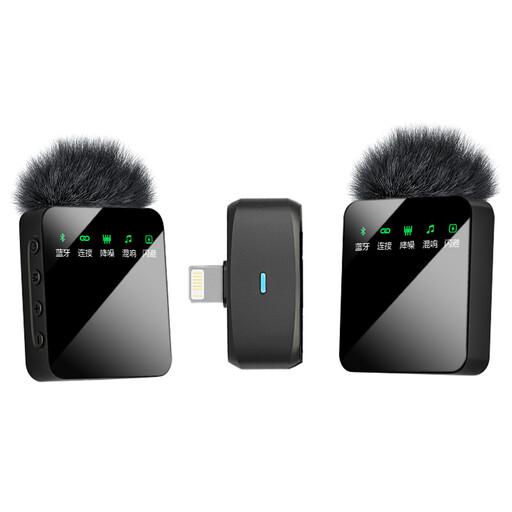
Verbex ST5 Dual-Mic, iOS
A dual-microphone version could be a good fit if the teacher and learner each want to wear a microphone.
The product name lists a wireless mini lapel microphone with an iOS connection.
Check that the connection is compatible with your recording device before choosing the set.
Joybuy
 No image available
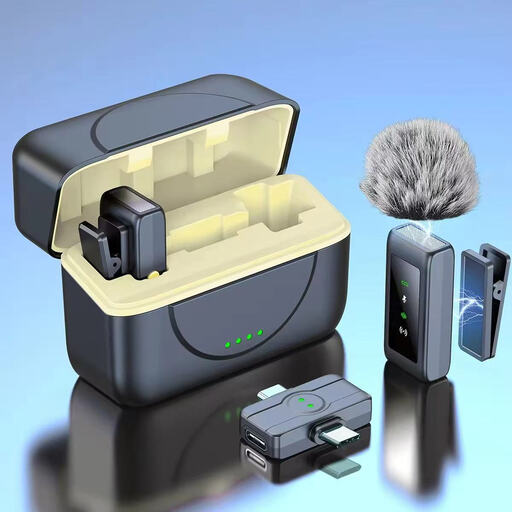
Verbex K80 Dual-Mic, Universal Interface
The dual-microphone version could be a good fit if two people each need a microphone.
The product name describes a wireless mini lapel microphone with a universal interface.
Check which devices and connections work with the version you choose.
Joybuy
 No image available
Verbex ST5 Single-Mic, Universal Interface
This version could be a good fit if one speaker needs a wireless clip-on microphone.
The product name lists a single-microphone version with a universal interface.
Check device compatibility and whether one microphone is enough for your lesson recording.
Joybuy
Frequently asked questions
How should you attach a lapel microphone for a language lesson at a shared desk?
Attach the microphone close to the speaker’s mouth and make a short test recording while they speak and move around as they normally would. Check that their clothing isn’t rubbing against the microphone. Placing it close to the mouth is an advantage, but it doesn’t guarantee that other voices will be eliminated.
Will a Shure MVL work directly with any camera or laptop?
No, don’t assume that it will. Shure describes the MVL as suitable for compatible mobile devices with 3.5 mm TRRS or a compatible CTIA adapter, and doesn’t guarantee it will work with cameras via a TRRS-to-TRS adapter. Check your device’s input.
Can you record or share recognisable voices from other people during a lesson?
That depends on who is recording, the purpose and how the recording will be used. The Dutch Data Protection Authority notes that identifiable voice recordings may count as personal data. For educational institutions, it’s important to agree how people will be informed, the purpose of the recording, how it will be stored and how long it will be kept. Sharing it with a wider audience may involve different privacy rules from using it for personal purposes only.
What can you do if a newly purchased microphone develops a fault during normal use?
Contact the seller. According to ACM ConsuWijzer, if a product doesn’t meet what you could reasonably expect, the seller must offer an appropriate solution at no extra cost, such as a repair, replacement or refund.
How can you avoid keeping lesson recordings for longer than necessary?
If an educational institution is making the recording, agree why it’s being made, who can access it and when it will be deleted. The Dutch Data Protection Authority lists providing information about the purpose and retention period, secure storage and timely deletion as elements of a policy for online teaching recordings. This isn’t a universal retention period for every lesson recording.


