What should you look for when buying?
Wired lavalier
Choose this option: if you can stay within cable reach and want to record directly to your phone or computer. Sennheiser specifies a 2 m cable for the XS Lav models.
Bear in mind: the cable’s reach and the right input; 3.5 mm TRRS and USB-C are different connections.
Wireless clip-on microphone
Choose this option: if you want to move around without a cable between your clothing and recording device. Check that the receiver and connection are compatible with your phone or camera.
Bear in mind: you’ll need to manage the transmitter, receiver and recording on the connected device. RØDE states that the Wireless Micro transmitter doesn’t record internally; DJI lists this feature for the Mic Mini 2S.
Lavalier with a portable recorder
Choose this option: if you want to record locally while walking, without relying on a wireless connection to your phone. Zoom describes the F2 as a recorder with a lavalier microphone.
Bear in mind: you’ll need to operate the recorder and transfer the file afterwards; for video, the audio needs to be part of your editing workflow.
Before you record the full script, make a test recording along your actual route. This lets you check that your voice stays clear, the connection works and your clothing or cable doesn’t make audible rustling noises.
| What to consider |
What should you check? |
Who is this important for? |
| Clarity |
Make a test recording while walking, then listen for echo, voice level and clothing rustle. For the MVL, Shure specifically recommends a distance of 15–25 cm from your mouth. |
If I’m recording in an untreated room, I want to hear whether my words stay clear without my clothing rubbing against the capsule. Around 33% of consumers put clarity first. |
| Freedom of movement |
Check the cable’s reach against your entire route; for wireless models, check which receiver and connection will work with your device. |
If I want to walk and turn while recording, I don’t want a cable to restrict my route. Around 27% of consumers put freedom of movement first. |
| Connection |
Check the port on your phone, computer or camera, and make sure your recording app actually uses the external microphone. |
If I want to use my own phone or computer, I want to know in advance that the microphone and recording setup will work together. Around 20% of consumers put compatibility at the top of their list when buying. |
| Local recording file |
Check whether the exact transmitter or recorder has internal recording, whether recording has started and how to transfer the file afterwards. |
If I want to keep a local file, I want to know where my voice is being recorded and how to find that recording later. Around 20% of consumers put this feature first. |
Joybuy products for wireless recording
These Joybuy picks are aimed at wireless recording while walking. For each version, check whether you need a receiver, which connection is included and whether the transmitter or set records locally.
 No image available
DJI Mic Mini 2S (2 TX + 1 RX + Charging Case)
A wireless set for anyone who wants to move around while recording; the product information lists internal recording.
This version includes 2 TX, 1 RX and a charging case. DJI lists internal recording for the Mic Mini 2S.
Joybuy
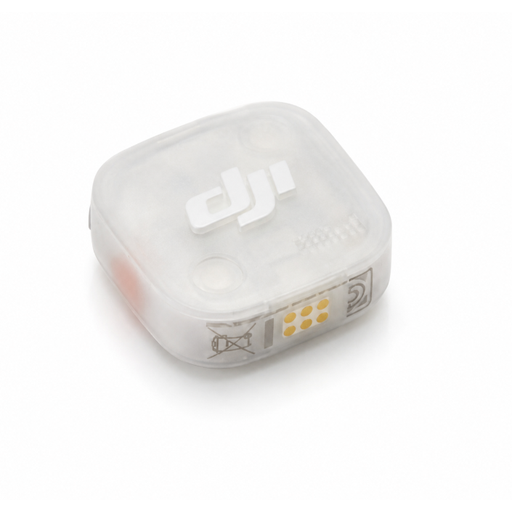 No image available
DJI Mic Mini 2S Transmitter
A transmitter for anyone looking for a local recording option; check whether you already have a compatible receiver.
This product is the transmitter only. DJI lists internal recording for the Mic Mini 2S.
Joybuy
 No image available
DJI Mic 3 (1 TX + 1 RX)
A wireless set for solo recording on the move; the product information lists internal recording.
The title lists 1 TX and 1 RX. The product information also mentions a USB-C phone adapter; check that the connection works with your recording device.
Joybuy
 No image available
Verbex K31Pro-Black Dual Microphone
A wireless option for anyone who wants to record with two microphones; check which connection works with your device.
The product title lists two microphones and iOS and Type-C interfaces. The description mentions a magnetic clip attachment.
Joybuy
 No image available
Verbex K9-Black Wireless Mini Microphone
A wireless mini microphone for recording on the move; check that Type-C works with your recording device.
The title lists one microphone and a Type-C interface.
Joybuy
Frequently asked questions
Can noise reduction fix the echo in my untreated room?
Don’t count on it: a microphone can’t change the acoustics of a room. Shure explains that a microphone can’t completely separate direct speech from reflections. So first make a test recording with the microphone close to your voice, then assess any noise reduction feature using that recording.
How should I attach a lavalier if I’m walking while recording?
Attach the capsule so that fabric doesn’t rub against it, then listen for contact noise during a test walk. For the MVL, Shure specifically recommends a distance of 15–25 cm from your mouth; this is a recommendation for that model, not a universal distance for every lavalier.
Will a wireless transmitter record my script automatically?
It depends on the model. RØDE says the Wireless Micro doesn’t have internal recording, so a connected device needs to record. DJI lists internal recording for the Mic Mini 2S; check that the feature is set up and recording before you begin.
What can I do in the Netherlands if my microphone is faulty?
According to the Dutch government, you should contact the seller to resolve a problem with a product. The Netherlands has no fixed statutory warranty period; how long you can reasonably expect to use a product depends, among other things, on the product and the sales information. Any manufacturer’s warranty is in addition to this.
Can I use recognisable voices of other people in a published tour recording?
Publishing other people’s personal data isn’t automatically permitted in the Netherlands. The Dutch Data Protection Authority states that, in principle, you need a legal basis, and that publication online generally requires consent. Whether someone’s voice is recognisable in your situation, and which legal basis applies, needs to be assessed separately.


