
Practising around household noise
You want to listen back to your voice while, for example, a fan is audible, so you’re paying attention to mic placement and any noise processing.


Start with the microphone close to your mouth and listen back to a short test recording. Both mic placement and distracting room noise affect how well you can assess your pronunciation. A wired microphone suits a fixed recording spot and a compatible input. Choose a wireless model if you need more freedom to move or adjustable noise reduction, but check the receiver and recording app too. Compare recordings with noise reduction on and off: a quieter background doesn’t automatically make every pronunciation sound easier to assess.
You want to listen back to your voice while, for example, a fan is audible, so you’re paying attention to mic placement and any noise processing.
You want to check in advance that the plug or receiver and recording app work with your phone.
You usually record in one place and are considering a simple wired option, provided your device has a compatible input.
A good fit if: you record while seated and your device has the right microphone socket.
Bear in mind: the cable limits your movement, and an omnidirectional microphone won’t completely block out room noise.
A good fit if: you move around while practising or want to compare persistent background noise with different settings.
Bear in mind: the transmitter, receiver and app’s audio input all need to be compatible. Noise reduction doesn’t always silence sudden, loud sounds.
A good fit if: you’re looking for a simple clip-on mic and have checked whether your phone uses USB-C or Lightning.
Bear in mind: the same product range may include different receivers and kit contents.
First choose between a fixed wired setup and wireless recording. Then check the connection and test how your practice sounds with any noise processing switched on and off.
| What to consider | What to look for | Who should consider this? |
|---|---|---|
| Voice and background noise | Position the microphone close to your mouth and compare a test recording with noise reduction off and on. | If household sounds such as a fan are affecting your recording, you’ll want to hear whether your voice stays clear. Around 33% of consumers prioritise background noise. |
| Connection and recording app | Check your device’s input, any adapter you may need, the exact kit version and the app’s audio input. | If you record with a phone, you’ll want to make sure the app is using the external microphone. Around 27% of consumers say compatibility is their main concern. |
| Clarity of pronunciation | Say the same short sentence with noise processing switched off and at the available settings. | If you want to assess specific sounds, check that they remain recognisable in the processed recording. Around 20% of consumers prioritise this. |
| Simple setup | Check whether you need one or two transmitters, and whether the cable, receiver and included accessories suit your recording spot. | If you usually record while seated, a simple fixed setup may matter more than freedom to move. Around 20% of consumers put simplicity first. |
RØDE says the Wireless Micro’s noise reduction is designed for persistent background noise, not for instantly silencing sudden sounds. That alone doesn’t tell you how each sound you’re practising will come across in your recording.
Record the same short sentence with the feature switched off and on, then listen closely to the sounds you want to practise.
A TRRS microphone and wireless kits with USB-C or Lightning receivers use different connections. Your recording app also needs to use the external microphone as its audio input.
Before buying, compare the full model version, your device’s input and the app’s settings.
A cable limits your movement; with a wireless kit, the transmitter and receiver need to suit your device and how you plan to use them.
First choose based on your recording spot and how much you move around. Then check which accessories are included with the version you’ve chosen.
RØDE offers both wired lapel microphones and wireless clip-on kits for recording on a phone.
The Mic Mini is a wireless system for anyone looking for a wearable clip-on with adjustable noise reduction.
The MOTIV MVL is a wired, omnidirectional TRRS lapel microphone for voice recording with a compatible input.
The BY-V series includes wireless clip-on versions with different receivers for recording on a phone.
The Blink500 B2+ is a wireless kit for anyone looking for several connection options and control over their recording.
These Joybuy products are wireless microphones for clip-on and phone recording. Check that each version is compatible with your device and recording app.
 No image available
A wireless kit to consider if you’d like more freedom to move while practising. Check that the receiver and audio input work with your device.
The product name lists two transmitters, one receiver and a charging case.
 No image available
An option if you’re looking for a USB-C microphone. Check that your device and recording app use the external audio input.
The product name specifies the USB-C version.
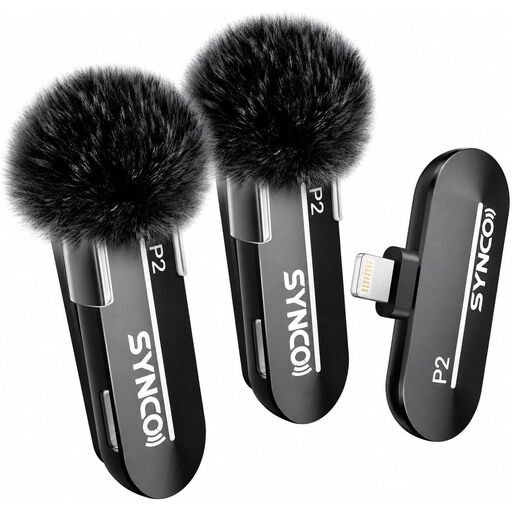 No image available
This version is designed for anyone who needs a Lightning connection. Check that it’s also compatible with your recording app.
The product name specifies Lightning and iPhone.
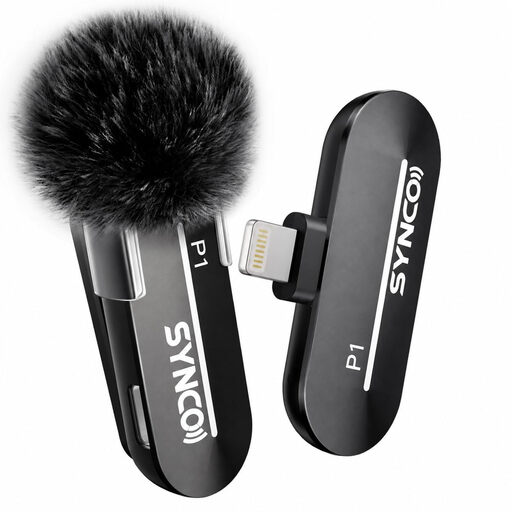 No image available
A Lightning version to consider if you’re recording with a compatible iPhone model. Check that the app uses the external audio input.
The product name specifies Lightning and iPhone.
 No image available
This kit is an option if you’re looking for a USB-C setup. Check your device’s connection and that your device and app use the external audio input.
The product name specifies USB-C, 2TX+1RX and a 150 m range.
Keep the microphone capsule clear of clothing that might rub against it, and make a test recording. Shure recommends a distance of 15–25 cm from your mouth for its MVL; that guidance won’t necessarily be right for every model.
No, noise reduction won’t necessarily remove every sound. RØDE says the Wireless Micro’s feature is designed to reduce persistent background noise, and notes that sudden sounds, such as a door slamming, aren’t silenced instantly. Listen back to your practice sentence using the available settings.
Make a test recording using the app you plan to use and, if possible, check which audio input is selected. Apple explains how to choose an input for specific apps and websites on iPhone; the options vary by app and recording feature.
When you buy as a consumer in the Netherlands, the product must be fit for purpose. The Dutch government says that if a product is faulty, you should be able to contact the seller; a manufacturer’s guarantee doesn’t replace your statutory rights.
A recording in which someone can be identified may count as personal data. Whether sharing it is allowed in a particular situation doesn’t depend solely on the fact that it was recorded at home. Keep other people’s recordings out of your practice and consider sharing them separately.