What should you look for when buying?
First, focus on what could derail your recording: an unsuitable connection or a noisy recording space. Then decide whether you need to move around wirelessly and how you’ll minimise clothing and handling noise.
| What to consider |
What should you check? |
Who is this important for? |
| Room echo and clarity |
Test the microphone where you plan to record and keep the distance from the speaker consistent; a microphone does not treat room acoustics. |
If I’m speaking softly in an echoey room, I first want to know whether my voice will remain clear in that spot. Around 28% of consumers prioritise clarity despite room echo. |
| Connection to your device |
Check the exact port, plug type, any adapter you may need and whether the recording app recognises the microphone. |
I want to avoid buying a microphone that won’t work with my phone, computer, camera or recorder. Around 28% of consumers give compatibility with their existing recording device top priority. |
| Freedom to move |
Decide whether you’ll be moving while recording and check which transmitter and receiver are included in the set. |
If I want to move around while guiding a session, being free of an audio cable matters more than a simple wired set-up. Around 17% of consumers choose freedom of movement as their main consideration. |
| Clothing and handling noise |
Secure the microphone and cable so they don’t move against your clothes, then listen to a test recording in your recording position. |
When speaking softly, I want to minimise distracting rustling and noise from small movements. Around 16% of consumers put avoiding handling noise ahead of other buying priorities. |
| Recording time |
Check the battery charge and test whether your chosen set-up can handle the full session. |
If I’m recording a long meditation, I want to avoid the recording stopping halfway through. Around 11% of consumers cite an uninterrupted long session as their main priority. |
Joybuy products
These Joybuy options are wireless clip-on microphones for anyone who wants to move around while recording; check the connection and microphone variant listed for each model.
 Image unavailable
DJI Mic 3 (1 TX + 1 RX)
A wireless option for one speaker who wants to record with an iPhone, camera or Android device.
The product name lists one transmitter and one receiver.
View at Joybuy
 Image unavailable
Verbex K31Pro-Black Dual Microphone
A wireless clip-on option to consider if you’re looking for a version with two microphones.
The product name lists compatibility with iOS and Type-C.
View at Joybuy
 Image unavailable
Verbex K9-Black Wireless Mini Microphone, Type-C
A wireless lavalier option for anyone looking for a Type-C version for recording or interviews.
The product name lists a Type-C interface.
View at Joybuy
 Image unavailable
Verbex K9-Black Single-Mic iOS Interface
A wireless clip-on option for anyone looking for a version with one microphone for an iOS device.
The product name lists one microphone and an iOS interface.
View at Joybuy
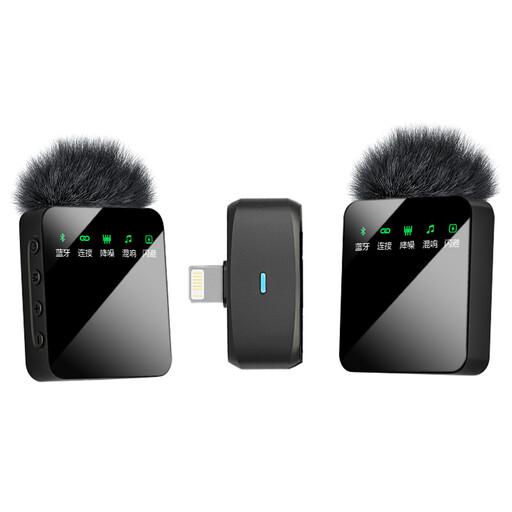 Image unavailable
Verbex ST5 Dual-Mic iOS Interface
A wireless button-style lavalier option for anyone looking for a version with two microphones.
The product name lists two microphones and an iOS interface.
View at Joybuy
Frequently asked questions
Will a lapel microphone remove the echo in my room?
No. According to Shure, a microphone does not improve a room’s acoustics. Place the microphone close to the speaker and make a test recording where you plan to speak.
How can I avoid rustling when clipping on the microphone?
Make sure the microphone and cable don’t move against your clothes, and test with the posture and clothing you’ll use for the recording. The 15–25 cm distance in Shure’s CVL manual is a recommendation for that specific model, not a general requirement for every lavalier.
Can I connect the RØDE Lavalier GO directly to my phone?
First check the connection: RØDE recommends a TRS-to-TRRS adapter for a phone with a compatible 3.5mm TRRS input. If your phone doesn’t have a 3.5mm port, you may also need a suitable Lightning or USB-C adapter, according to RØDE.
Do I need a licence for a wireless lapel microphone in the Netherlands?
That depends on the frequency used. The Netherlands Authority for Digital Infrastructure lists frequencies for microphones that don’t require a licence, as well as bands that do. Check the frequency of the specific system and the conditions for the place where you’ll be using it.
What are my rights if I’m not happy with a microphone bought online or it breaks soon after?
For an online consumer purchase, ACM ConsuWijzer says you usually have 14 days after delivery to change your mind, with some exceptions. Your statutory guarantee is separate from a manufacturer’s warranty: if a product doesn’t meet what you could reasonably expect under normal use, the seller must put things right in line with the applicable terms.


